
How is the subscription charged when completing a lesson?
How to charge a subscription when completing a lesson
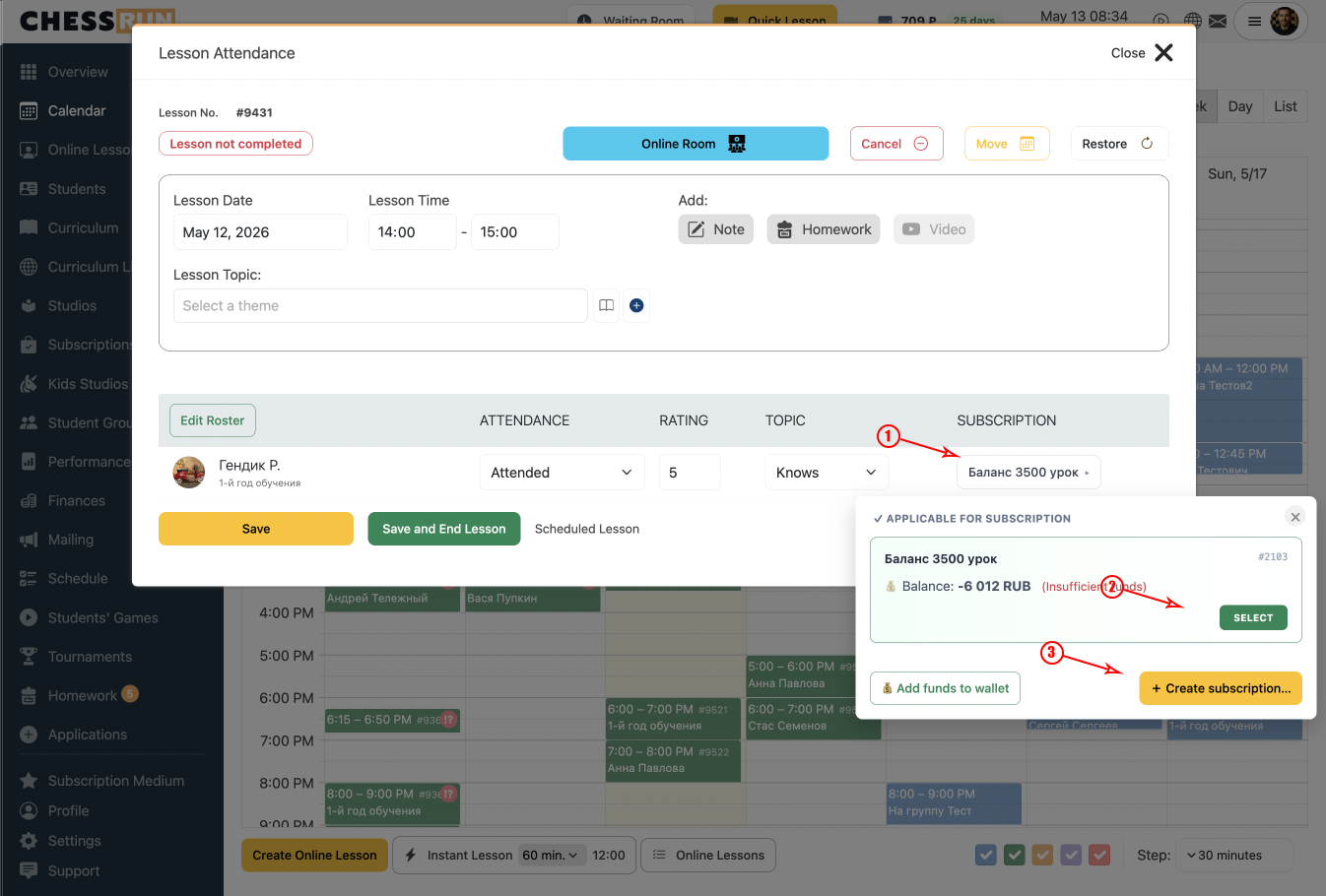
1Select or create a subscription
When completing a lesson, the subscription will be auto-selected if the student has only one. If there are several, pick the correct one. If there isn't one, create a new subscription right in the window.
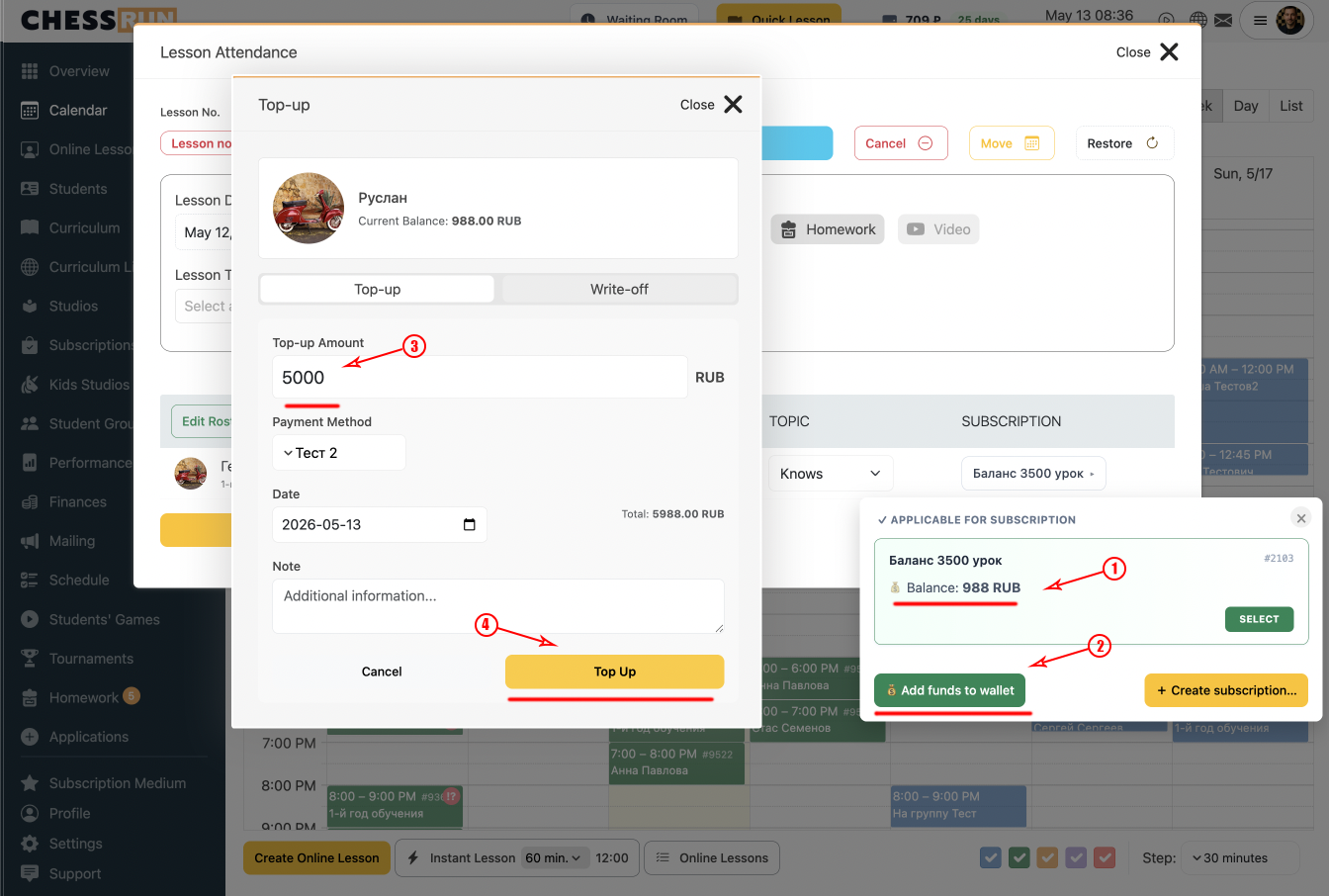
2Check and top up the balance
In the subscription charge window, you immediately see the student's current balance. If needed, you can top up the balance before charging.
FAQ
What happens if the student's balance is insufficient?
The balance will go negative, but future charges will still work.
What happens to the charged subscription if I restore the lesson?
The funds will be returned, and the subscription will be charged again on new completion.
How to complete a lesson if the student has no subscription?
You can create a subscription during lesson completion.
What if the wrong subscription was charged?
Restore the lesson and charge the correct subscription.