
What the student sees in the waiting room
What the student sees in the waiting room
1Open the waiting room link
The student uses a personal or shared link to access the waiting room from their device.
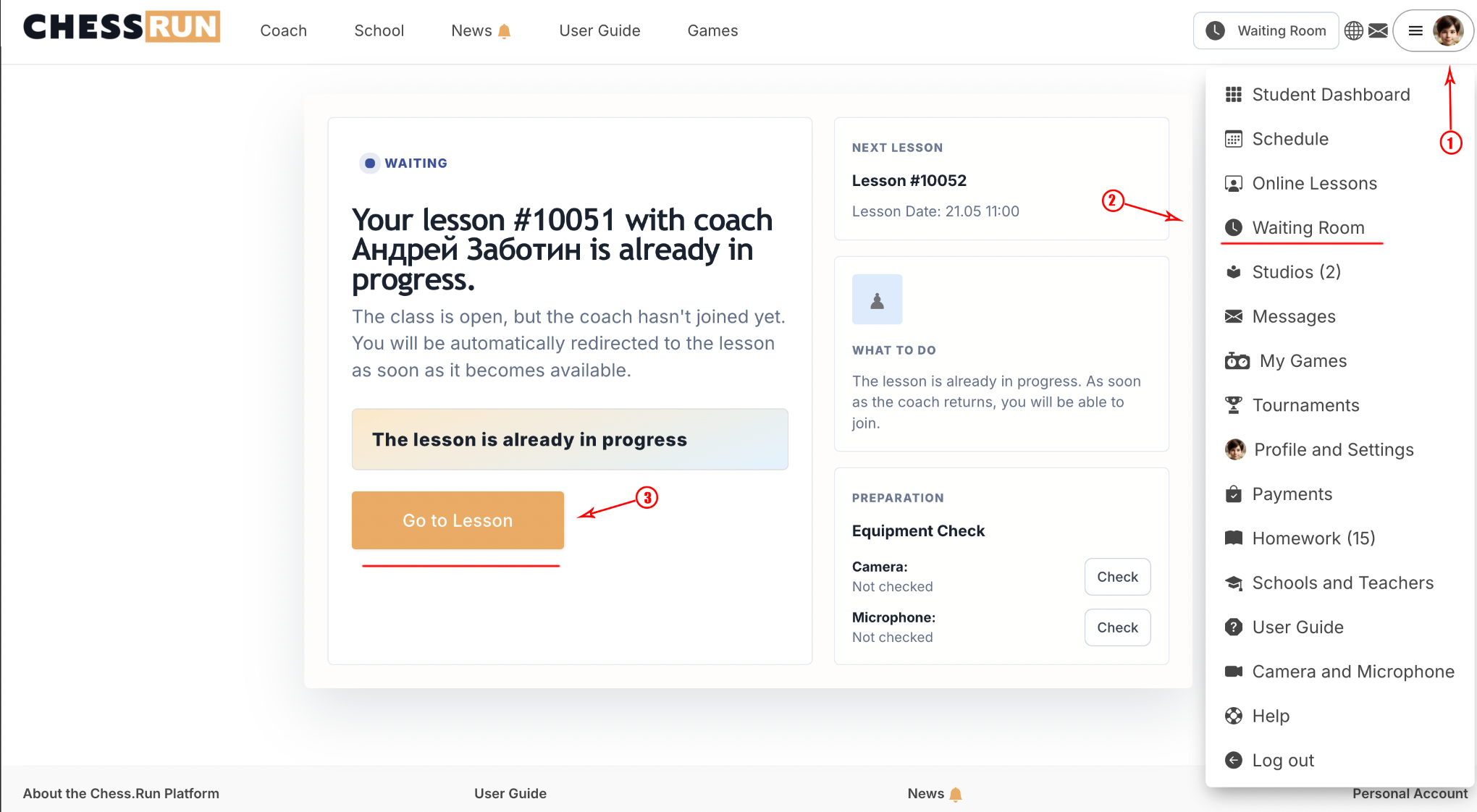
2Check the current information about the next lesson
The waiting room displays the start time of the upcoming lesson and its status (such as 'waiting to start,' 'entry available').
3Look for the active lesson block if available
If the lesson is open for entry, an additional block appears—a button or link allowing direct entry to the virtual lesson room.
FAQ
What if the join lesson button doesn't appear?
If the button does not appear at the expected time, try refreshing the page. If the problem remains, contact your coach or support.
Can the student see past or future lessons in the waiting room?
The standard waiting room only displays information about the next scheduled lesson.