
How to assign a studio as homework to a student
How to assign a studio as homework
1Open the Homework page
Go to the 'Homeworks' section in the platform's main menu.
2Click the 'Assign Homework' button
Click the 'Assign Homework' button to start the assignment process.
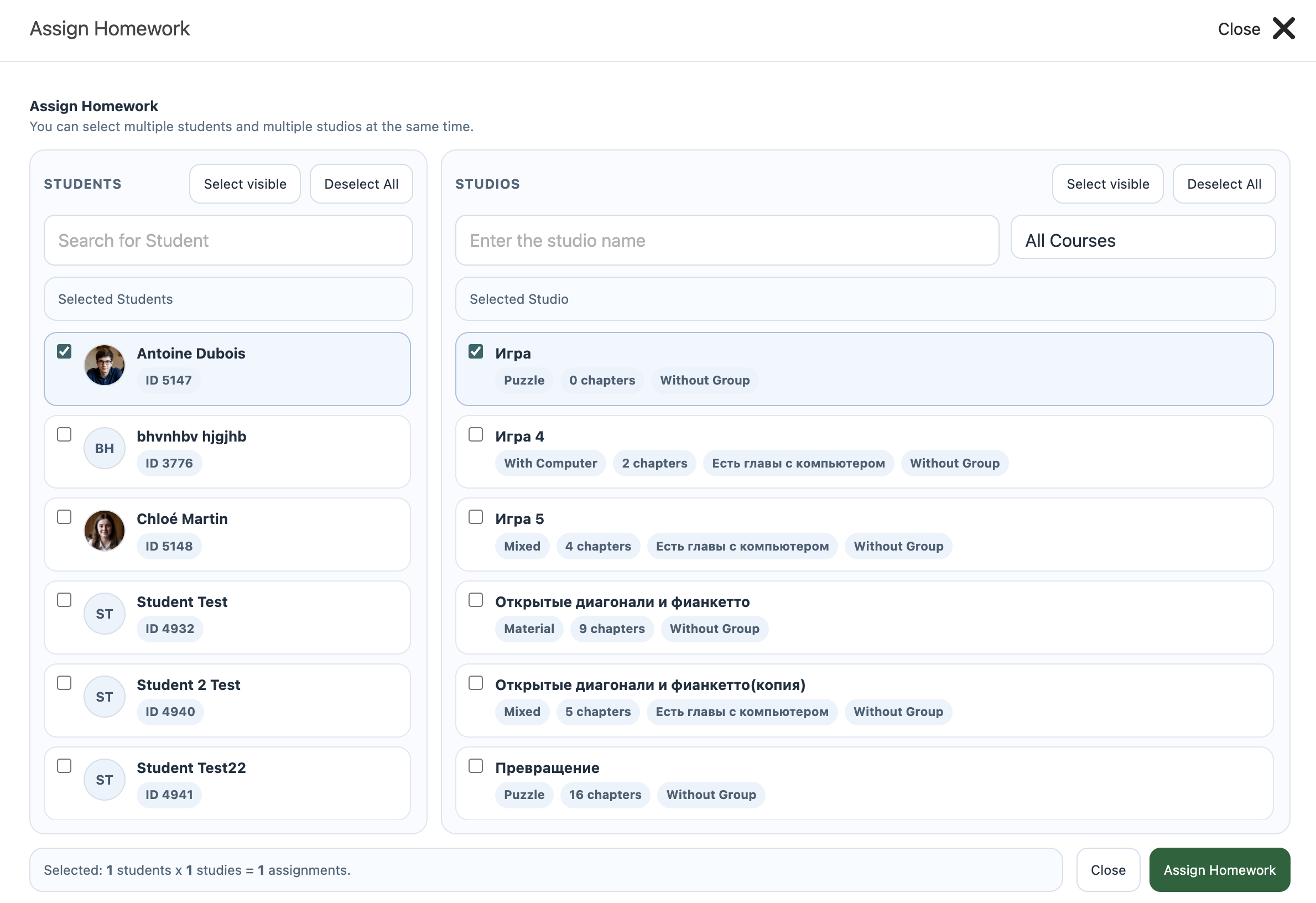
3Select students and a studio
In the window that appears, select one or more students and the desired studio for homework assignment.
4Specify chapter range (if needed)
If the studio has multiple chapters, you can select only the required chapters or a range for homework.
5Click 'Assign'
Confirm the assignment by clicking the 'Assign' button. The task will be sent to the selected students.
FAQ
Can I assign multiple studios at once?
Currently, studios must be assigned one by one. Repeat the procedure for each new homework assignment.
What if a student does not see the assigned homework?
Make sure the task is assigned to the correct student and they have access to the studio. Check the student's profile settings.