
How to check a student's homework
How to check homework
In the menu, go to the homework page and select the desired studio to see the list of assignments to review.
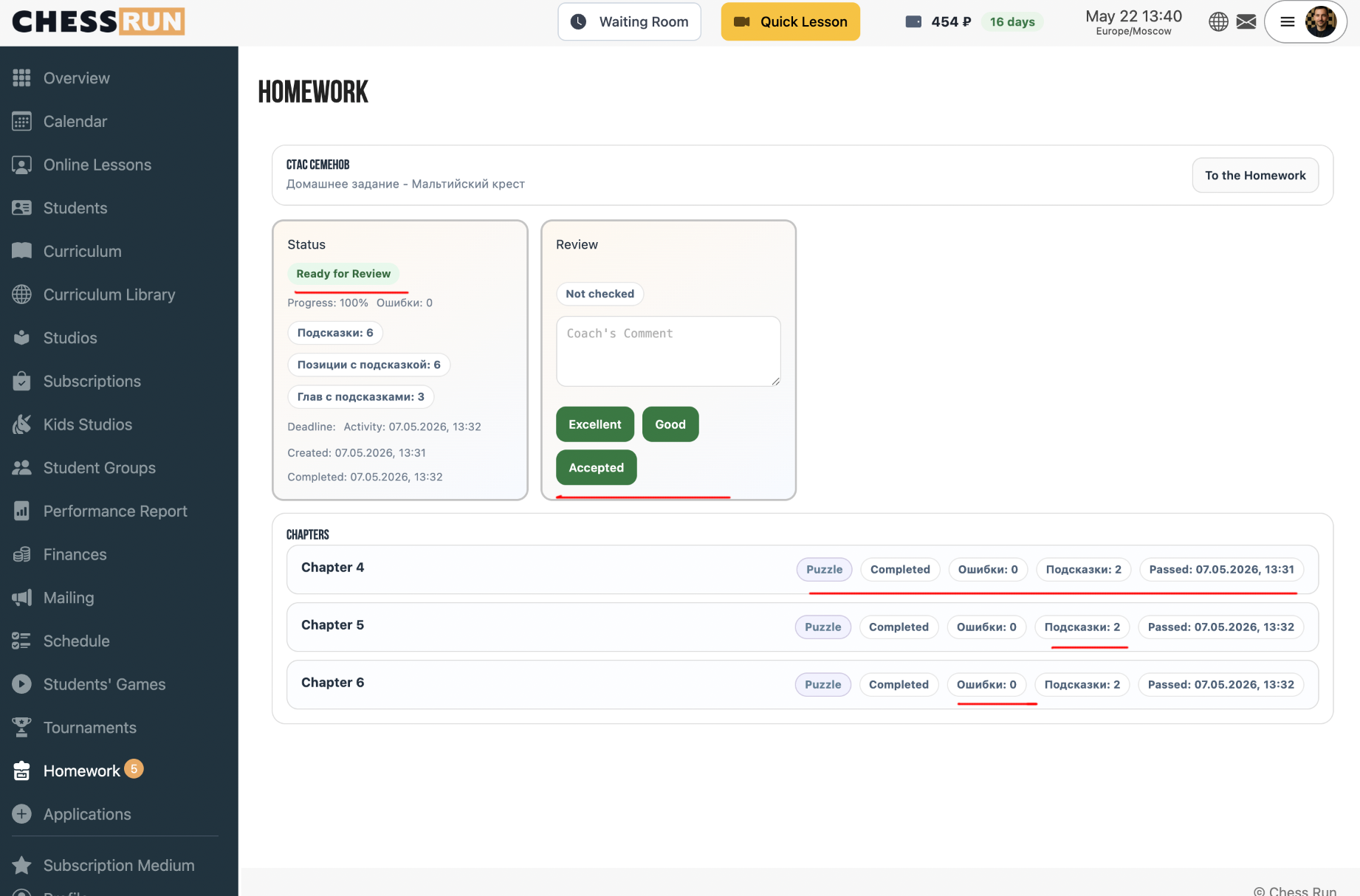
The assignment list shows progress on each task, overall result for the assignment, number of errors, and hints used.
Select one of the available grades for the assignment: Passed, Good, or Excellent to record the homework result.
You can award a student 20, 50 or 100 diamonds for completed homework. In the Review section, select an amount and click Award diamonds. Awarding diamonds is independent of the grade and does not require an online lesson. You can change the amount or cancel the reward. The student sees the result in My rewards, in the same total as diamonds earned in lessons.
FAQ
What grades can be given for homework?
You can select one of the following grades: Passed, Good, or Excellent.
What does the progress indicator show?
Progress shows how many tasks were solved, where mistakes occurred, and how many hints the student used.