
How to review a children's studio on the shared board in an online lesson
How to review a children's studio on the shared board
1Work with a children's studio on the shared board
Teachers can open a children's studio and use the shared chessboard to review material together with students. All students will see the teacher's actions, make moves, and solve children's chess puzzles.
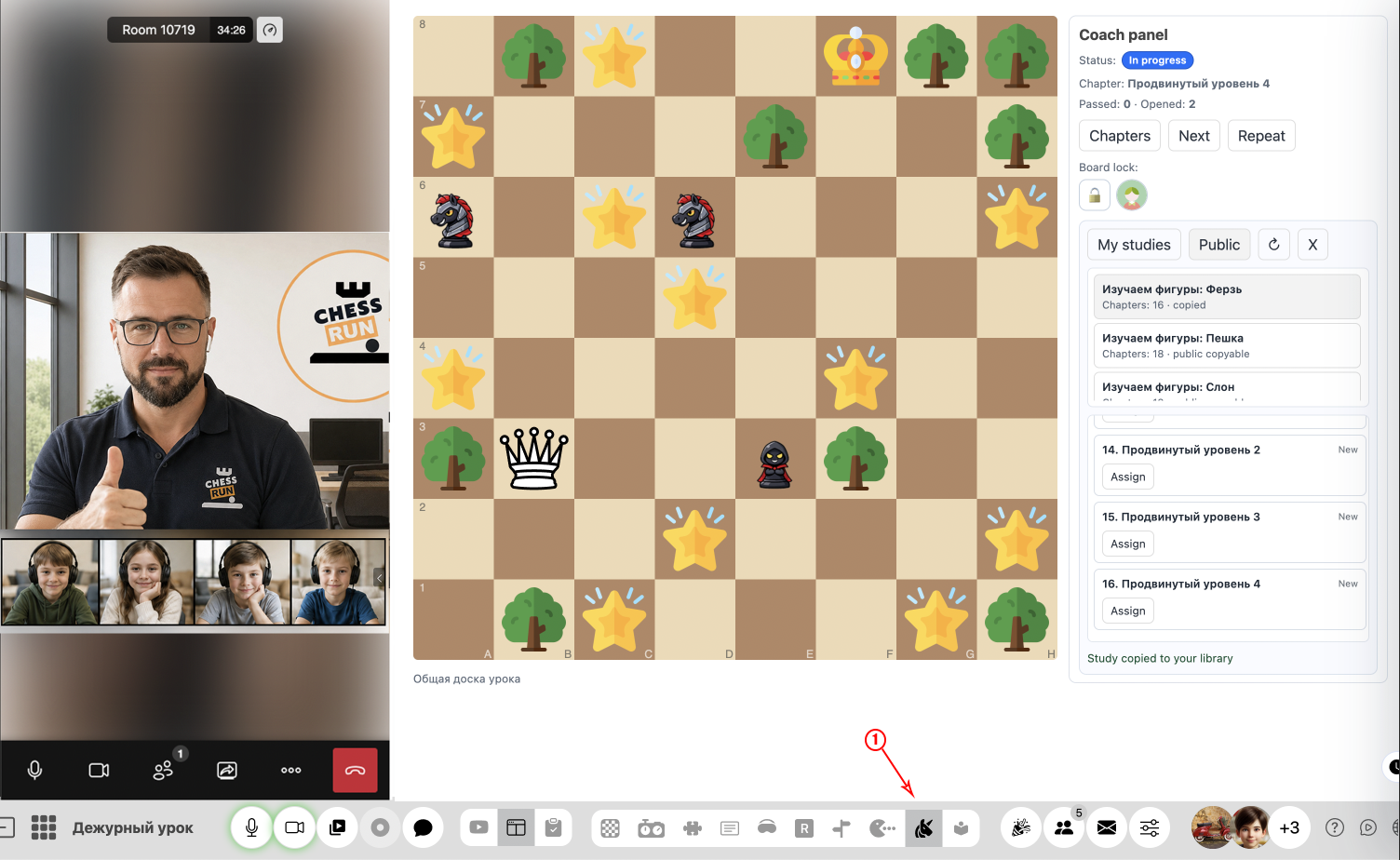
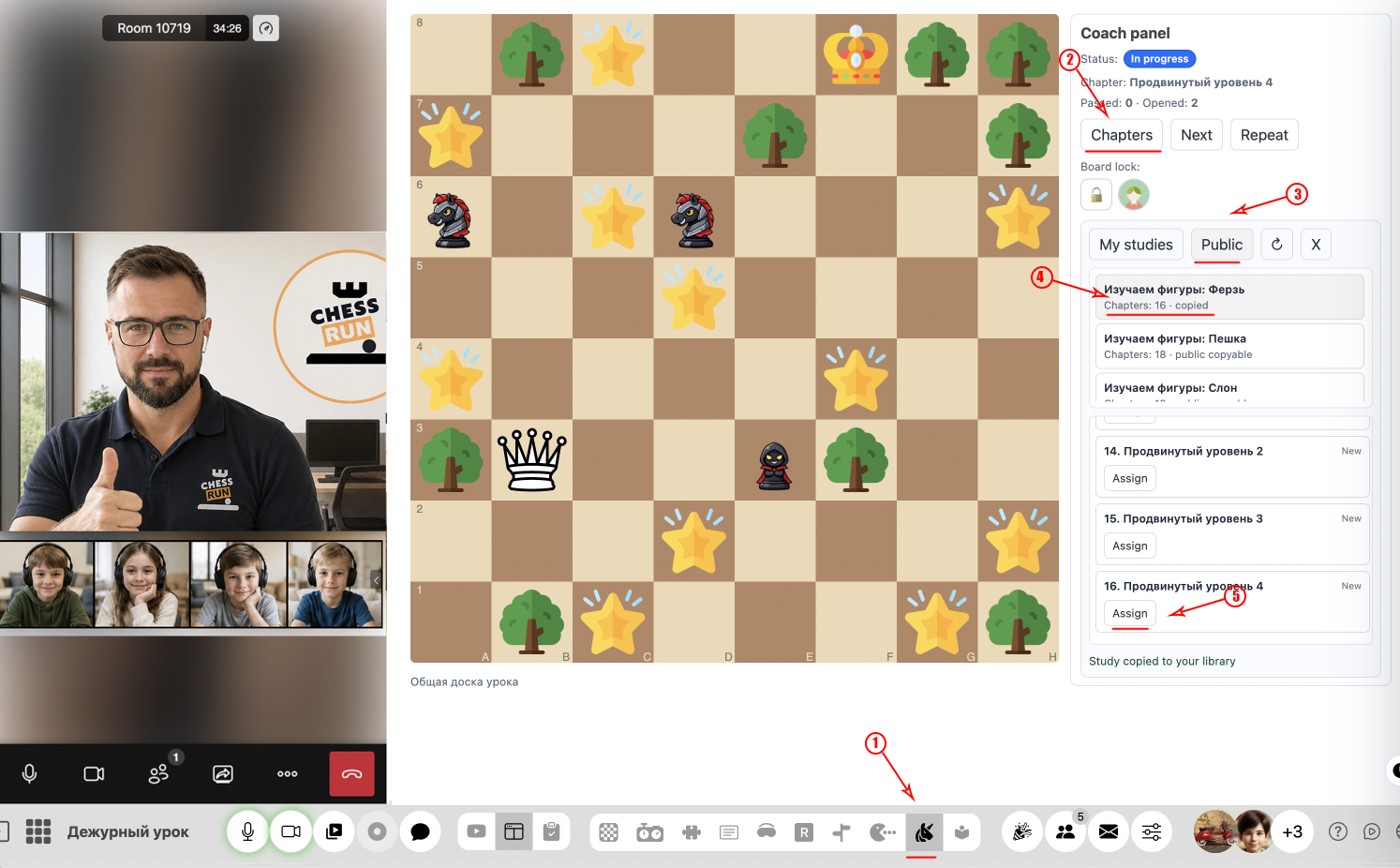
2Choose from ready-made children's studios
The library already contains many children's exercises for learning how chess pieces move, which can be selected directly during the lesson.
FAQ
Can children make their own moves on the shared board?
Yes, students can interact with the board, complete exercises, and solve tasks together with the teacher.
Where can I find new tasks for the children's studio?
The platform already provides built-in tasks — select from the library when opening a studio during your lesson.