
How to manage school students?
Main actions with students
If a student is already registered on Chess.Run, they can be added to the school by email. Click 'Add by email,' enter the student's email, and confirm. After adding, the student will appear in the school's list.
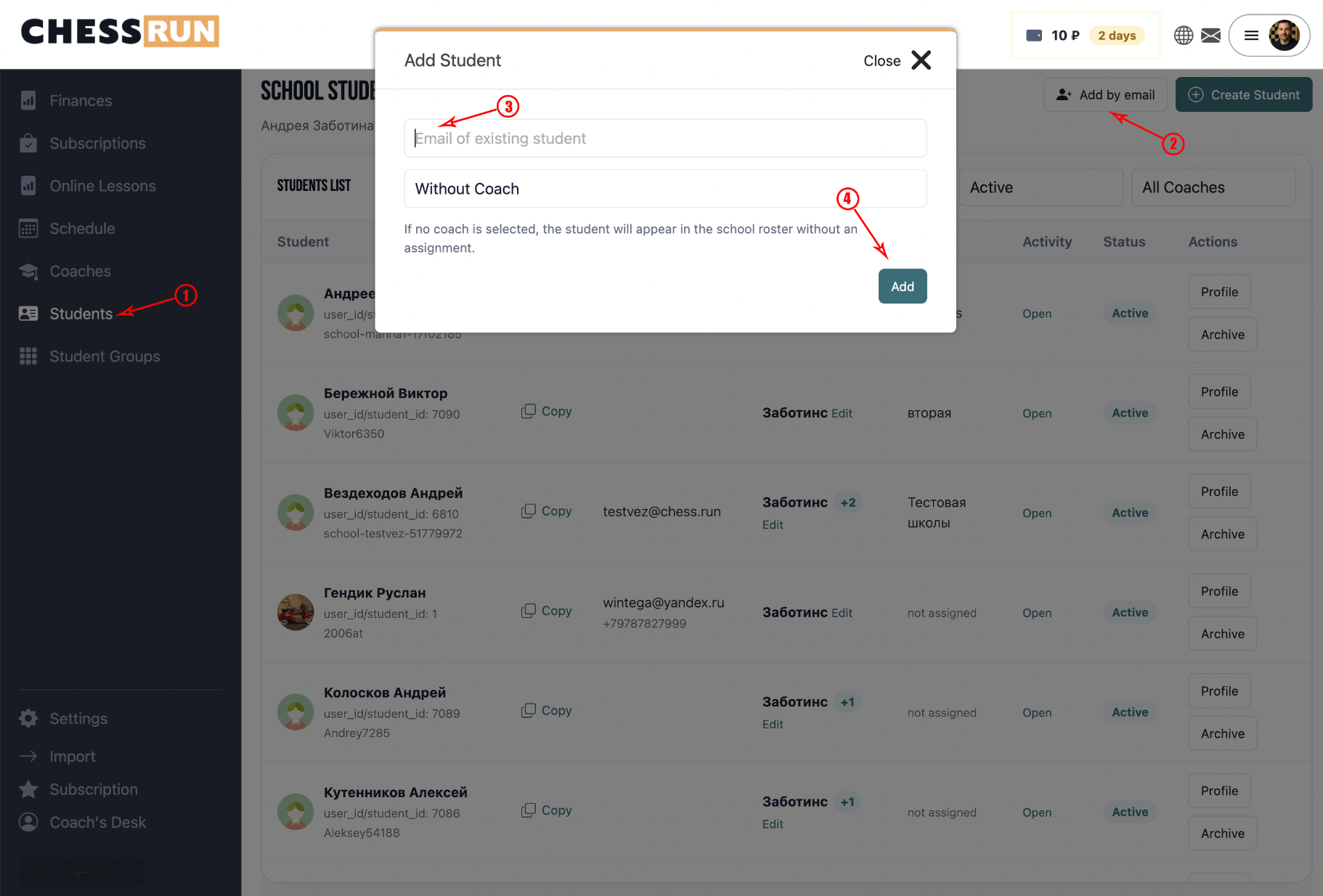
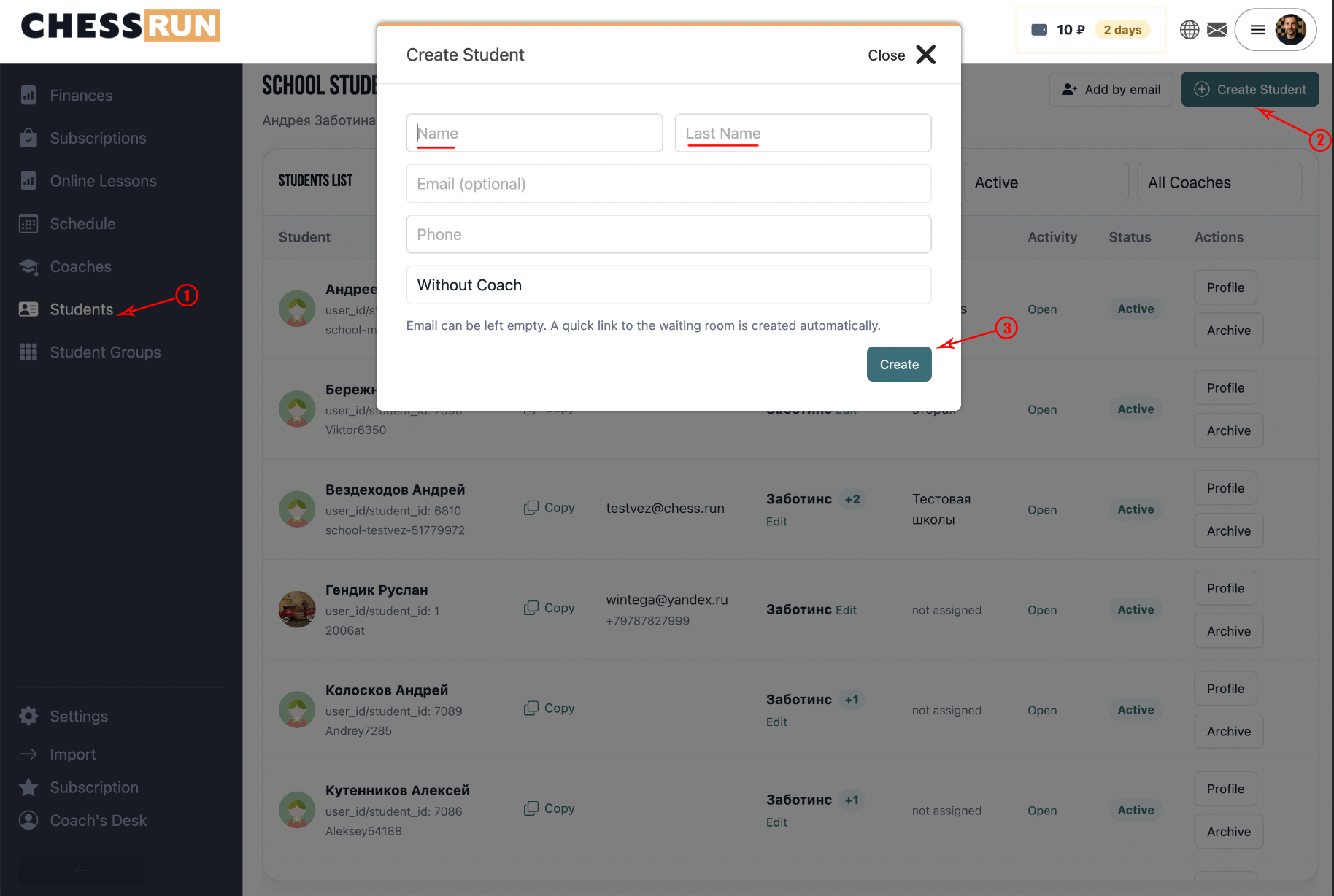
If the student is not yet on the platform, you can create them directly from the school CRM. Click 'Create student' and fill in the student's information. Email is not required. This is convenient for offline schools or students who do not yet use a personal account.
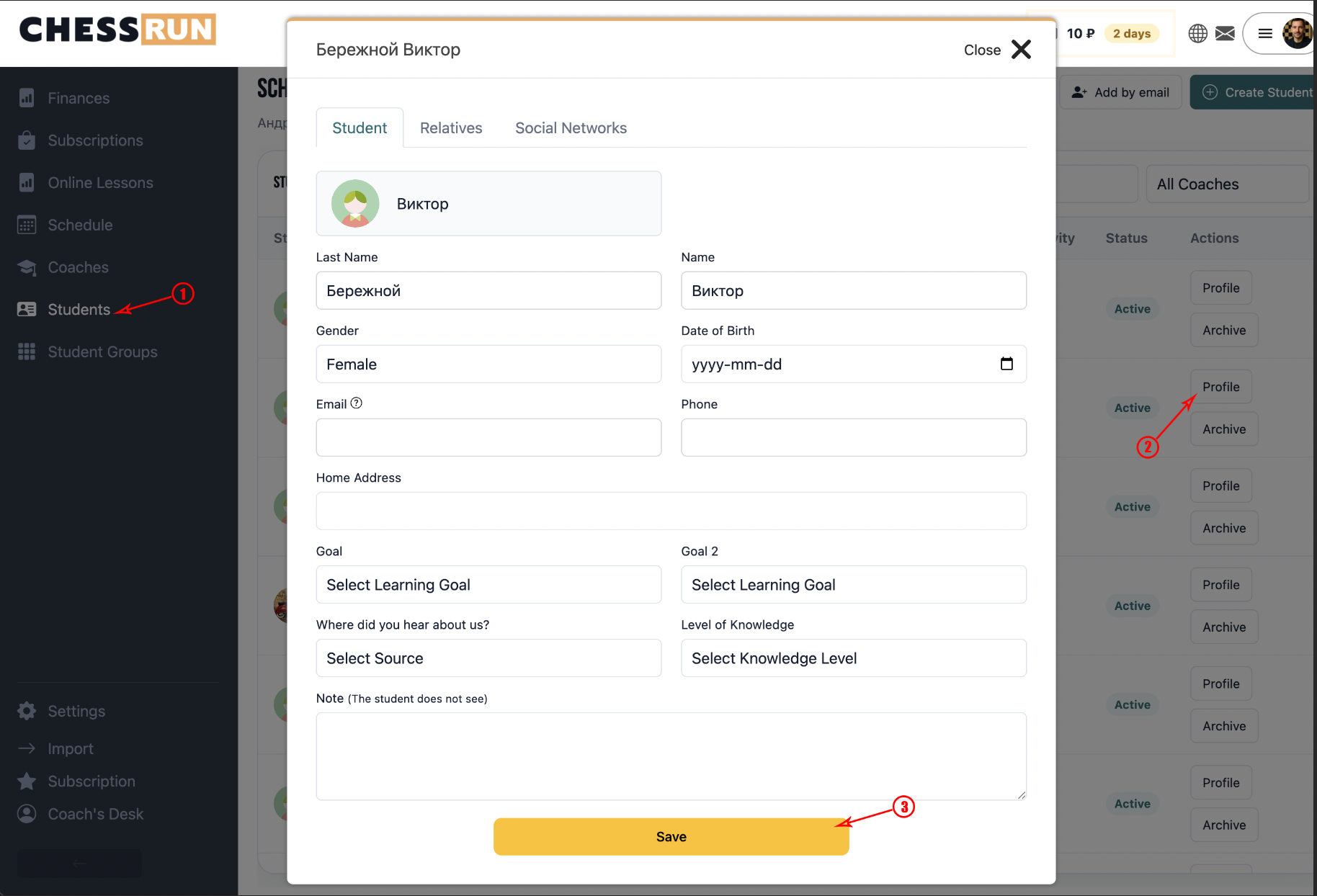
In the student profile, you can view and edit key information:
- name and contacts;
- date of birth and age;
- additional information;
- relatives;
- student avatar.
The student profile is used in the school CRM and in lesson cards.
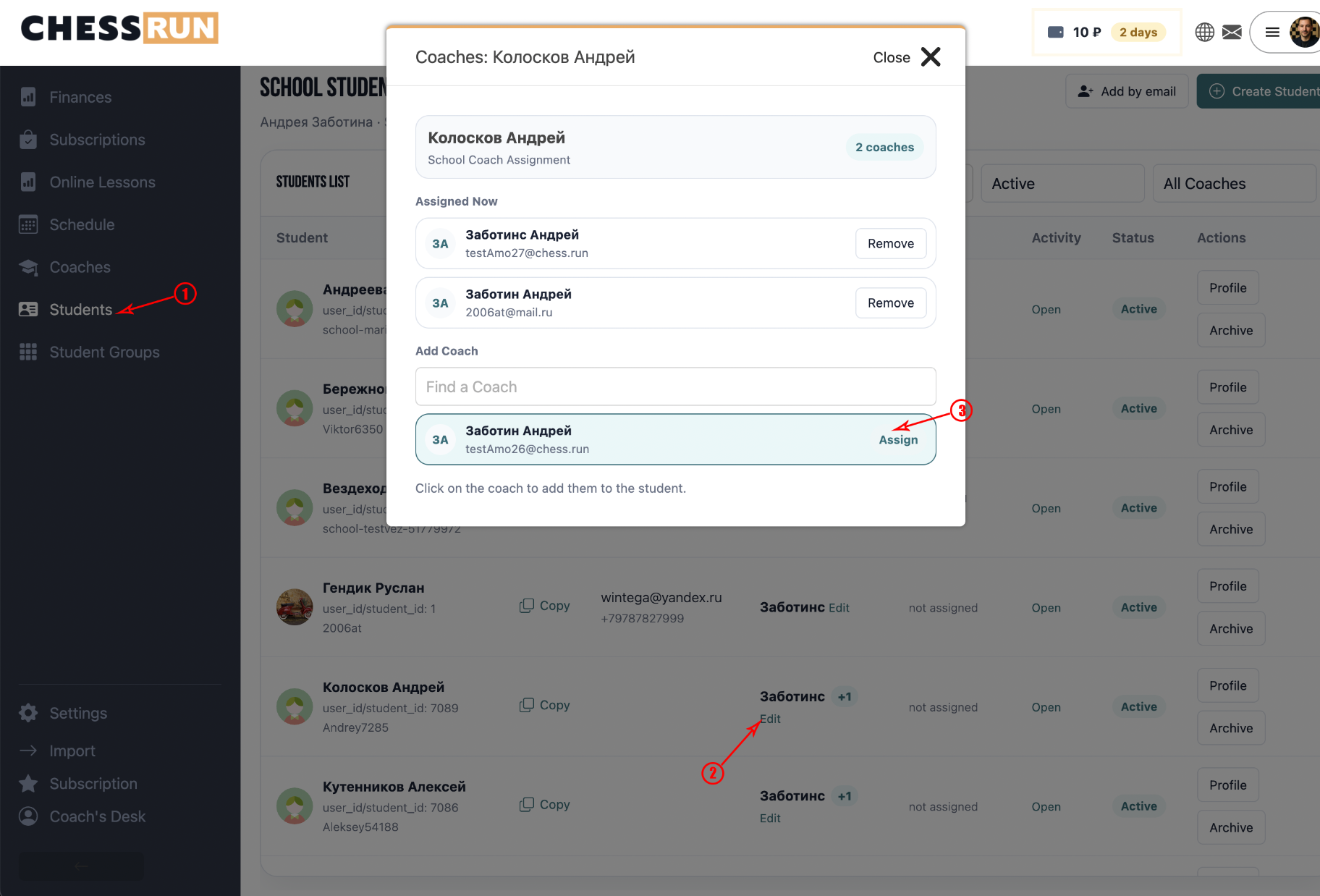
A student can be assigned to one or several school coaches. This helps the school track which coaches work with which students and makes it easier to filter students, groups, schedules, and lessons. If a student is added to a specific coach’s schedule, the system can also use this link in school workflows.
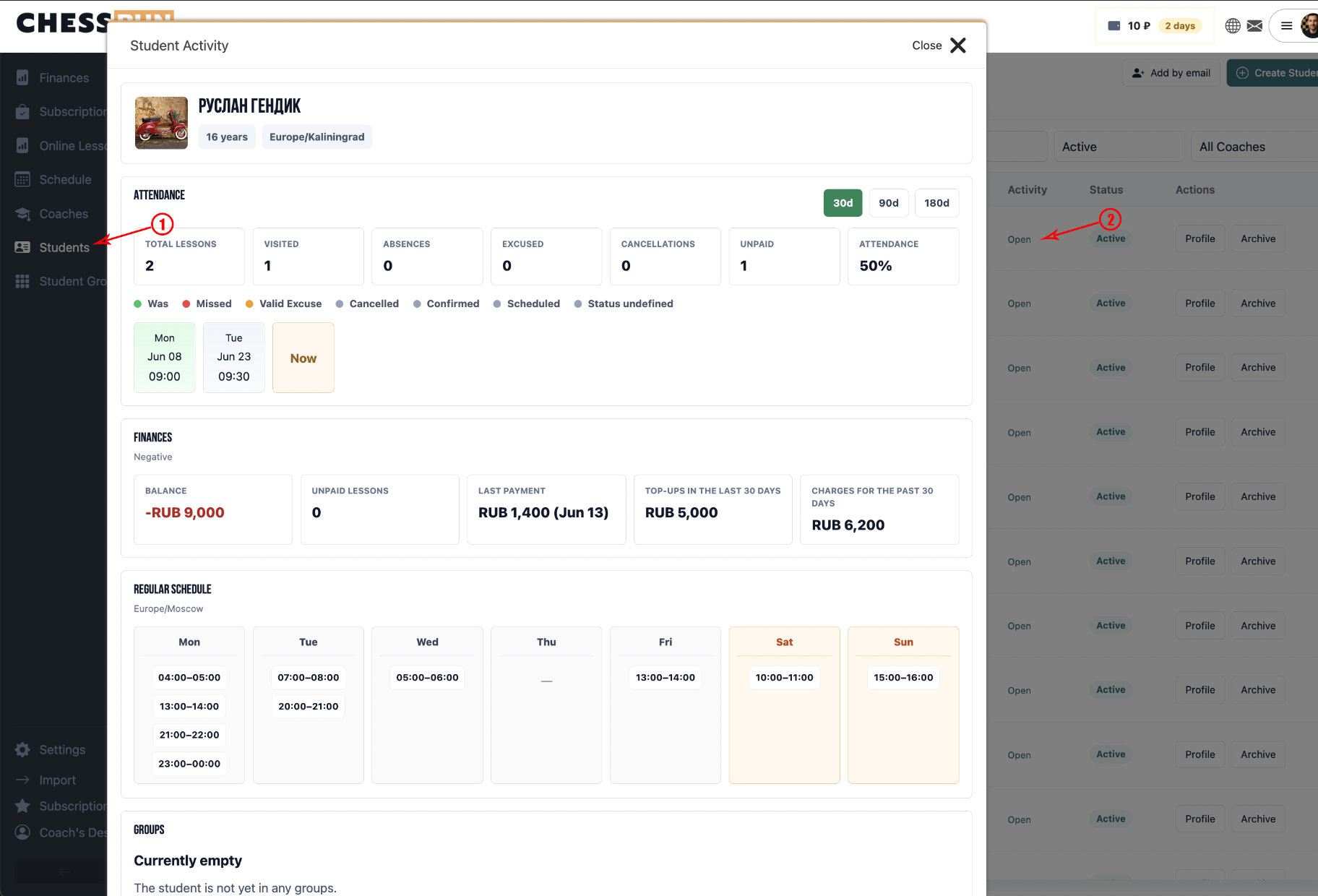
The activity modal collects the student’s history:
- completed and upcoming lessons;
- regular schedule;
- subscriptions;
- financial operations;
- overall student dynamics.
This modal is useful when you need to quickly understand what is happening with a particular student.
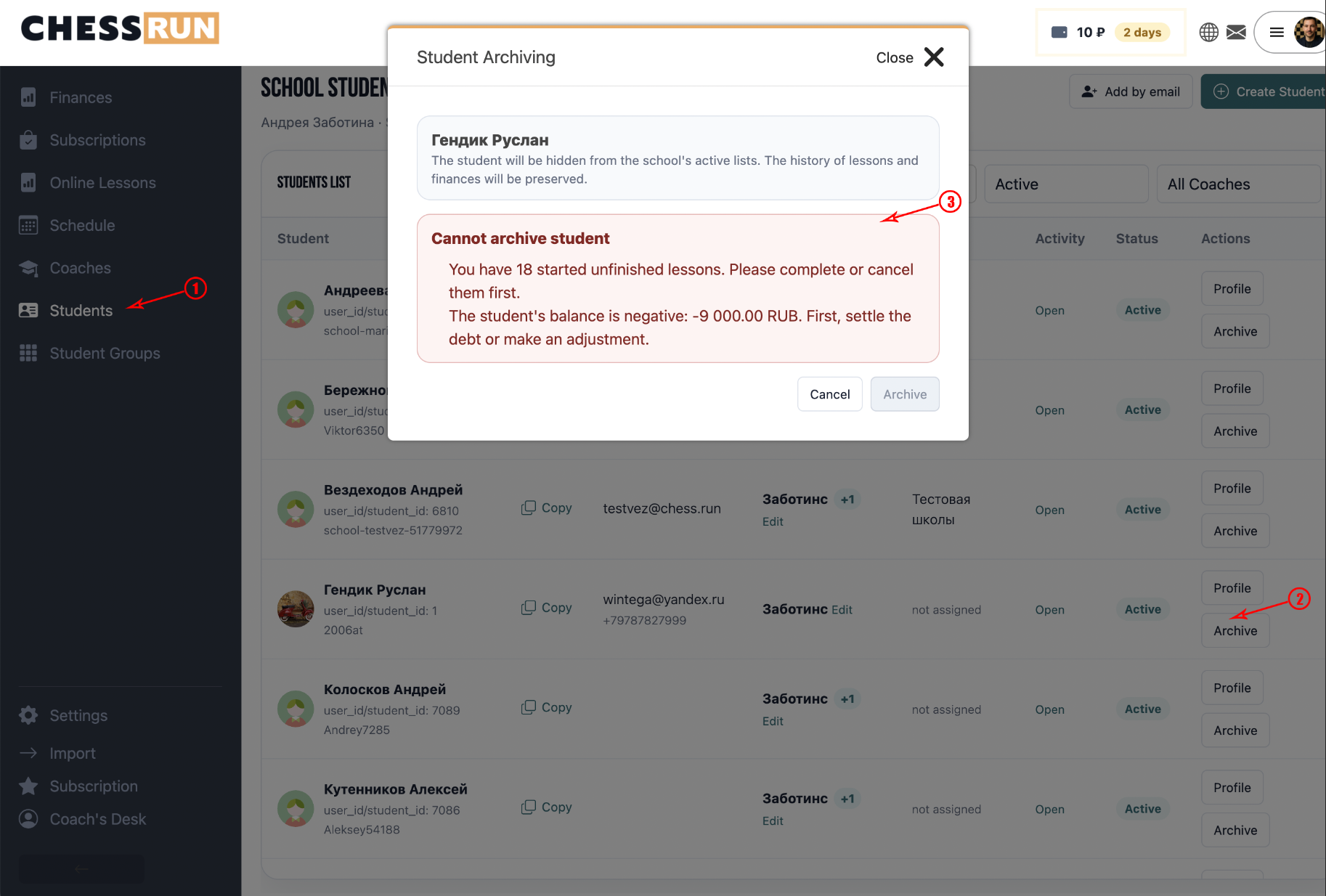
A student can be archived if they no longer attend the school.
Before archiving, the system checks important links:
- if there are future lessons;
- if there are unfinished past lessons;
- if there is a nonzero balance;
- if there are active groups and schedule slots.
If there are blocking reasons, the system will display a warning and will not allow archiving until the issues are resolved.
If archiving is allowed, the student will be removed from the active list, from groups, from coach associations, and from direct schedule slots. Lesson history, financial transactions, and issued subscriptions are preserved.
FAQ
Can I add a student without an email?
Yes, when creating a new student, email is not required. This is convenient for offline schools.
What if a student cannot be archived?
Before archiving, make sure the student has no future or unfinished lessons, no nonzero balance, and no active groups.