
Where does the coach find the waiting room?
How to find the waiting room
1Open your coach dashboard
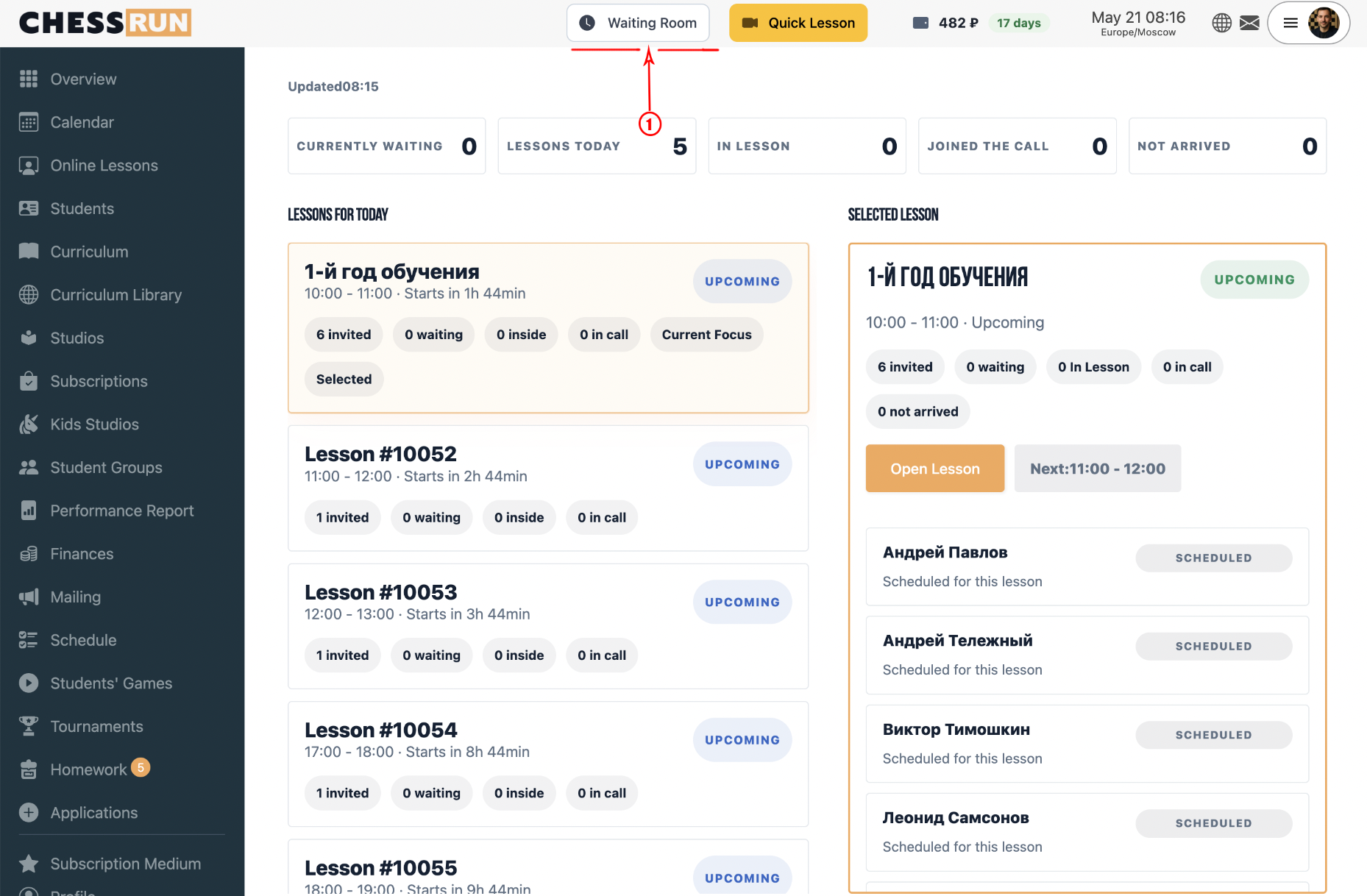
Go to your personal dashboard. There is always a waiting room button in the top menu — this lets you quickly see which students are waiting.
2Enter an online lesson
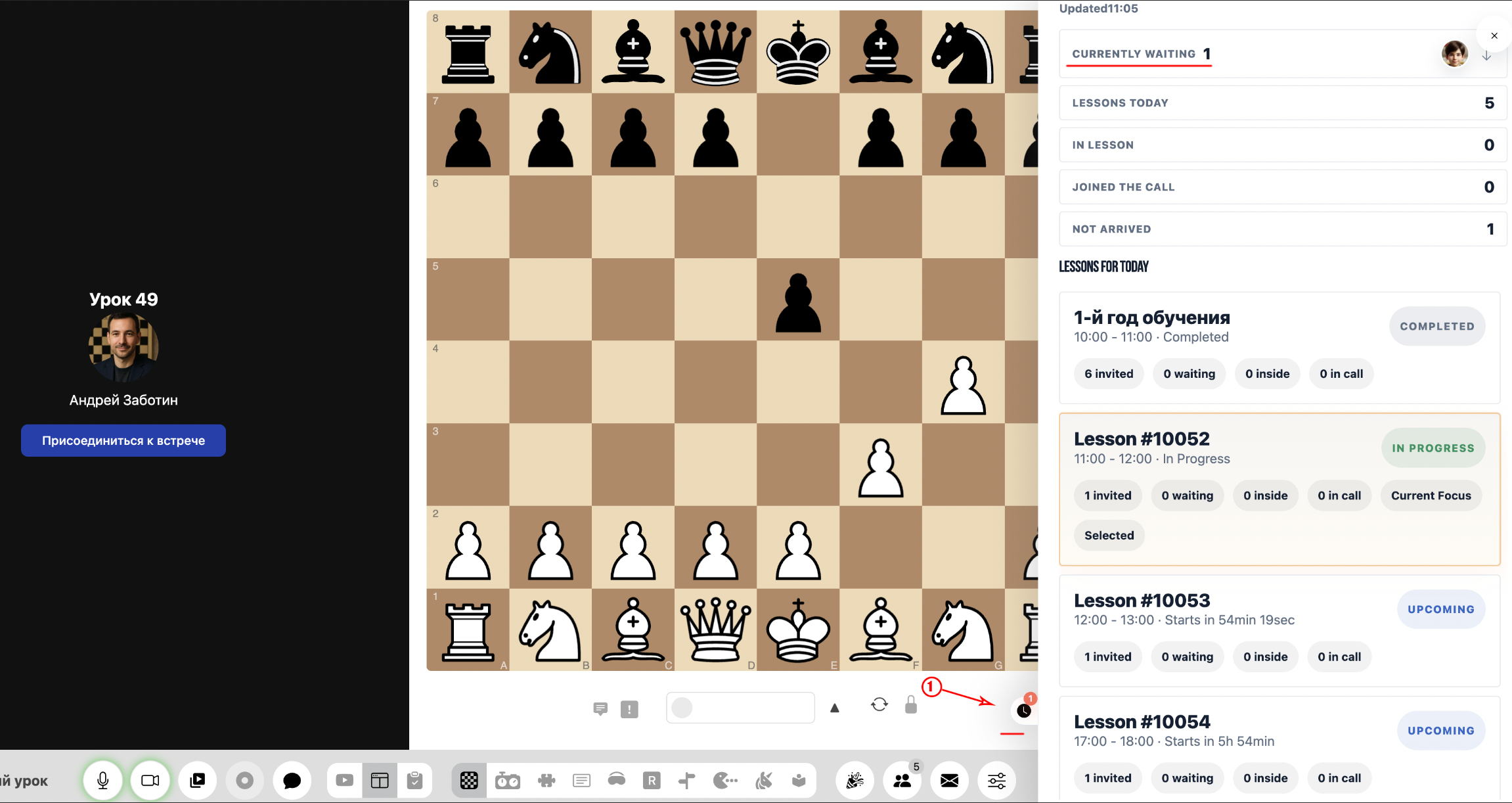
During an online lesson, you'll see a clock icon on the right. If any students are in the waiting room, you'll see a badge on the icon with the number of waiting students.
FAQ
What does the badge number on the waiting room icon mean during a lesson?
The badge shows how many students are currently waiting for the lesson to start or join. This helps the coach respond quickly.
Can I open the waiting room outside of scheduled lessons?
Yes, from your dashboard you can always open the waiting room and check for waiting students in advance.