
How Subscription and Balance Work
How to manage subscription and balance
Go to your personal account and select the 'Subscription' section.
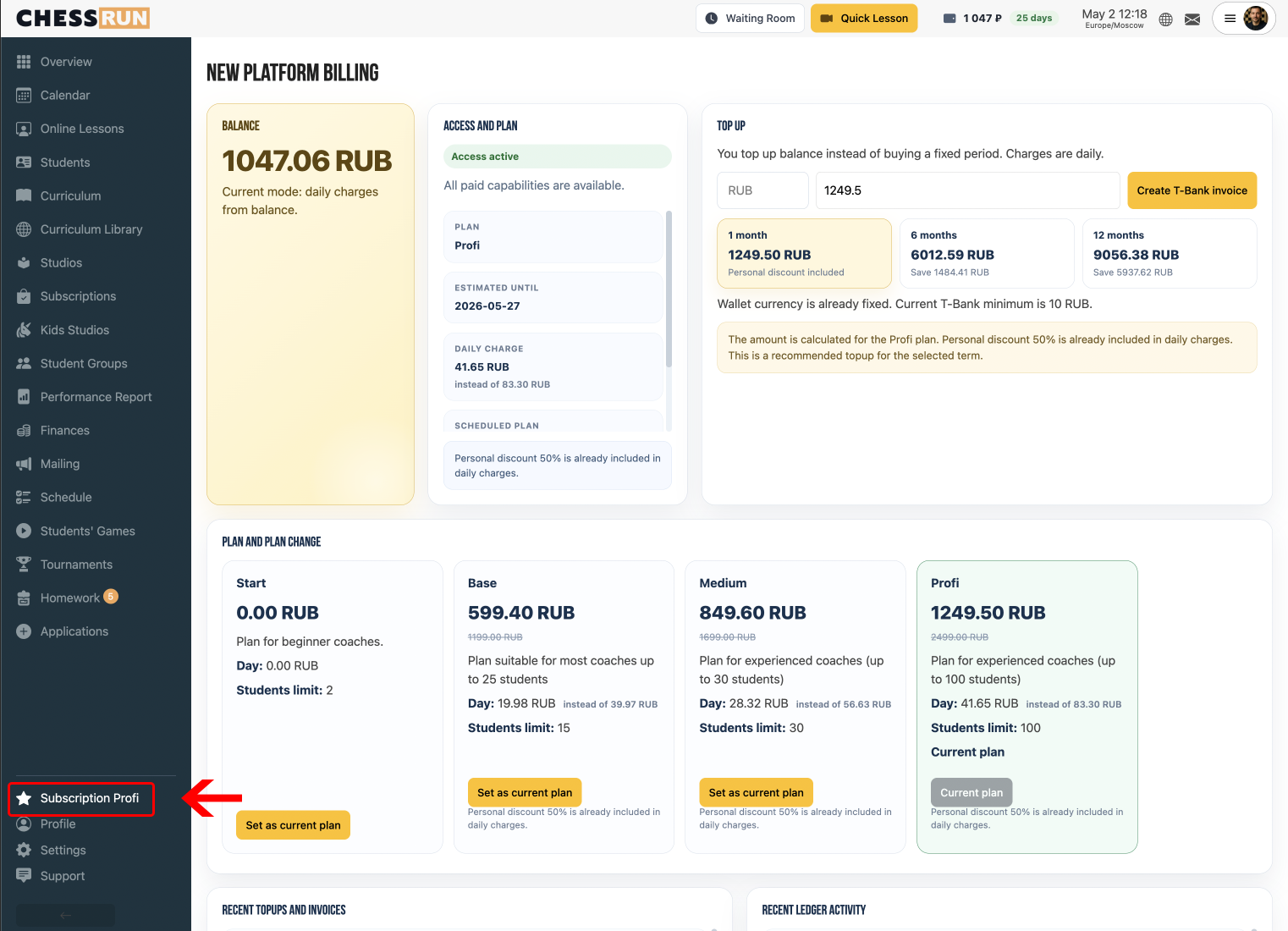
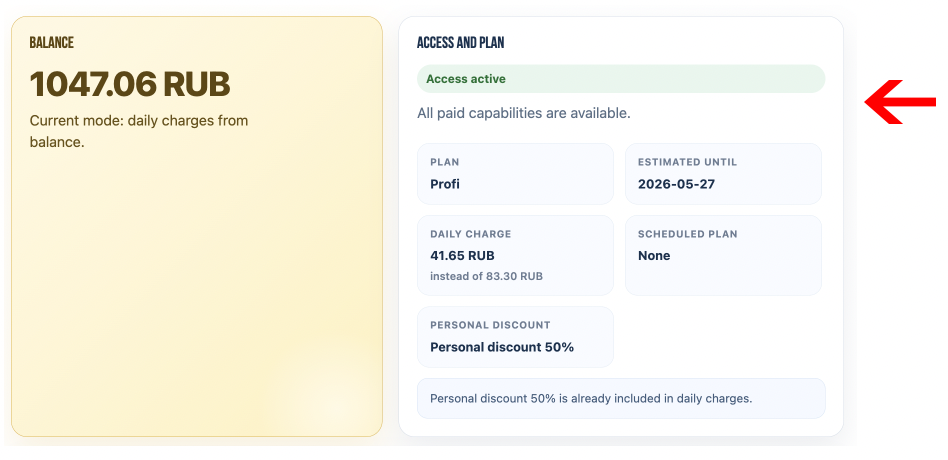
Check the access status, current tariff, and date 'Lasts until'.
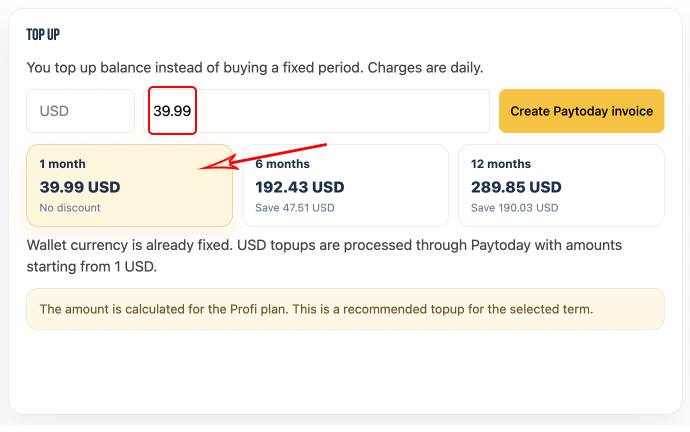
In the 'Top-Up' block, select an amount for 1, 6, or 12 months or enter your own amount.
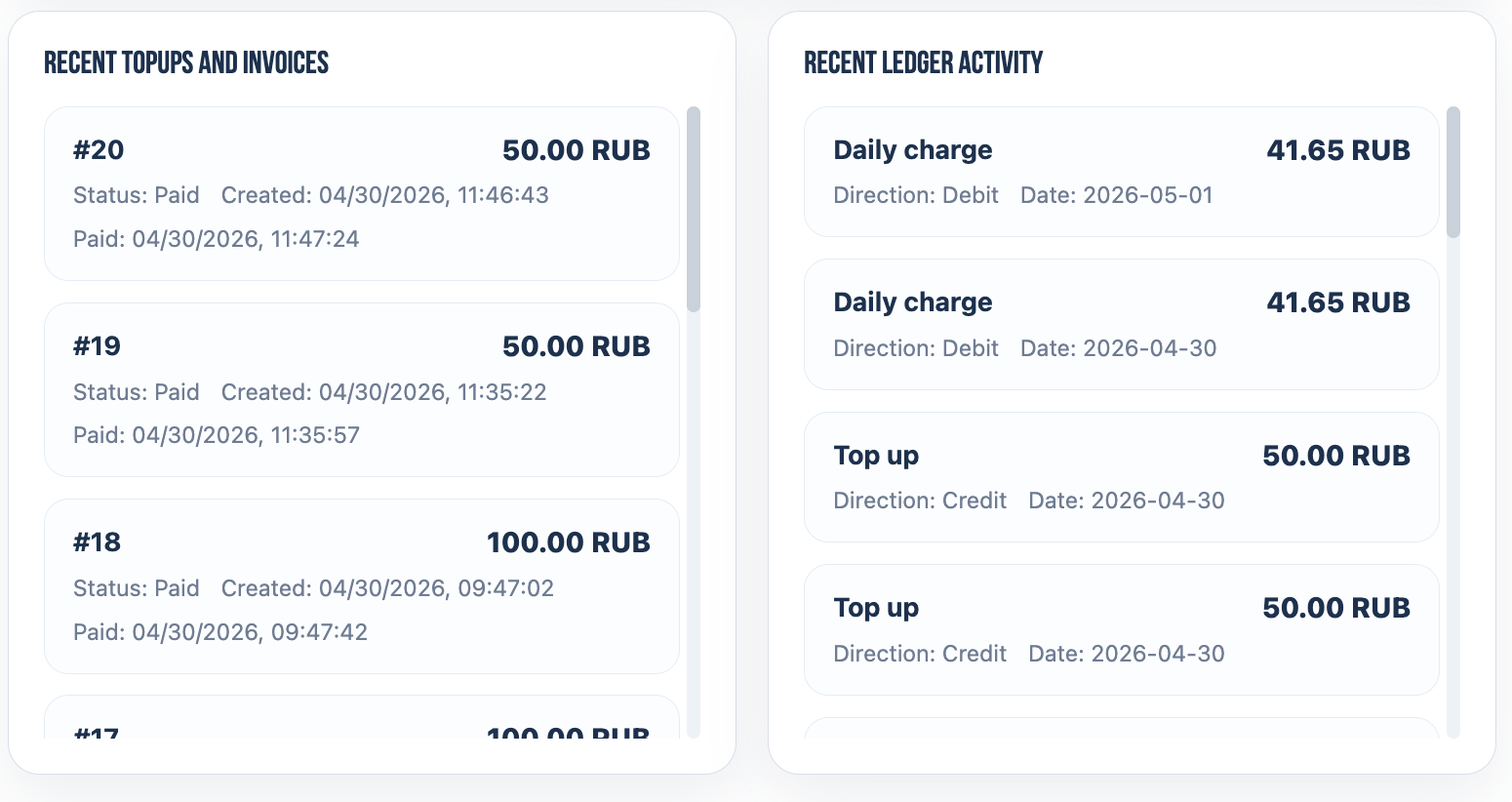
View 'Recent Top-Ups and Invoices' in the history section.
Ensure you have an active trial or free tariff if applicable.
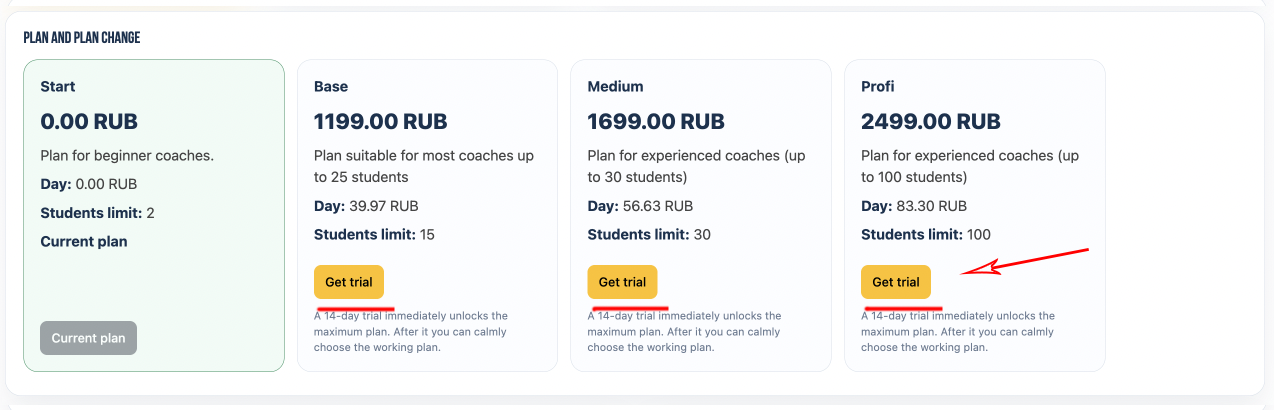
Note: topping up the balance does not equal an immediate purchase of a tariff.
FAQ
Why is there a daily charge?
The system deducts the cost of the current tariff from your balance daily.
What happens if the balance runs out?
If the balance runs out, access will be suspended until replenished.
Can I top up the balance by an arbitrary amount?
Yes, you can choose any amount to top-up your balance.
What does 'Lasts until' mean?
This roughly indicates until what date your balance will last at the current tariff.
Why do I see a discount or old price?
The discount is already included in the suggested amounts and daily charges.
What to do if the payment is created but not paid or shows an error?
Check the payment status and contact support if the issue persists.