
How to choose or change a tariff plan
How to complete the action
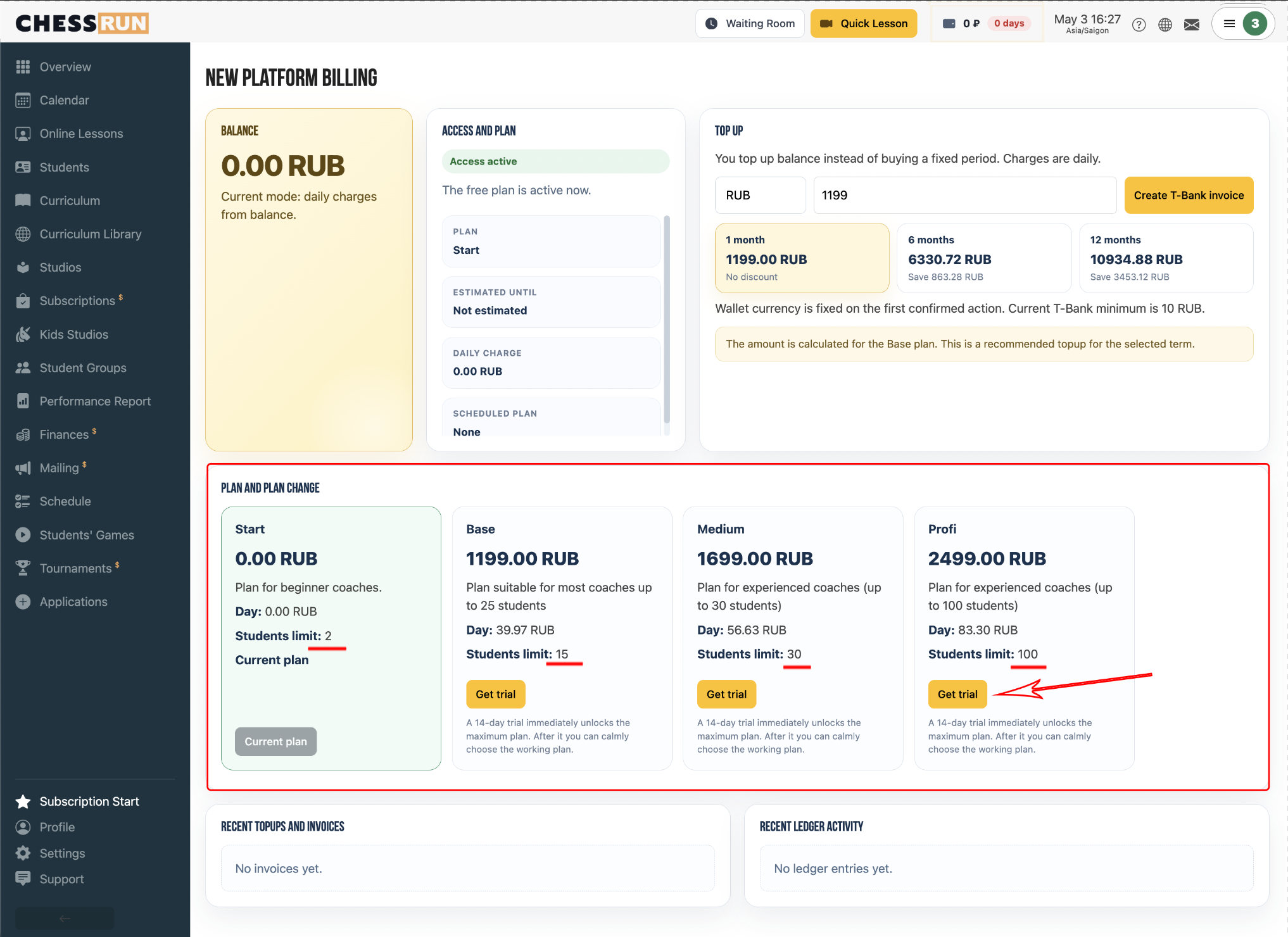
1Selecting a tariff plan
Open the tariff selection block and choose the appropriate plan on the subscription page.
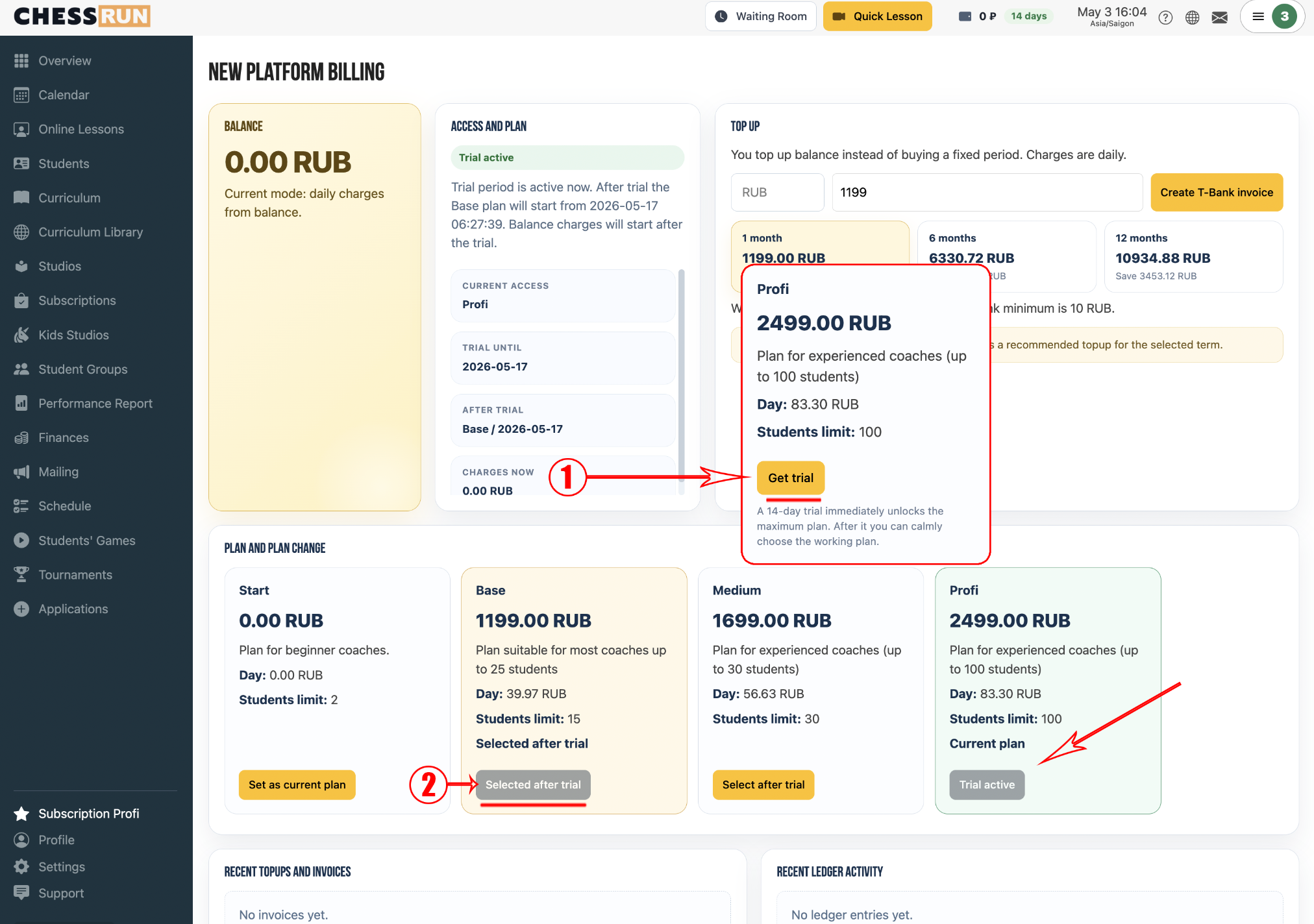
2Enabling the trial period
Click the button to activate the trial period and get access to the maximum plan for 14 days.
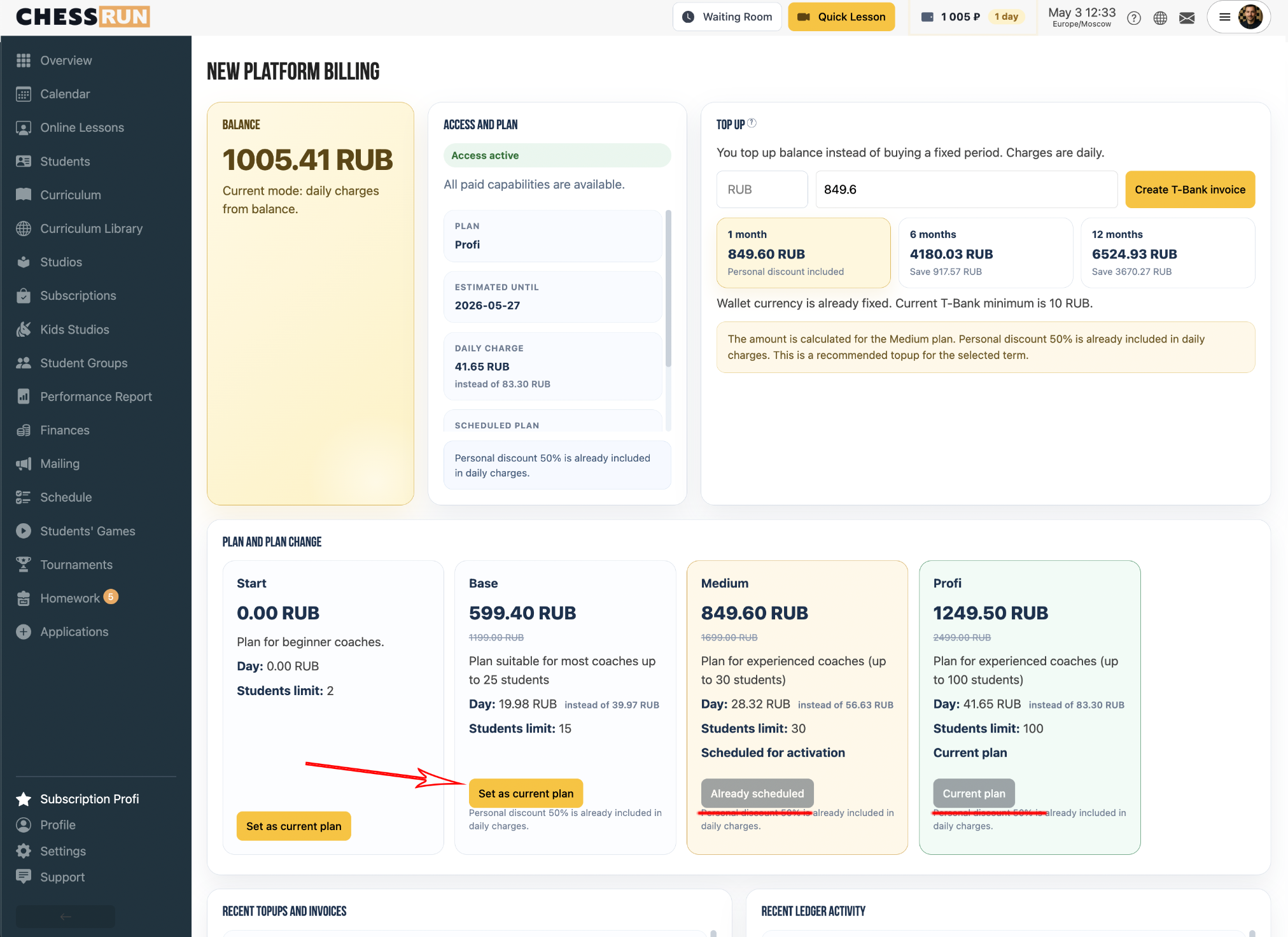
3Changing the tariff plan
To change the plan, click on 'Schedule Tariff', and all features of the new tariff will be available.
FAQ
What happens if I top up my account during the trial period?
Funds will start debiting from your account only after the 14-day trial period ends.
How can I schedule a tariff after the trial period?
You need to choose the next scheduled tariff after the trial period ends.