
How to create a subscription for a student
How to create a subscription for a student
Open the 'Subscriptions' section in ChessWin and select the desired student from the list.
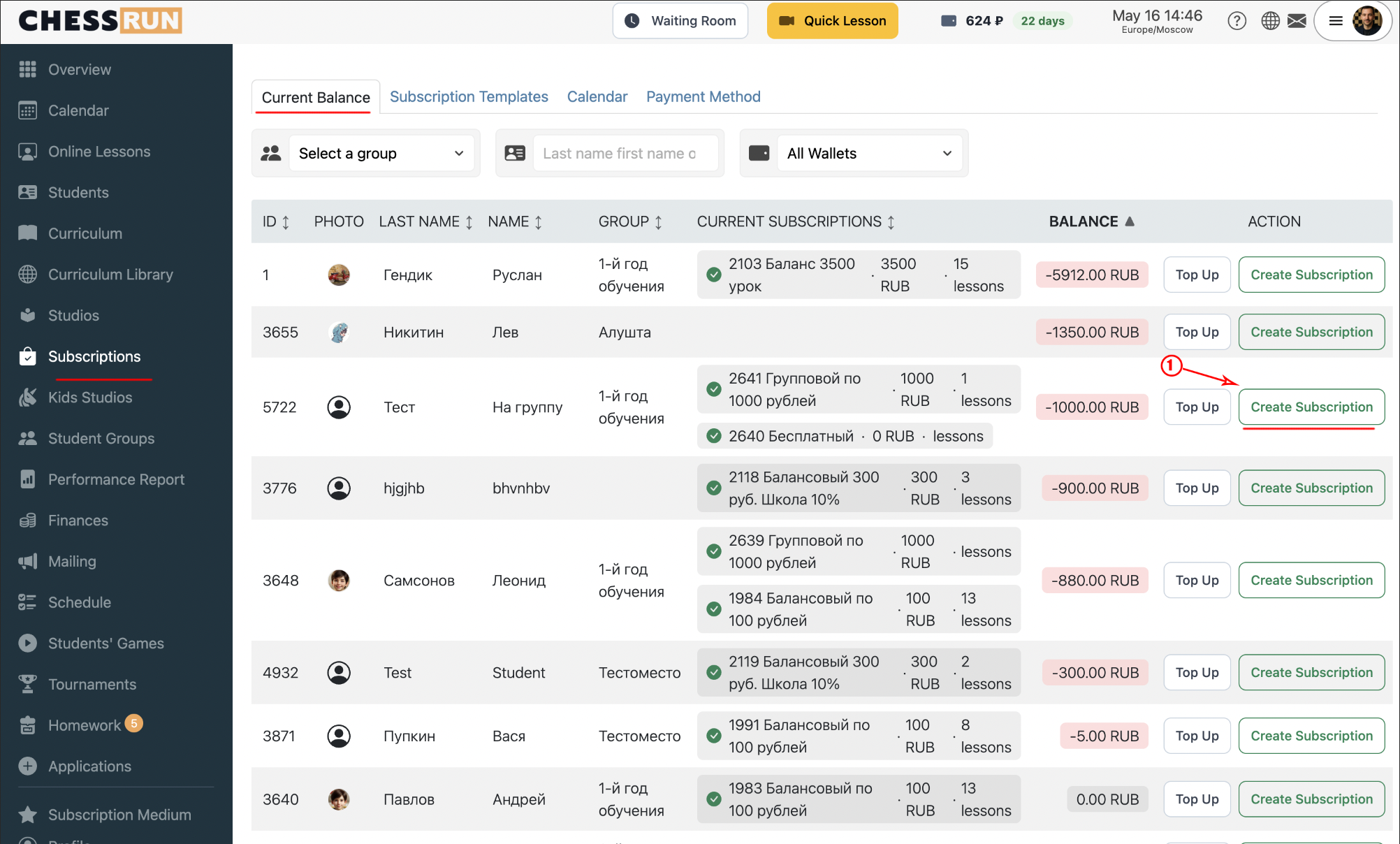
On the student's subscriptions page, click the add subscription button. The subscription setup form will appear.
Specify subscription details: select a subscription template and set the validity period. Amount and type (group/individual) are inherited from the selected template.
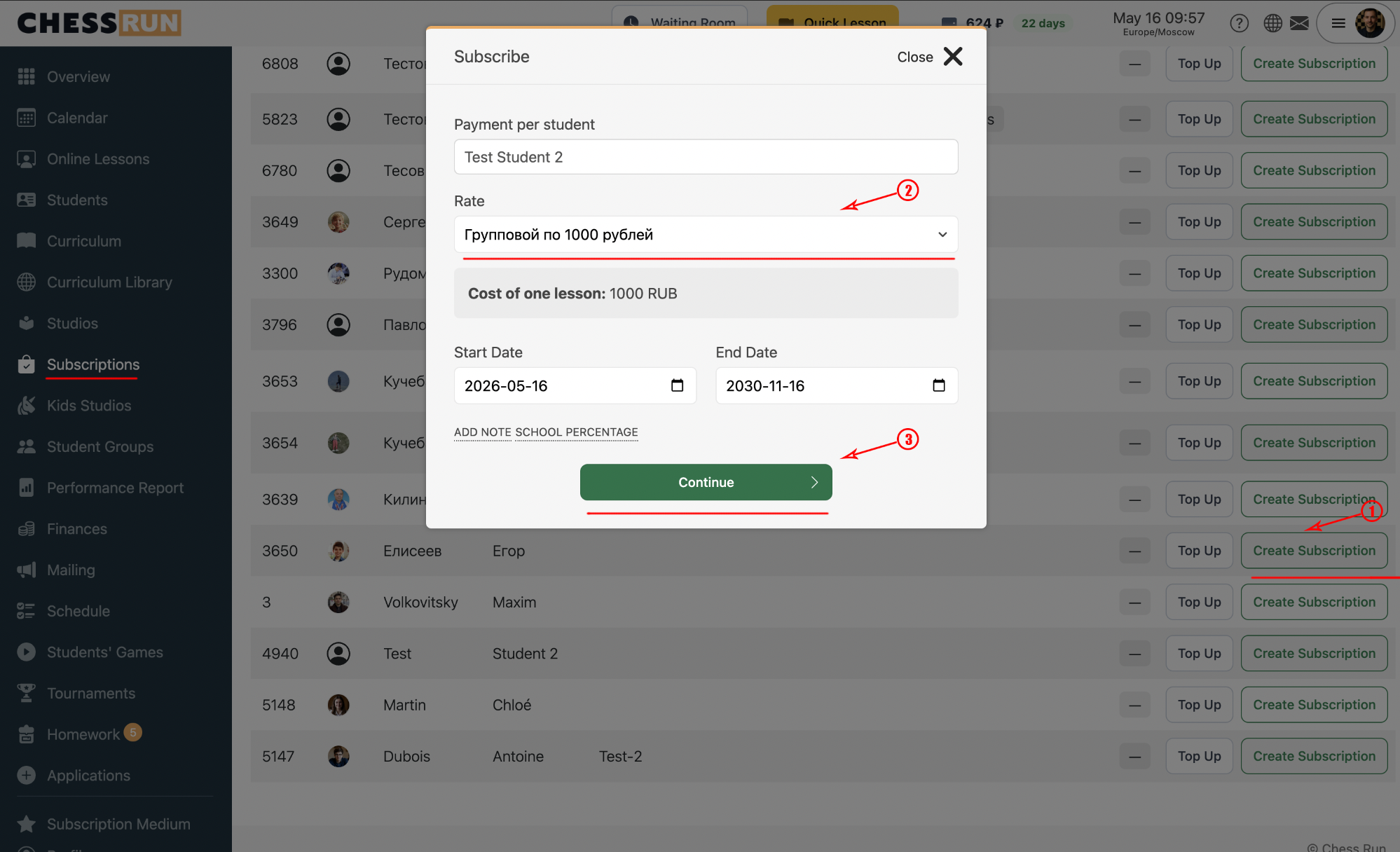
Review your settings and save the subscription. The system will now be able to automatically deduct lesson payments from it.
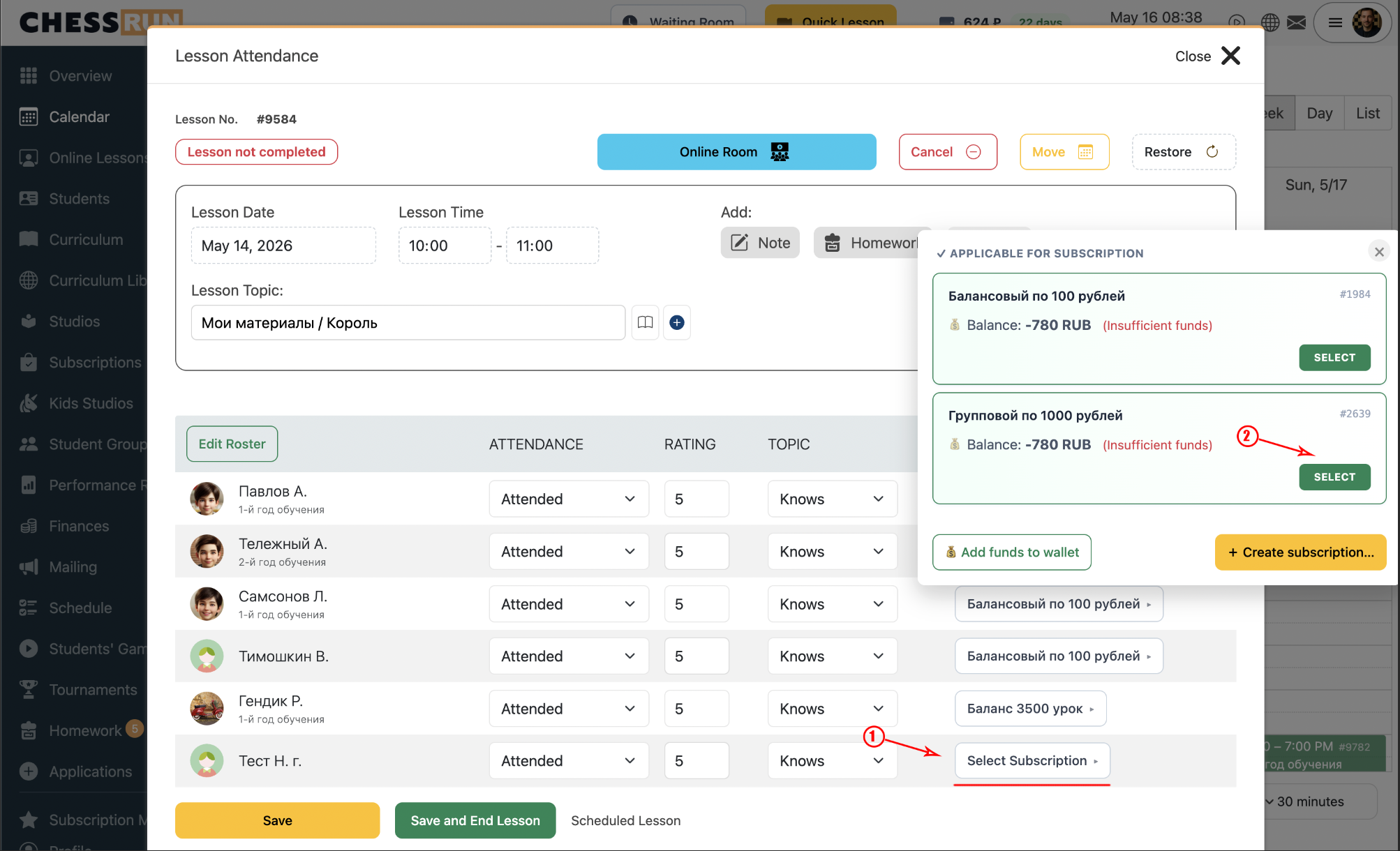
When finishing a lesson, if the student has only one active subscription, it will be chosen automatically. If there are several, select the appropriate one manually.
FAQ
Can I change the subscription details after creation?
You cannot change the duration or amount in an existing subscription — you will need to create a new one with the correct parameters.
What if the subscription is not applied when finishing a lesson?
Check if the student has an active subscription and whether the lesson matches the subscription's conditions.