
How the system charges the student's balance after a lesson
How the system charges after a lesson
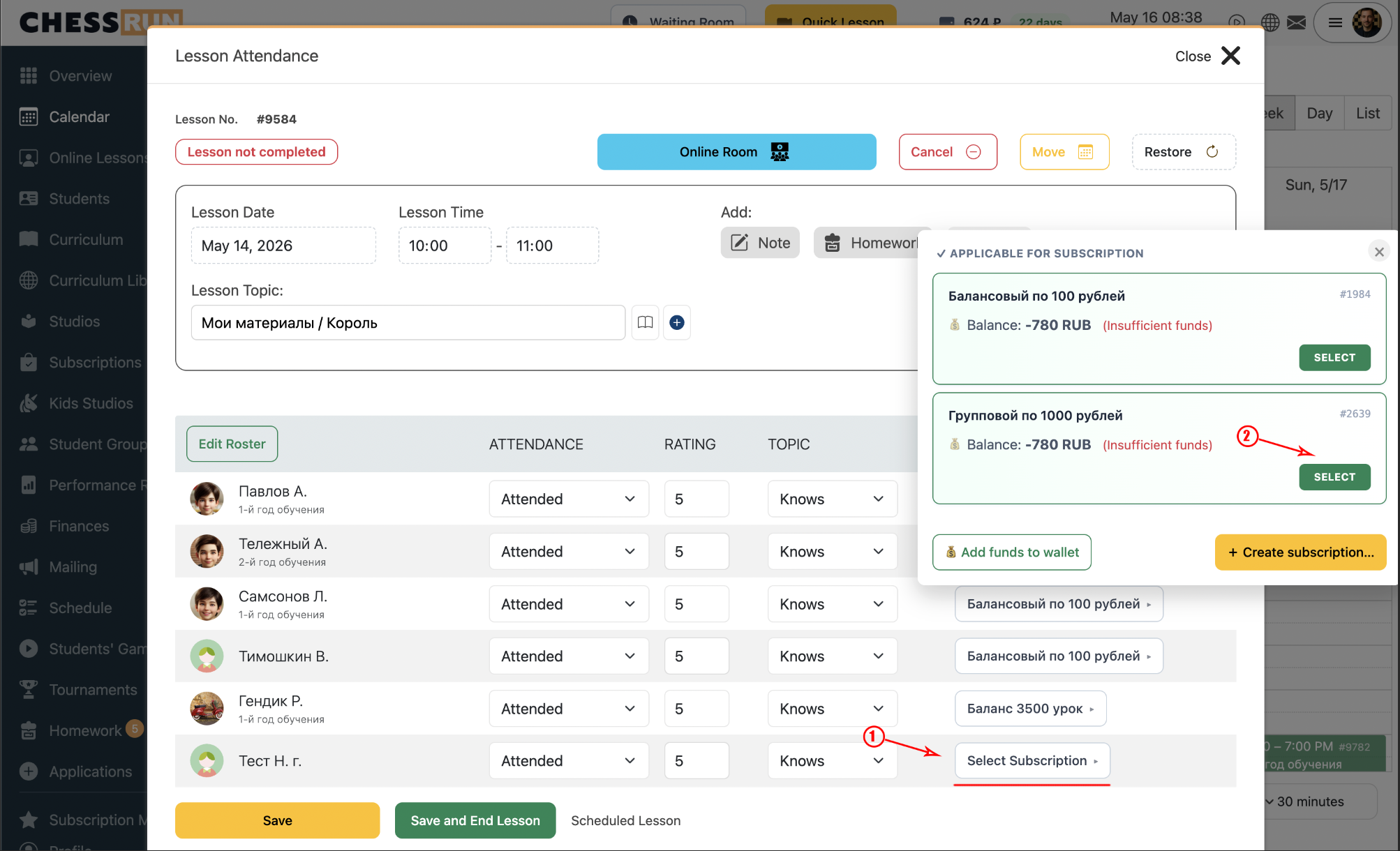
At the end of the lesson, open the lesson completion screen and finish the lesson. If a student has multiple subscriptions, select the appropriate one. If there is just one, the system selects it automatically. The charged sum is set by the subscription's settings.
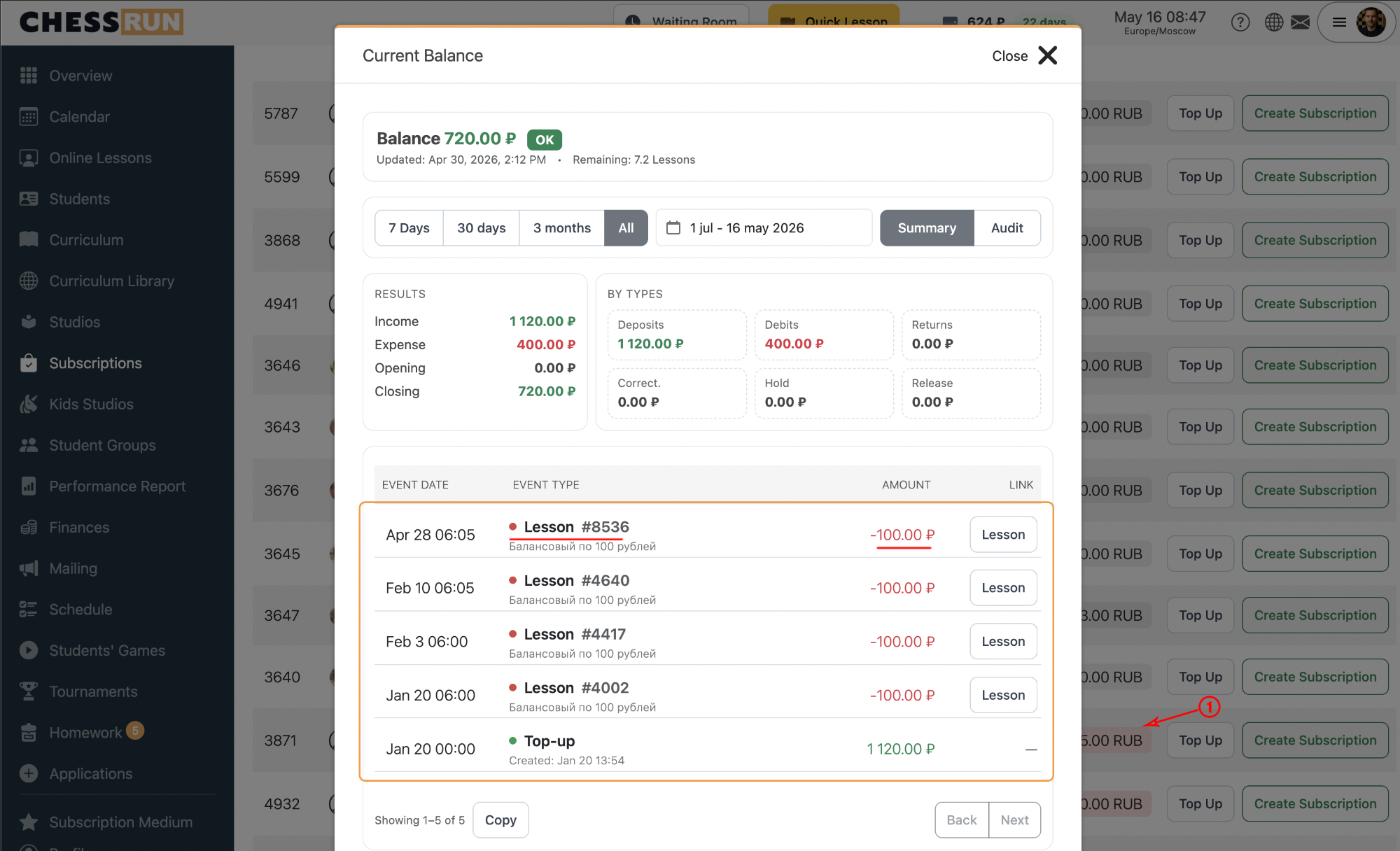
Right after the lesson is completed, a charge operation automatically appears in the student's balance history. You can see the lesson date, deduction amount, and transaction type there.
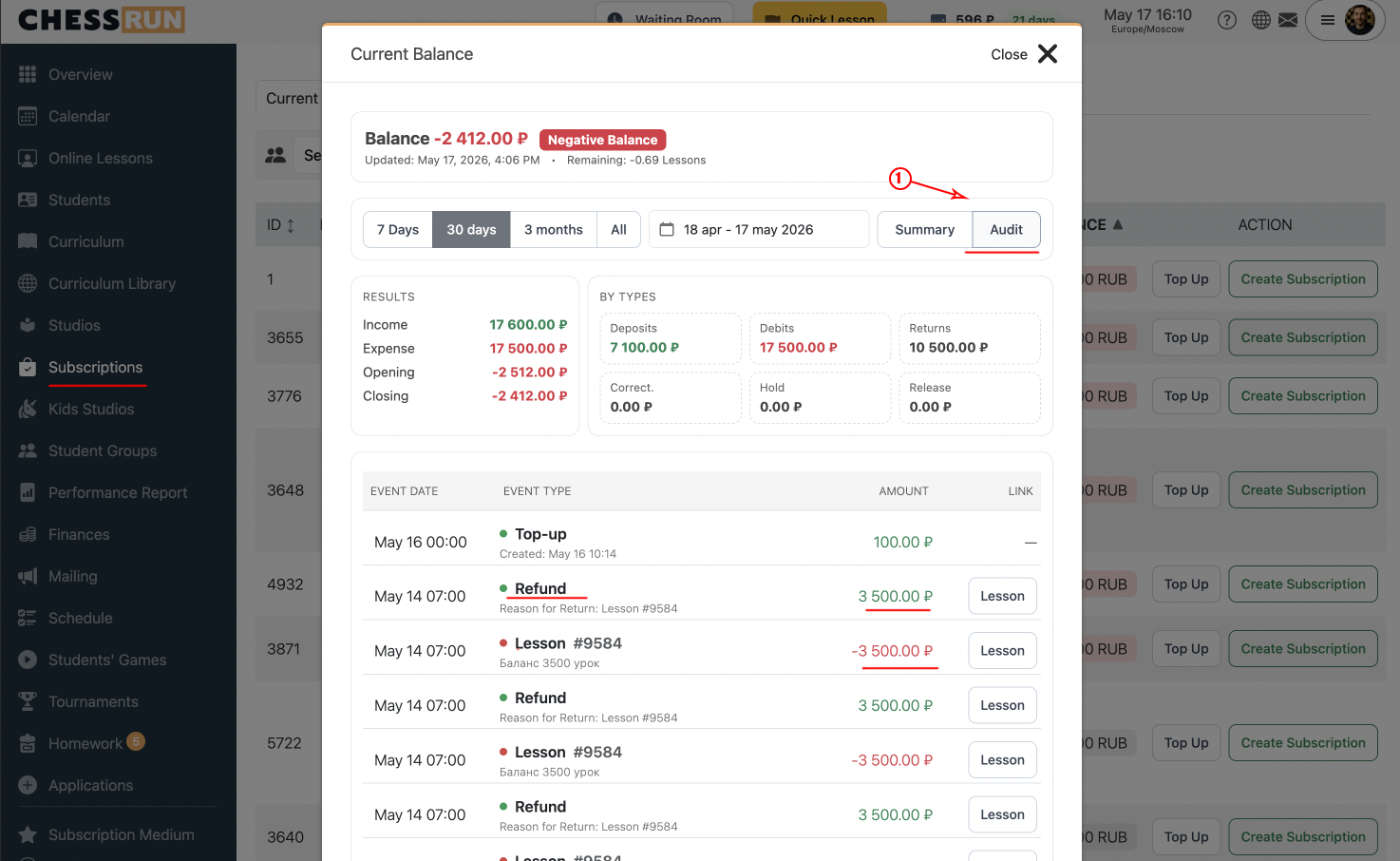
If you need to restore a completed lesson, the amount previously deducted is automatically returned to the student's balance. This operation will also be visible in the balance history.
If the subscription specifies a fixed amount, such as 100, exactly 100 units will be deducted for the lesson. All transactions appear in the balance history.
FAQ
When does the lesson fee get charged?
The fee is charged immediately after the coach completes the lesson in the system.
Can I choose which subscription is used for the charge?
Yes. If the student has several subscriptions, the coach can select the desired one when closing the lesson. If the student has only one subscription, it is selected automatically.
What if the charge was made by mistake?
If a mistake happens, restore the lesson— the amount will automatically be returned to the student's balance.