
How to register as a student on your school platform
Student registration
Open your school’s sign-in page and choose to register. Enter your last name, first name, email and phone number. A middle name is optional. Use an email address you can access.
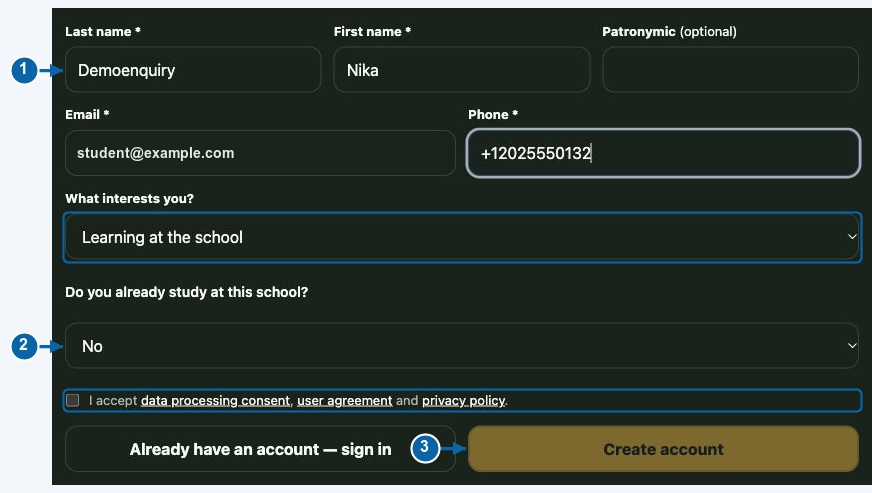
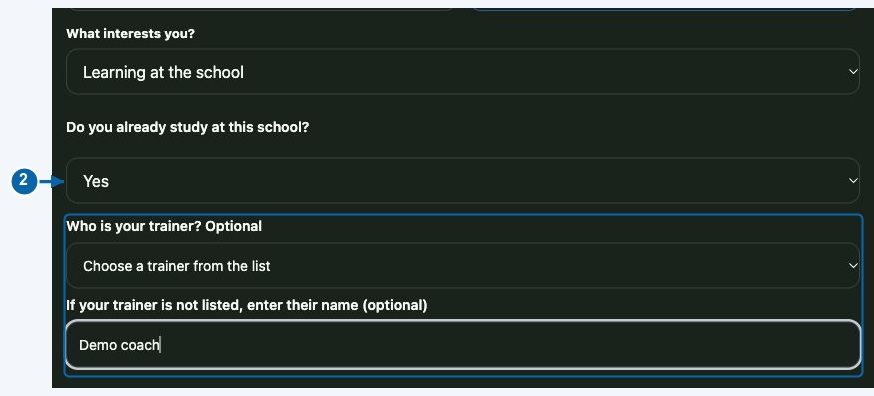
Under What interests you?, select Learning at the school. For Do you already study at this school?, select No if you are new, or Yes if you already take lessons. If you select Yes, you can choose your coach from the list or enter their name.
Read the documents, tick the consent box and click Create account. The Check your email screen will appear. If you cannot find the message in your inbox, check your spam folder.

In the email, select Confirm email and create a password. On the school’s page, choose a password and click Create password and sign in.
The school will receive your enquiry and check whether it already has a student record for you. If you already have an account you can sign in to, use it. You can reset your password from the sign-in page.