
Where to find the waiting room link for a student
How to get a student's waiting room link
1Open the student list
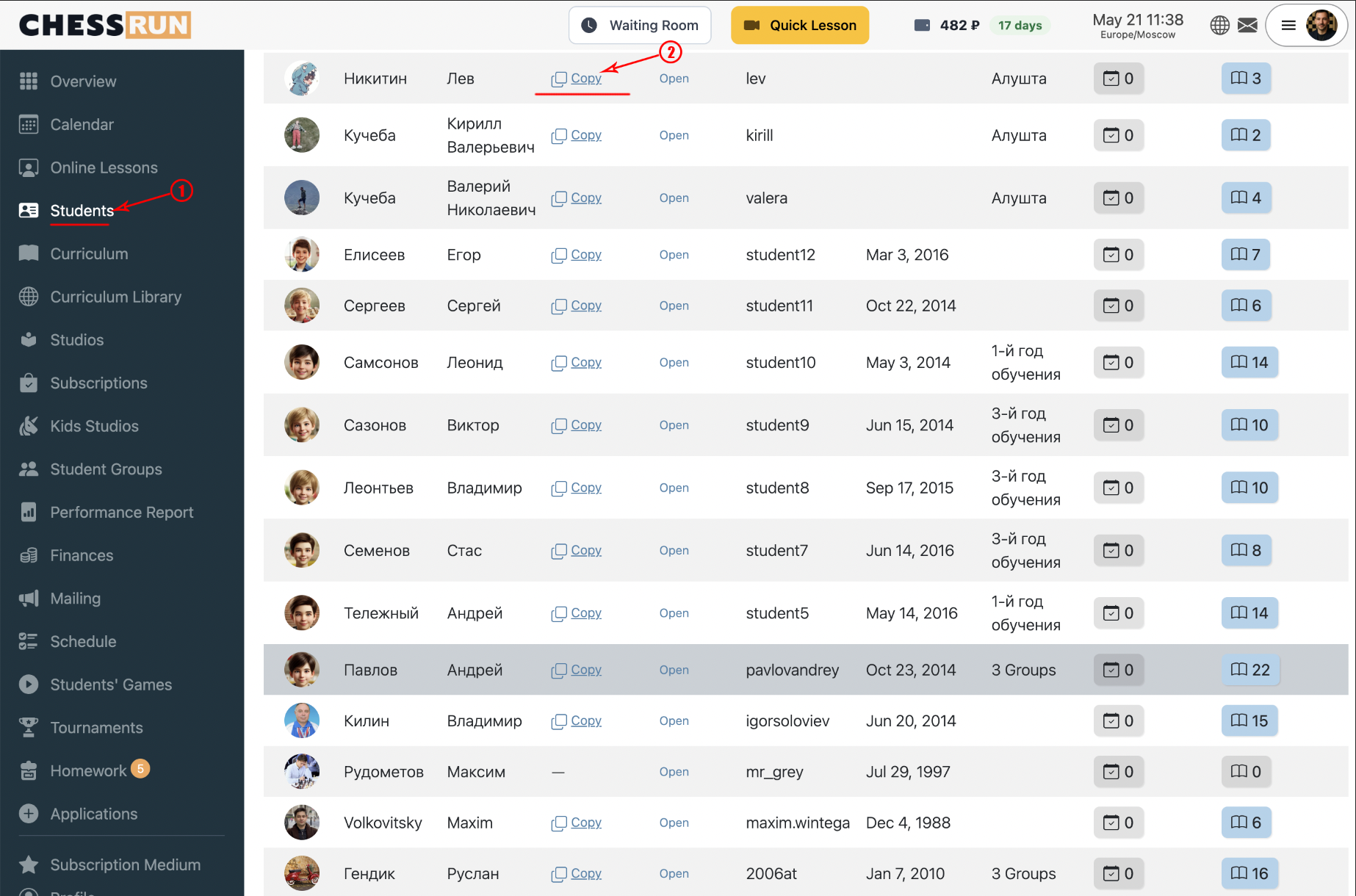
Go to the Students section to see all your students. The list displays a waiting room link for each student.
2Get the link during an online lesson
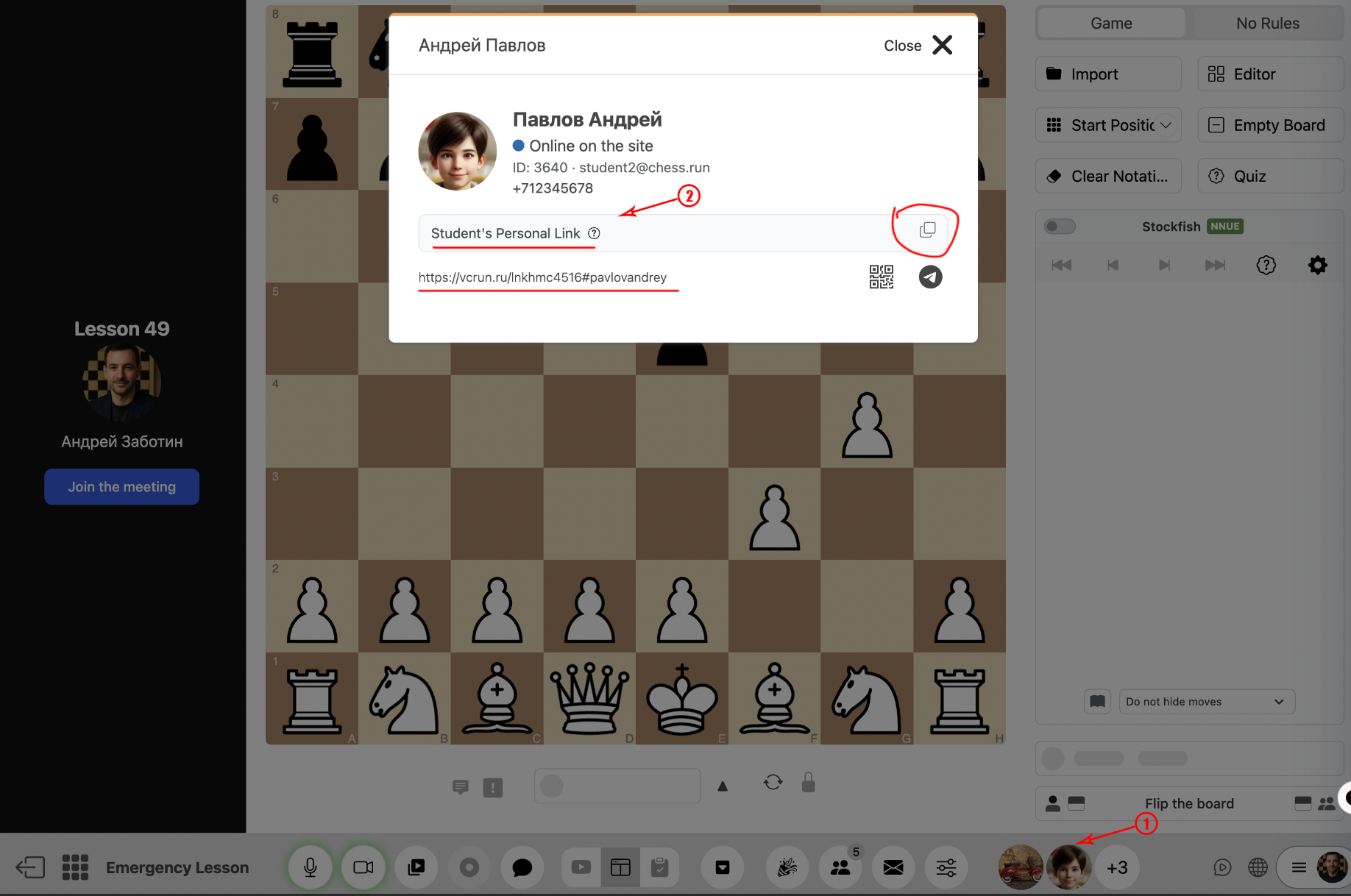
While in a lesson, open the needed student’s card. Their waiting room link will be shown inside the card and can be copied to send to the student.
FAQ
Can the same link be used for all students?
No, the waiting room link is unique for each student. Always use the individual link found in the list or from the student’s card.
What should I do if a student cannot join with their link?
Check that you sent the correct, unique link from the student list or card. If the problem continues, please contact support.