
What types of homework are available?
How to select the type of homework
Go to the homework page and click the 'New chapter' button.
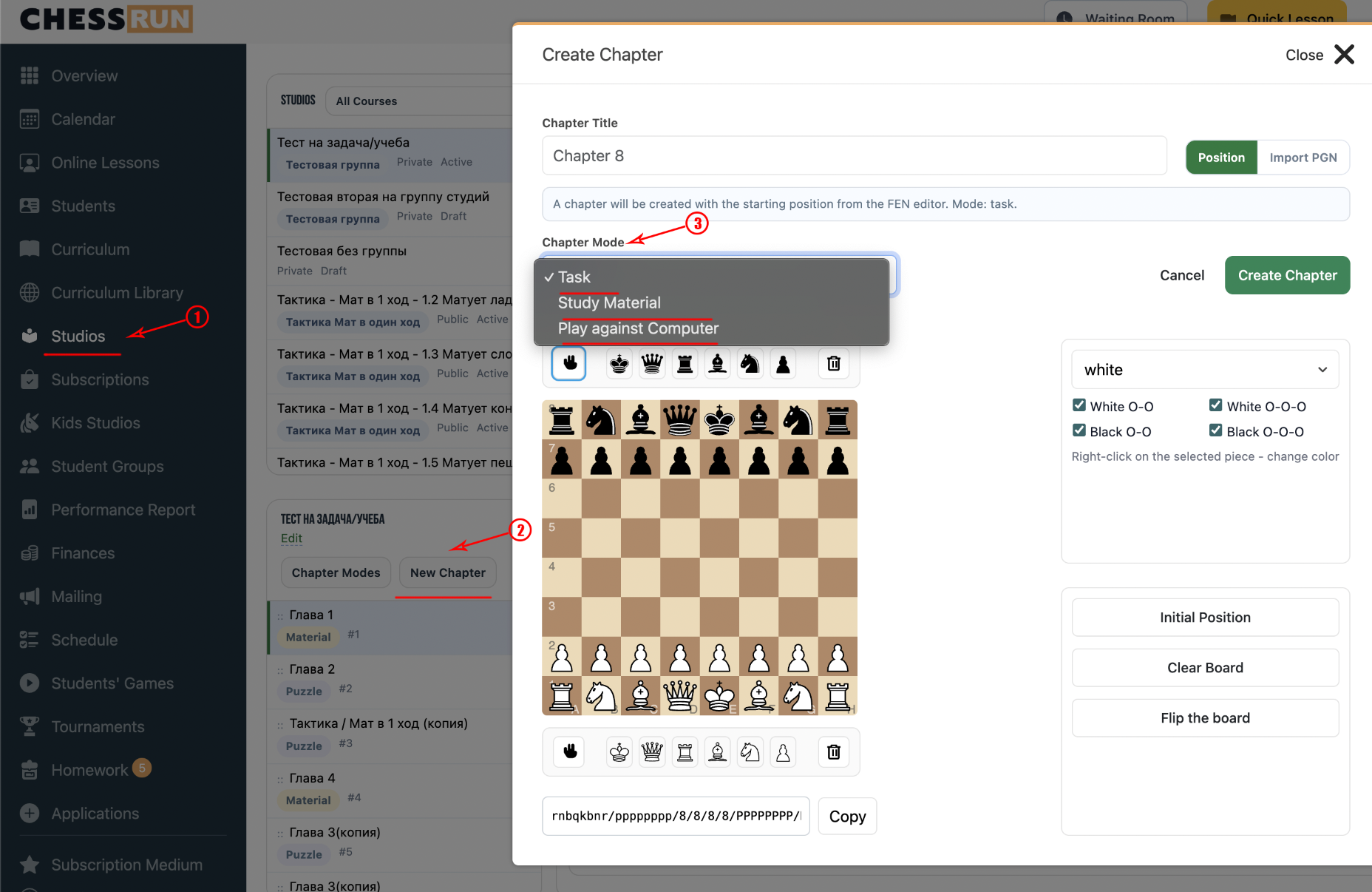
In the dialog, select the mode that fits your homework goal.
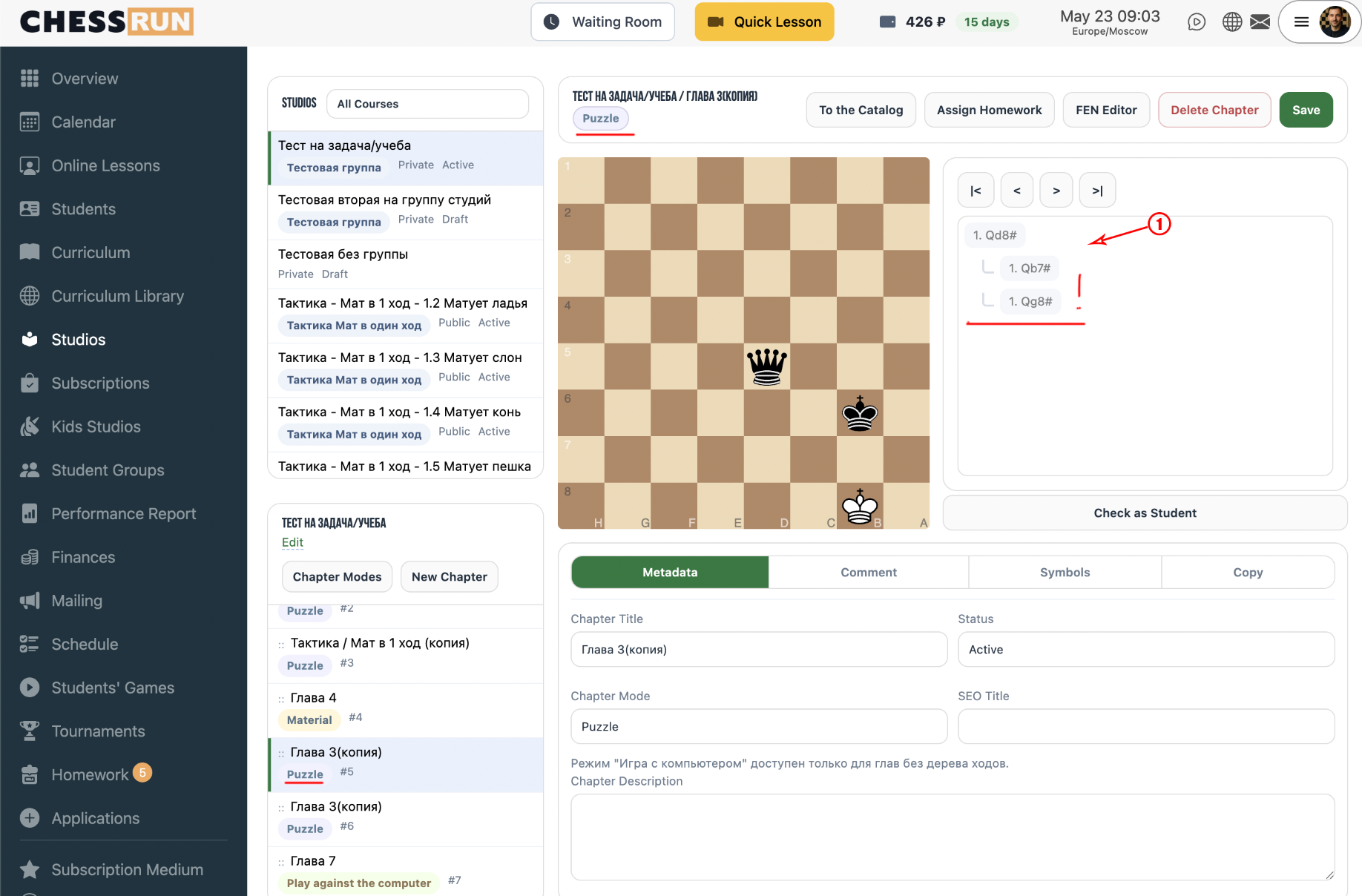
Chess Tasks are the most common assignment type. The task must have a solution move or a series of correct moves. It's successful if the student follows the solution, for example, giving checkmate in one move.
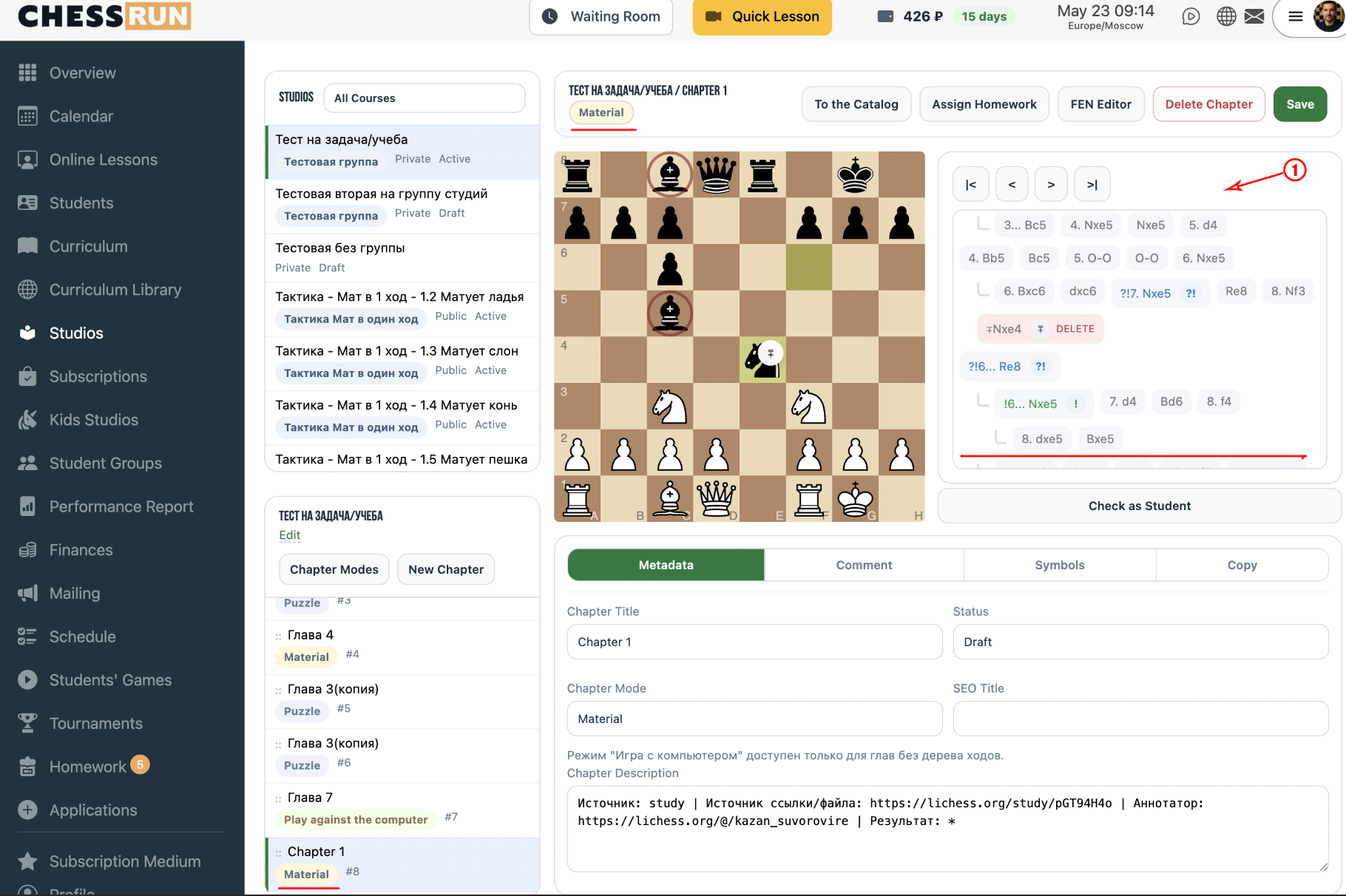
Materials are assignments where the student doesn't need to make moves, but can study a sequence of moves or a game. For example, learning the Four Knights Opening. You can add instructions or rules using chess notation.
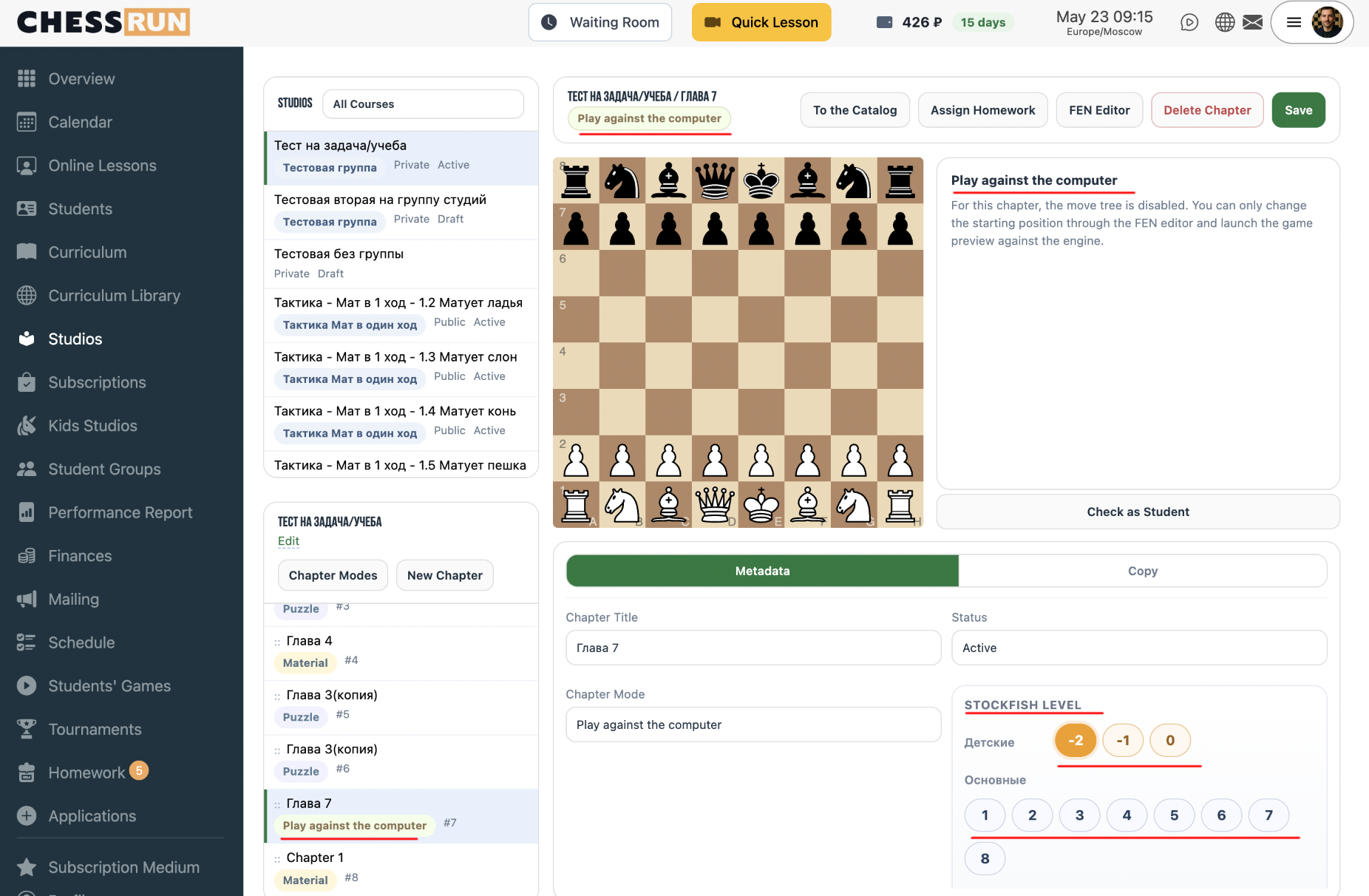
Play vs Computer lets you set a starting position for the student to play. You can specify the difficulty level (from 1 to 8, like on Lichess), plus special levels for younger children (from -2 to 0) using the ChessRun custom mode.
FAQ
Can I combine different homework types in one course?
Yes, you can create different chapters with different types of assignments within one course or study group.
How do I choose the right difficulty for play vs computer?
Set the level based on the student's age and chess experience. For beginners or young children, use ChessRun's special levels from -2 to 0.