
How the Student Balance Works
How the student balance works
To top up a student’s balance, open the student's card and click 'Top up balance'. Enter the amount and confirm. After this, both the student's balance and the school's cashbox are increased by the deposited amount, and the funds are categorized as 'Student Funds'.
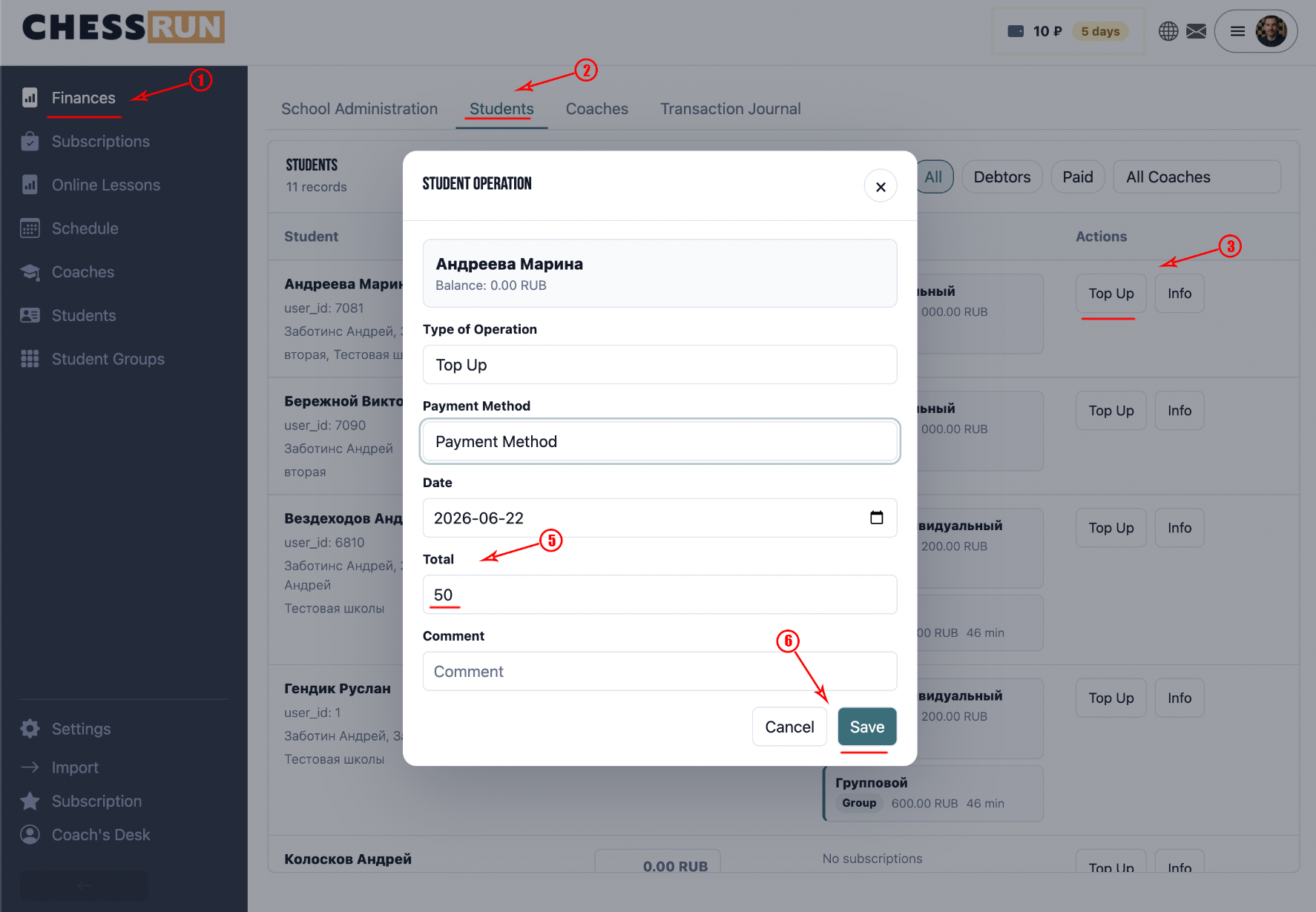
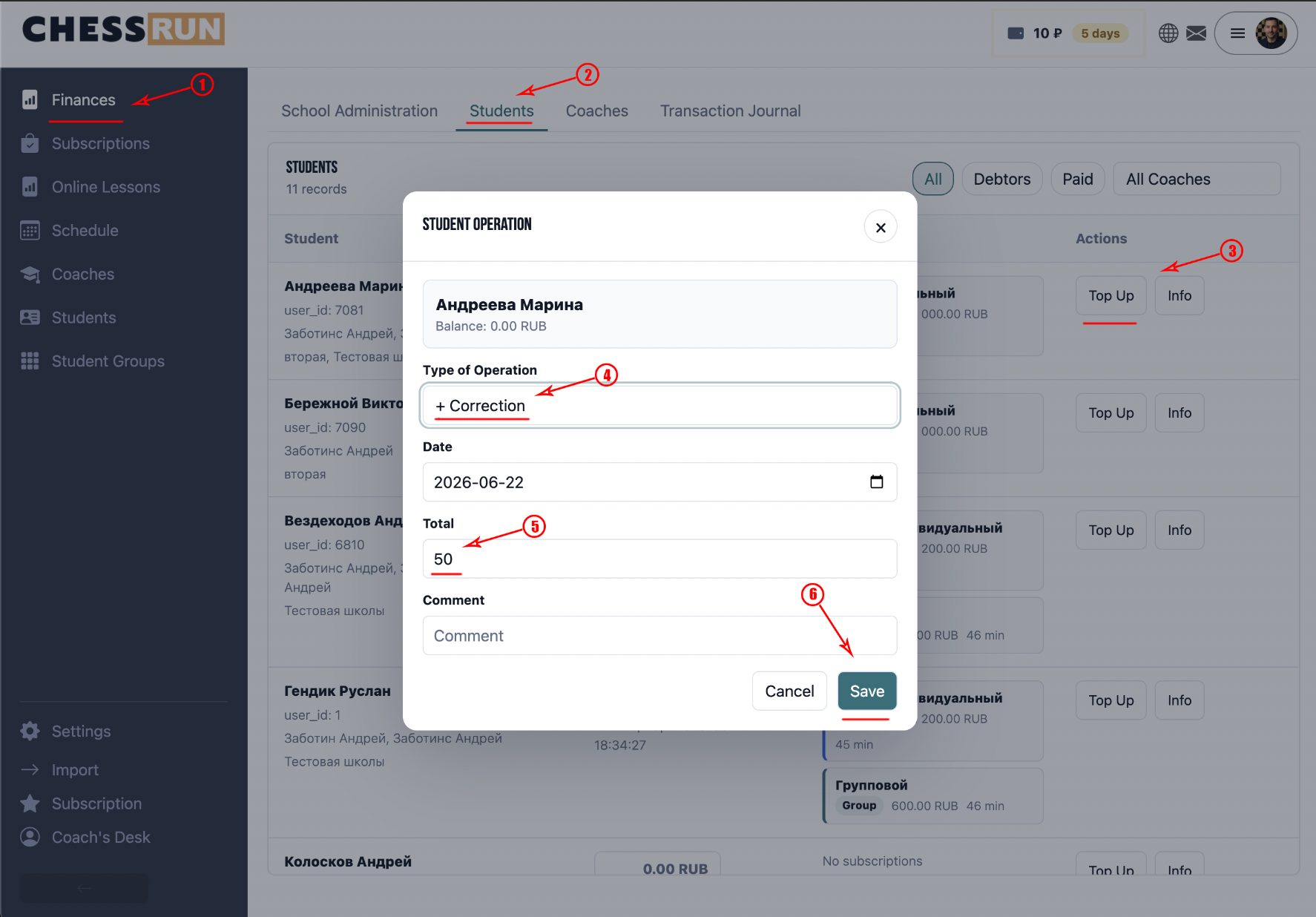
Adjustments let you change the balance without moving actual funds. Use this for bonuses, correcting mistakes, carrying over balances, or technical corrections. Adjustments can increase or decrease the balance, but do not affect the school’s cashbox.
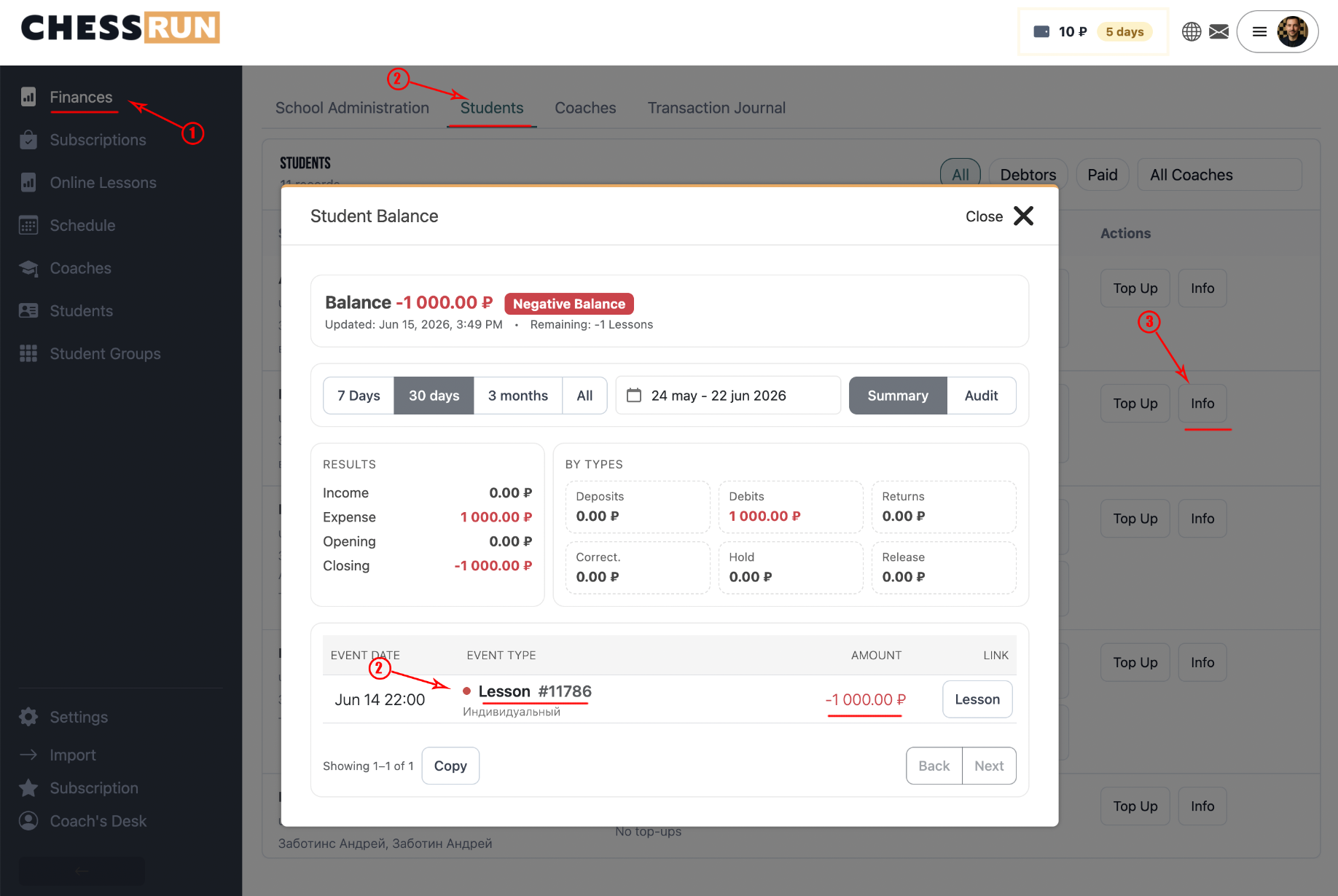
After a lesson is completed, the system automatically deducts the required amount from the student’s balance. The deducted amount is based on the subscription used for the lesson.
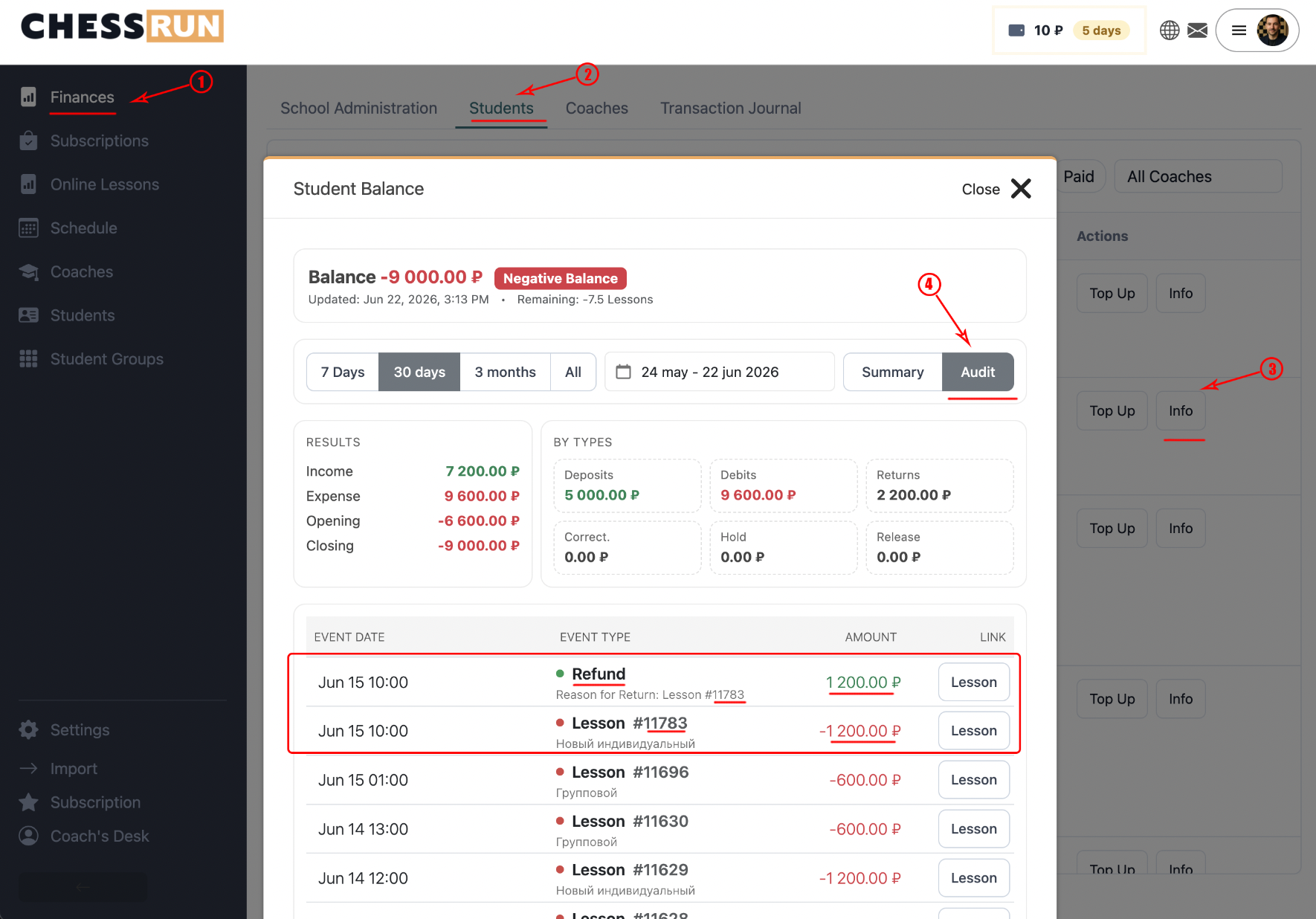
If a completed lesson is restored, the deducted amount is automatically returned to the student’s balance, and all lesson-related finance operations are canceled and hidden from regular history. These transactions are kept in the detailed audit. If the lesson is completed again, payment will be deducted afresh.
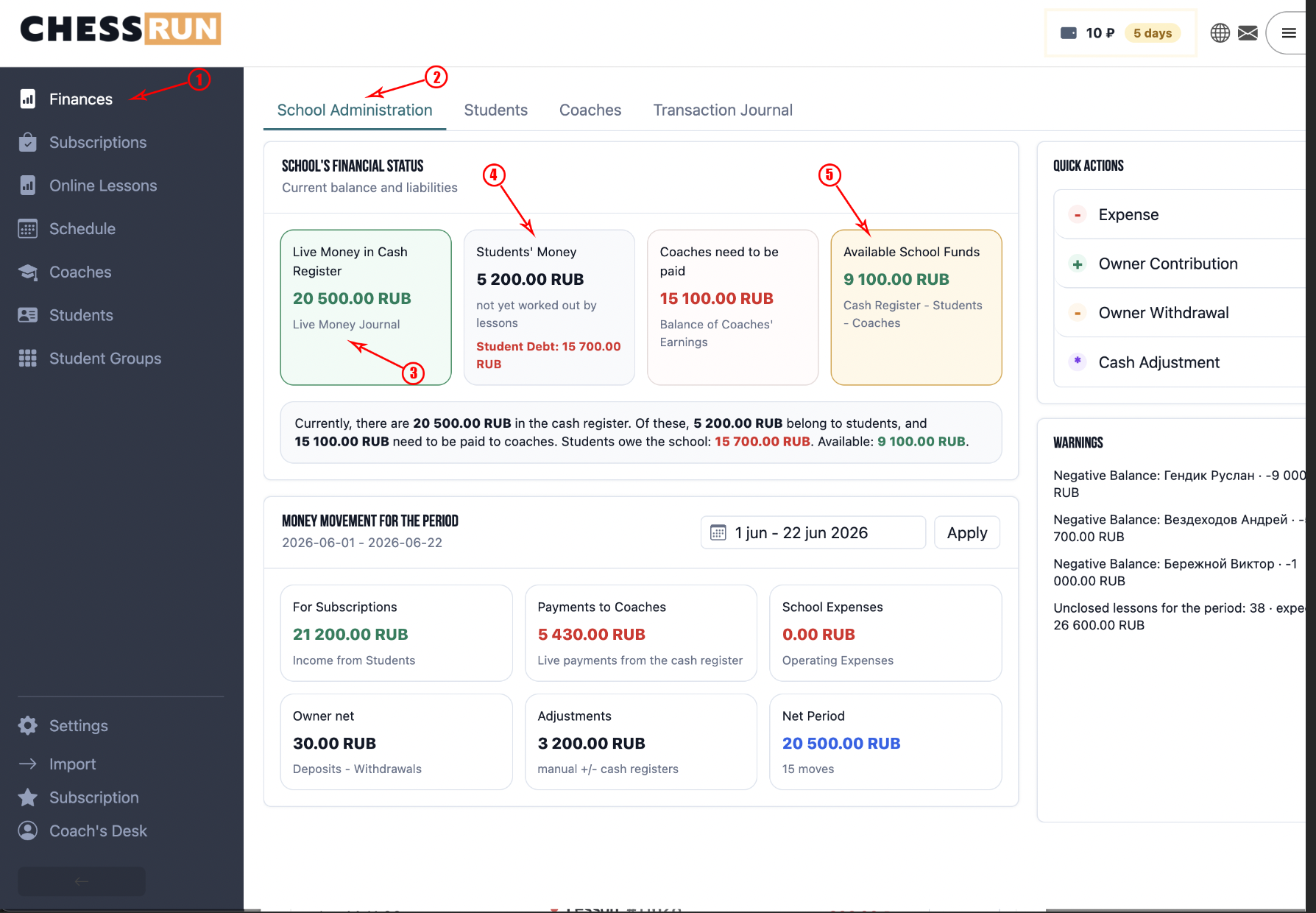
A student’s top-up increases the school’s cashbox, but this money is still considered 'Student Funds' and is not school profit yet. Only after a lesson is completed, funds move to 'Free School Money'. This way, the system separates unearned money from school earnings.
FAQ
What is the difference between topping up and adjusting the balance?
Topping up involves real money entering the school’s cashbox, while an adjustment only changes the recorded amount without moving actual funds.
When does the school actually earn money from the student’s balance?
Only after the lesson has been conducted do the funds move from 'Student Funds' to 'Free School Money'.