
How to manage school coaches?
How to manage school coaches
The coach must already be registered on Chess.Run and give their account email to the school. The school administrator enters the email, sends an invitation, and the coach confirms the connection in their dashboard.
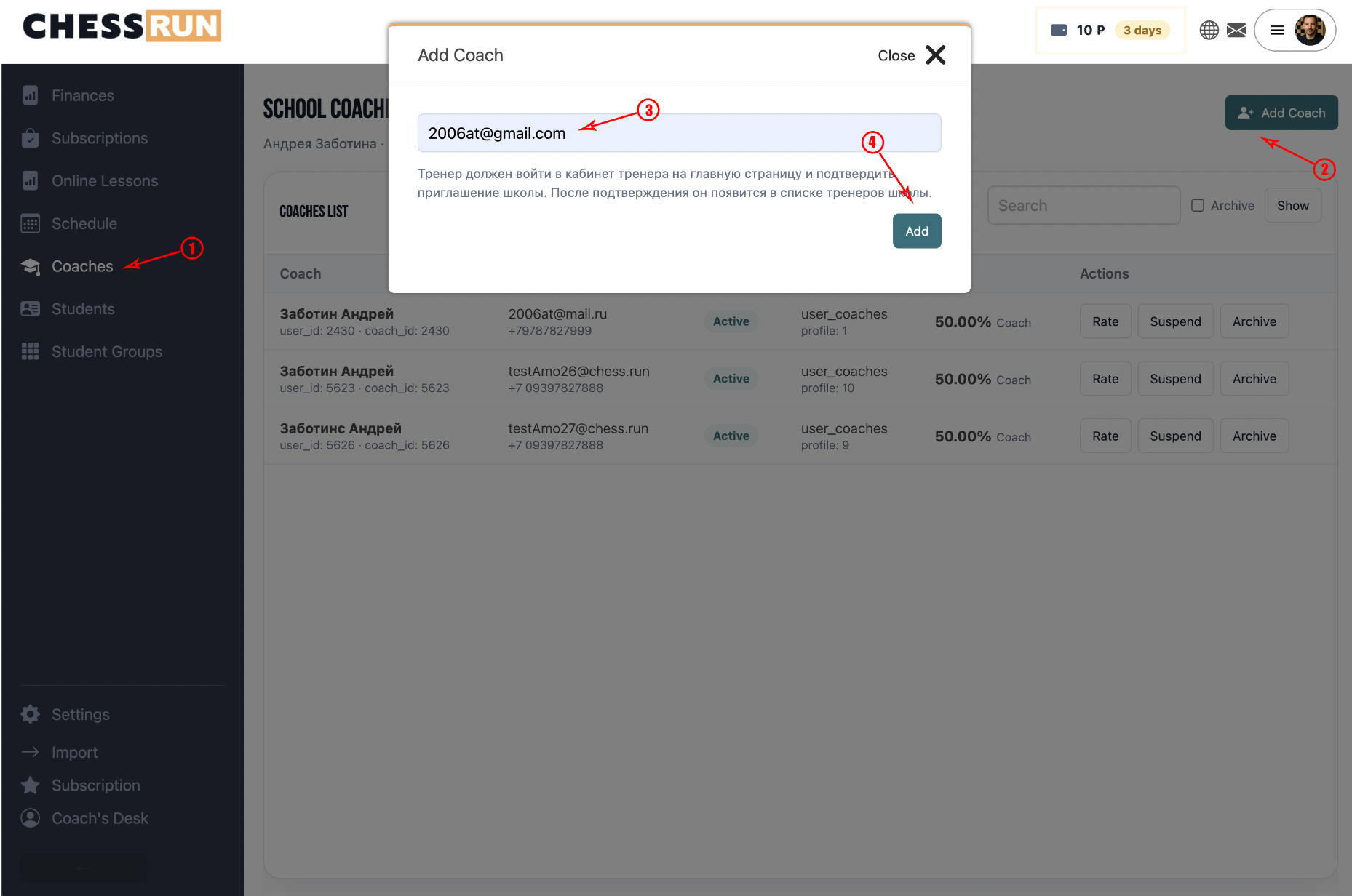
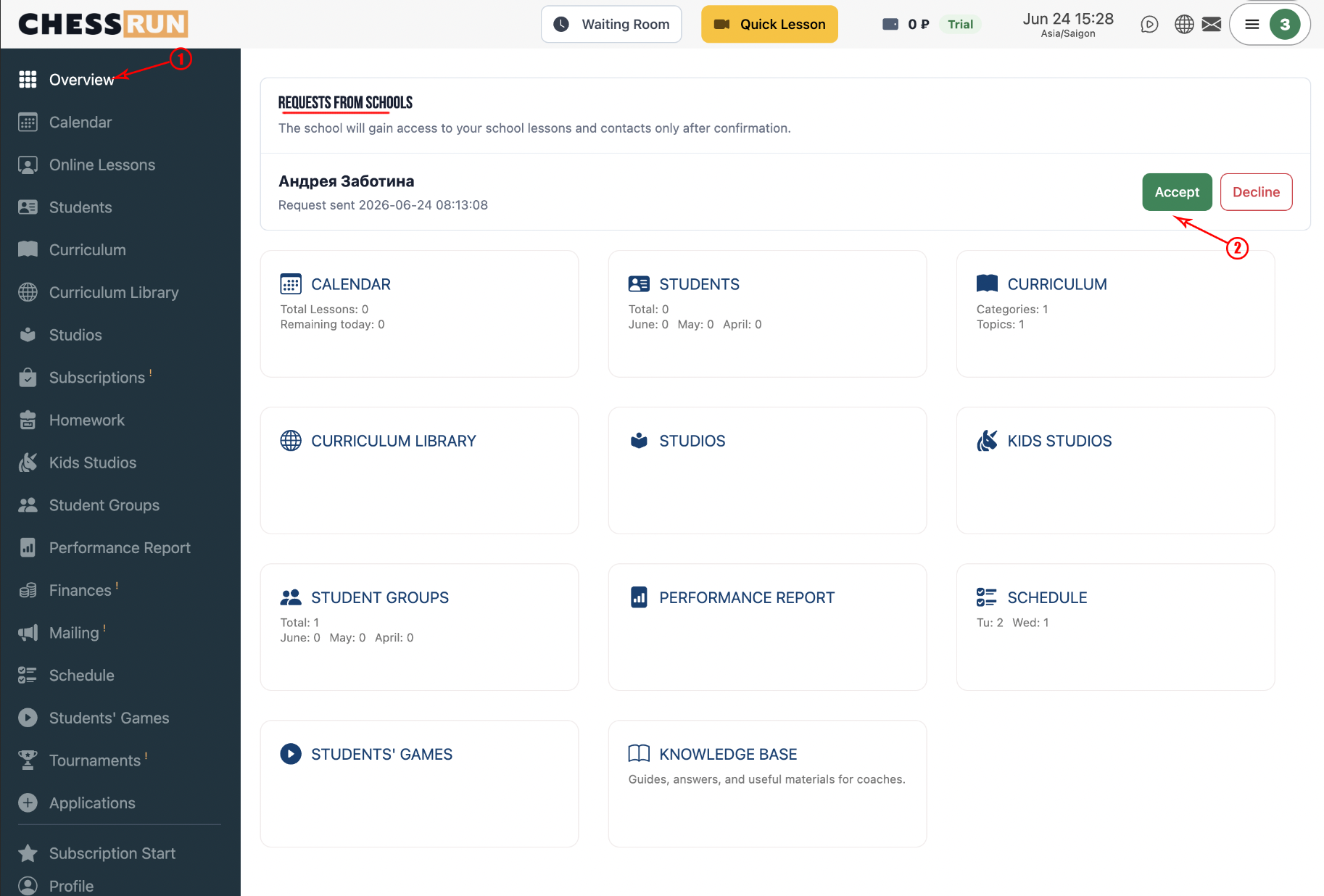
In the coach's dashboard at chess.run/coach/dashboard, a notification will appear about the school's invitation to connect. After confirmation, the coach appears in the list for the school.
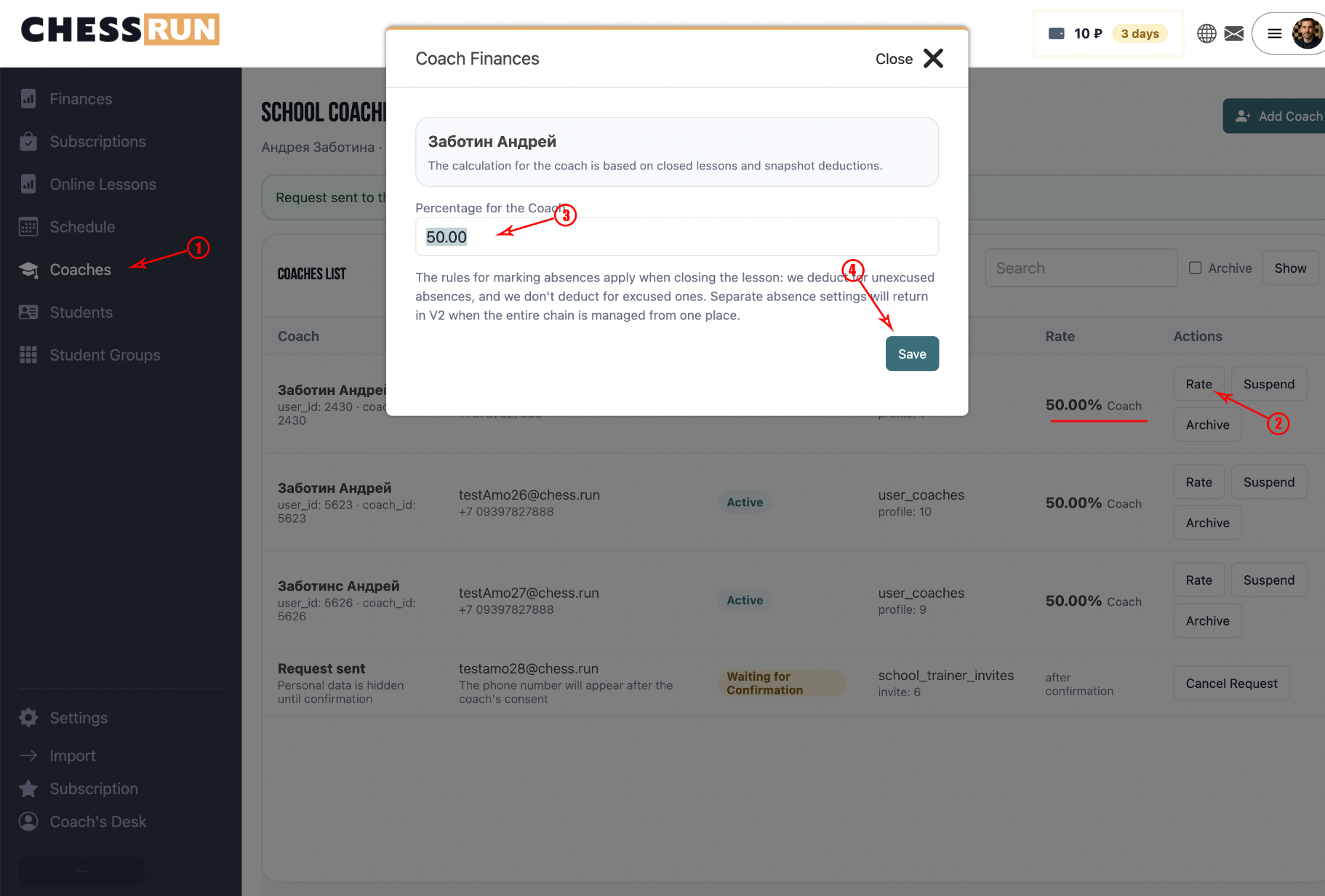
The coach rate determines what portion of a completed lesson's price is accrued to the coach. For example, if the rate is 50%, then after lesson completion, half of the lesson cost goes to the school's debt to the coach.
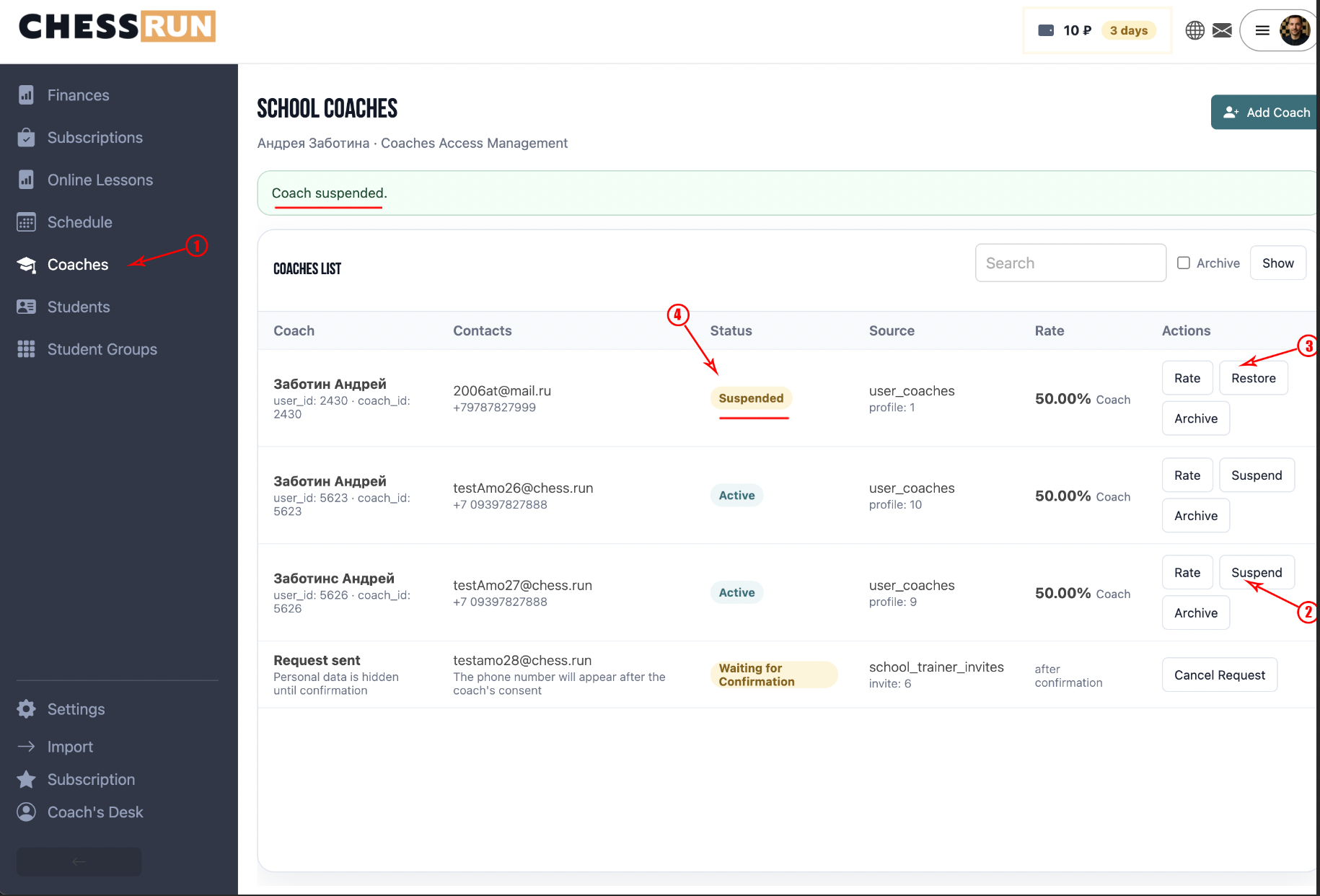
Pausing temporarily disconnects the coach from new school lessons:
- the coach's recurring schedule stops displaying;
- new lessons from the schedule are no longer created;
- already created lessons remain in the system;
- the coach can be restored back.
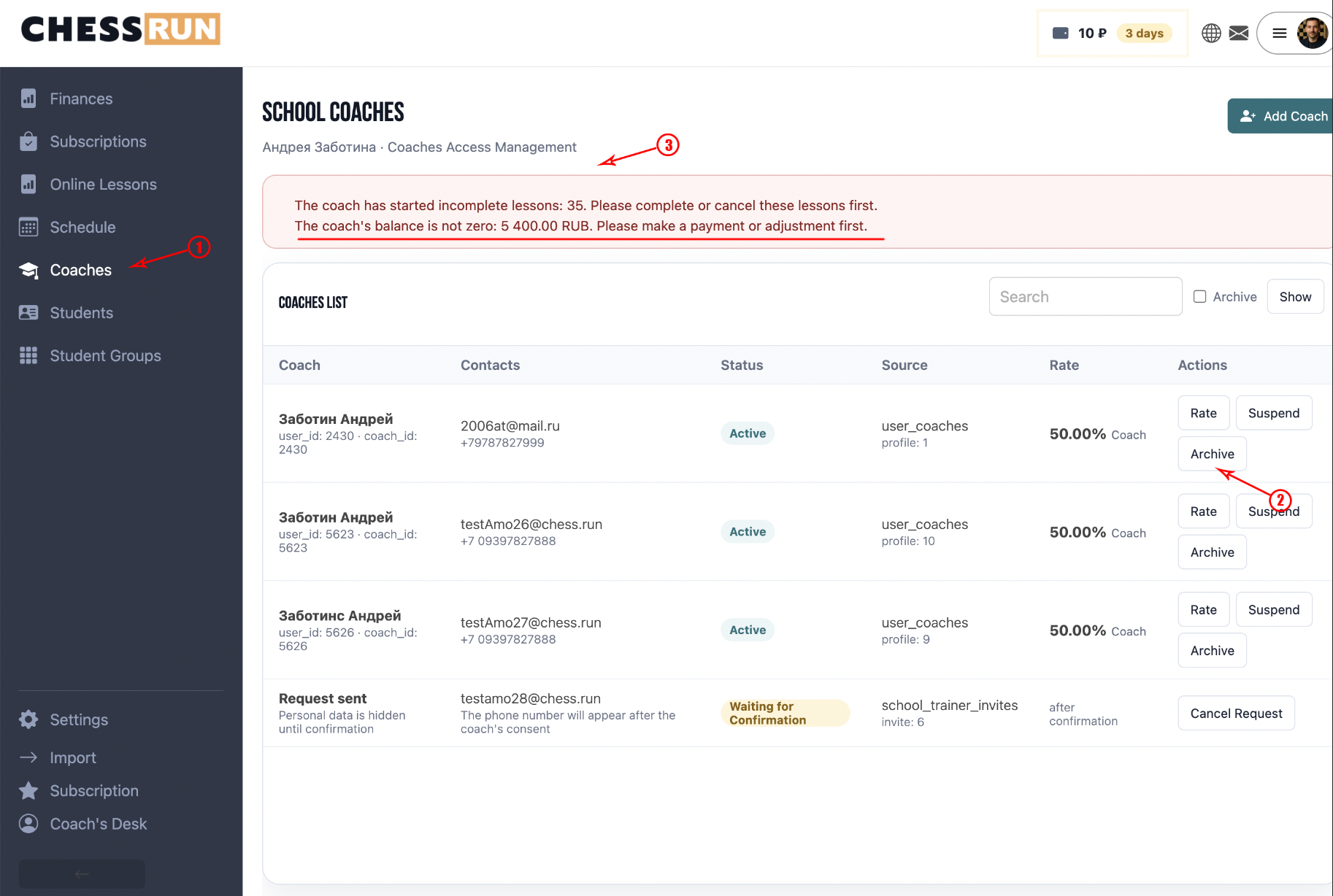
Archiving completely removes the coach from active work in the school. Archiving is only possible when:
- there are no future uncanceled lessons;
- there are no started but incomplete lessons;
- the coach's school balance is zero.
Recommended order for disconnecting a coach:
- Pause the coach.
- Cancel or reschedule future lessons.
- Complete all past lessons.
- Pay out or adjust the remaining balance.
- Archive the coach.
FAQ
Why can't a coach just be deleted immediately?
Because the coach may have lessons, schedules, and financial accruals. The system prevents a situation where the coach disappears but their lessons or debts remain unresolved.
Why can't you set a specific amount per lesson?
A coach rate as a fixed amount will be available in the next update.