
Where to find ready-made homeworks on the platform
How to find and use ready-made homeworks
1Open the homework page
Go to the "Homeworks" section in your coach menu.
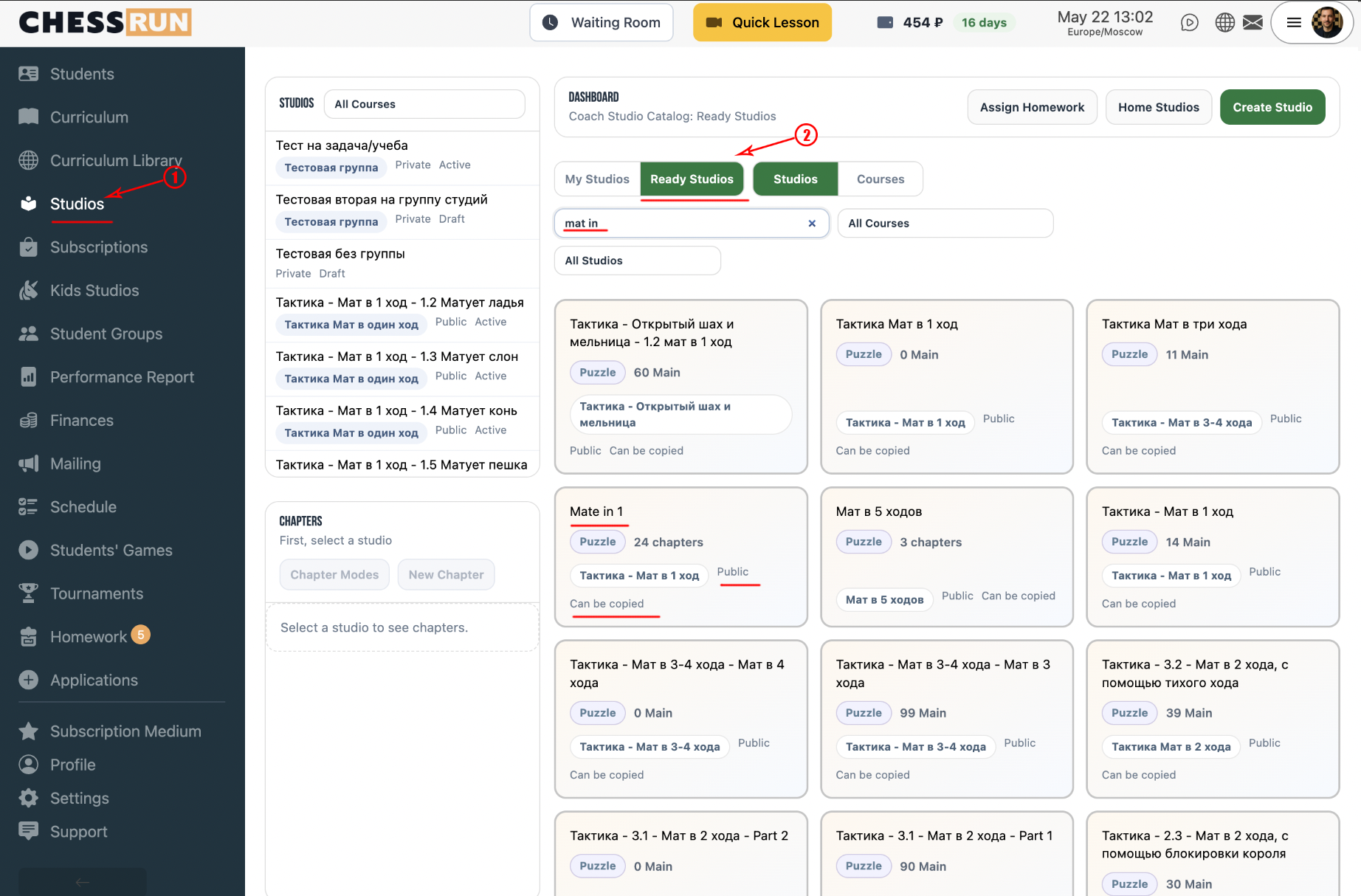
2Go to studies
Click the "Studies" button on the homework page.
3Select "Ready-made studies"
In the studies tab, choose the "Ready-made studies" section to view available options to use or import.
4Browse available courses
You can also view ready-made courses, which you can use as homework materials.
You can always create your own study or import it from a PGN file or from Lichess if you need custom materials.
FAQ
Can I edit a ready-made study after importing?
Yes, after importing a study you can edit the materials as needed.
How can I quickly find a suitable ready-made study?
Use the search by name or category filters in the ready-made studies section.