
How to assign homework if I have no studies yet?
How to copy a ready-made study for homework assignments
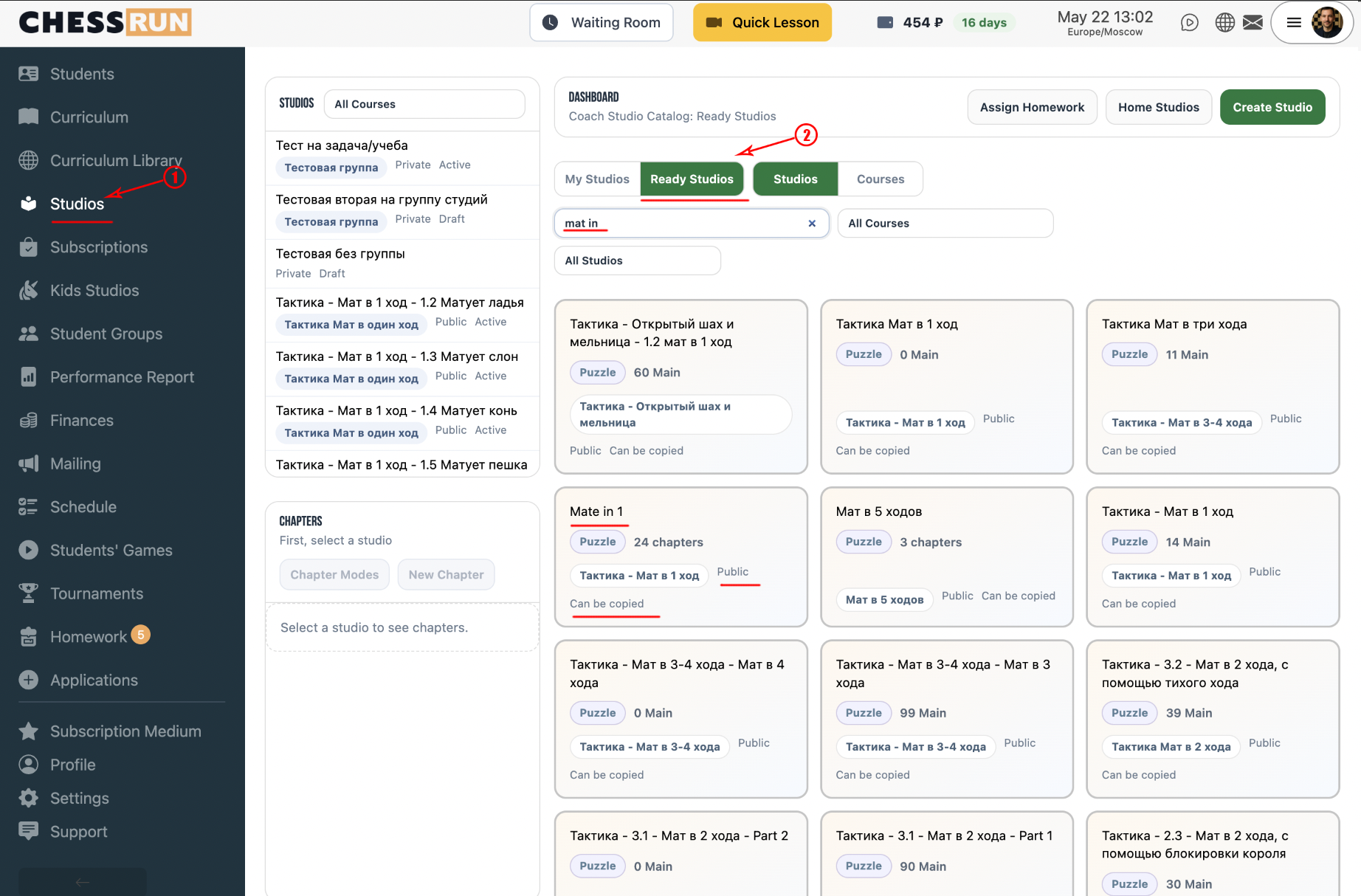
On the main page or in the navigation menu, click the Studies button. You'll see a list of available studies and a 'Ready Studies' section.
Go to the 'Ready Studies' tab. Here you'll find many pre-made studies and courses you can use.
Browse the list, choose a study that fits your needs, and click it to view details and lessons.
In the opened study, select the 'Copy' menu. Click the 'Copy Study' button to add it to your own study materials.
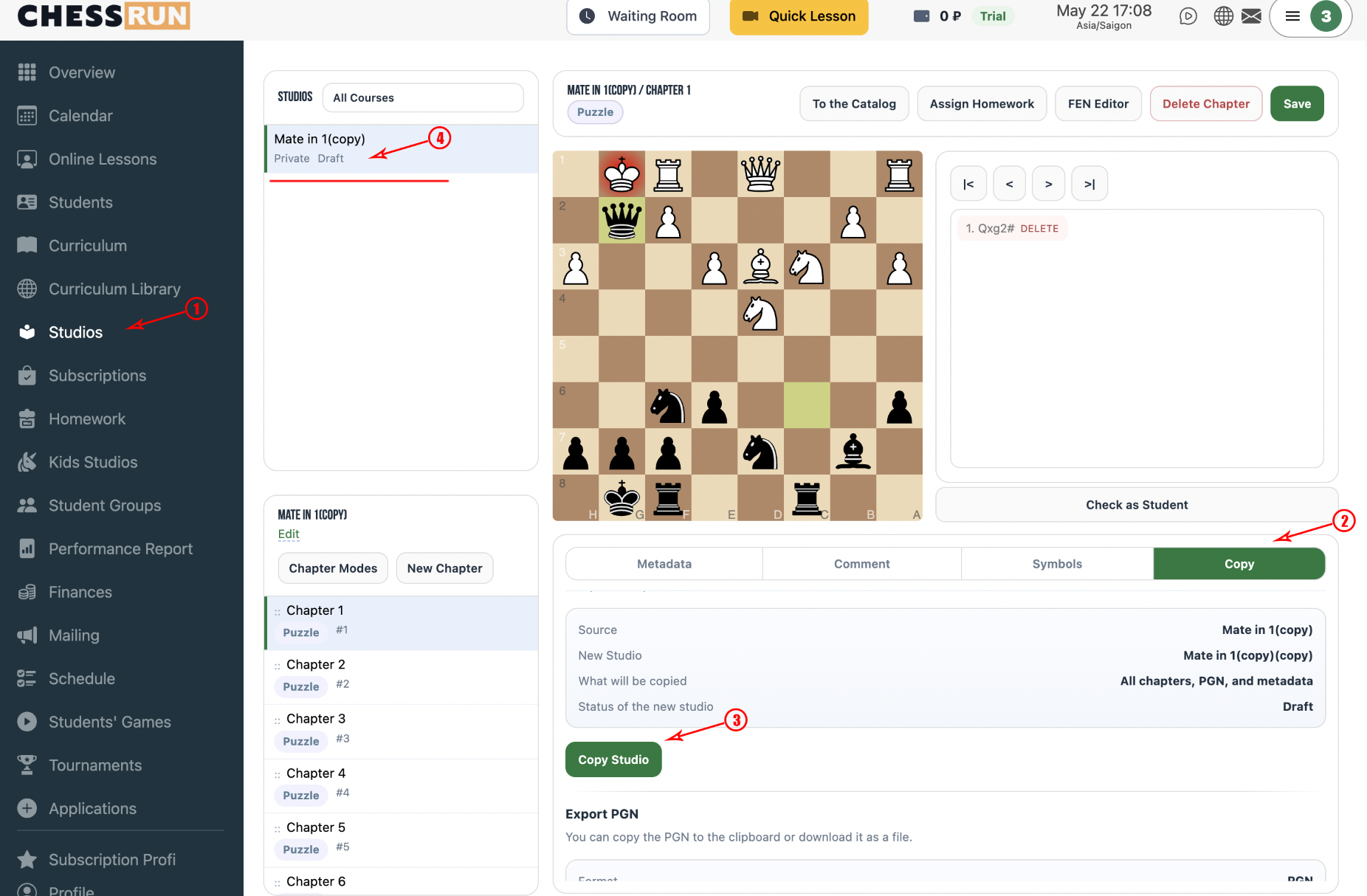
After copying, the study will appear in your list of personal studies. You can now use it to assign homework.
You can also create your own studies from scratch, import them from PGN files, or import studies from Lichess. But to get started quickly, it's easiest to use ready-made studies.
FAQ
Can I modify the materials in the copied study?
Yes, after copying the study, you can edit lessons and assignments as you like.
What if there isn't a suitable ready-made study?
You can create your own study manually or import one from a PGN file. New ready-made materials are regularly added to the platform.