
Feature for coaches
Chess coach workspace
Chess.Run helps private chess coaches run online lessons, keep lesson history, plan sessions and assign practice without scattered tabs, chats and spreadsheets.
14 days of the full plan. Start with one student and one test lesson.
The problem it solves
A coach's work should not live in five different places
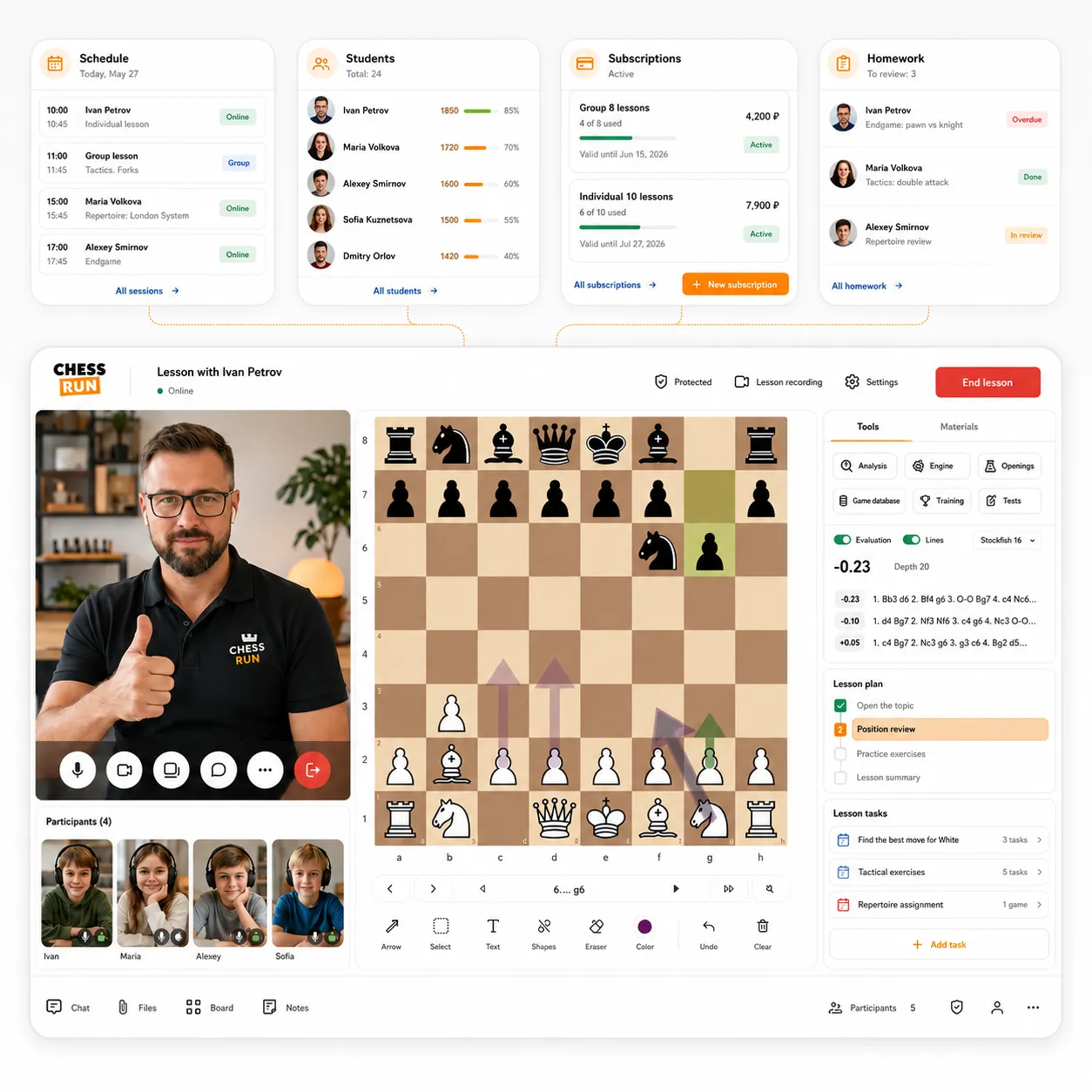
In Chess.Run, the main coach workflow is collected in one workspace.
Run the lesson, open the board, keep history, assign homework and return to the student next time without searching through chats and spreadsheets.
What we keep together
- online lesson with video and board
- students and lesson history
- regular lesson schedule
- homework and teaching materials
How it works in Chess.Run
See the coach workflow: from the first lesson to organized teaching
The screens show the workspace flow: manage a student, plan lessons and run a structured lesson.
01
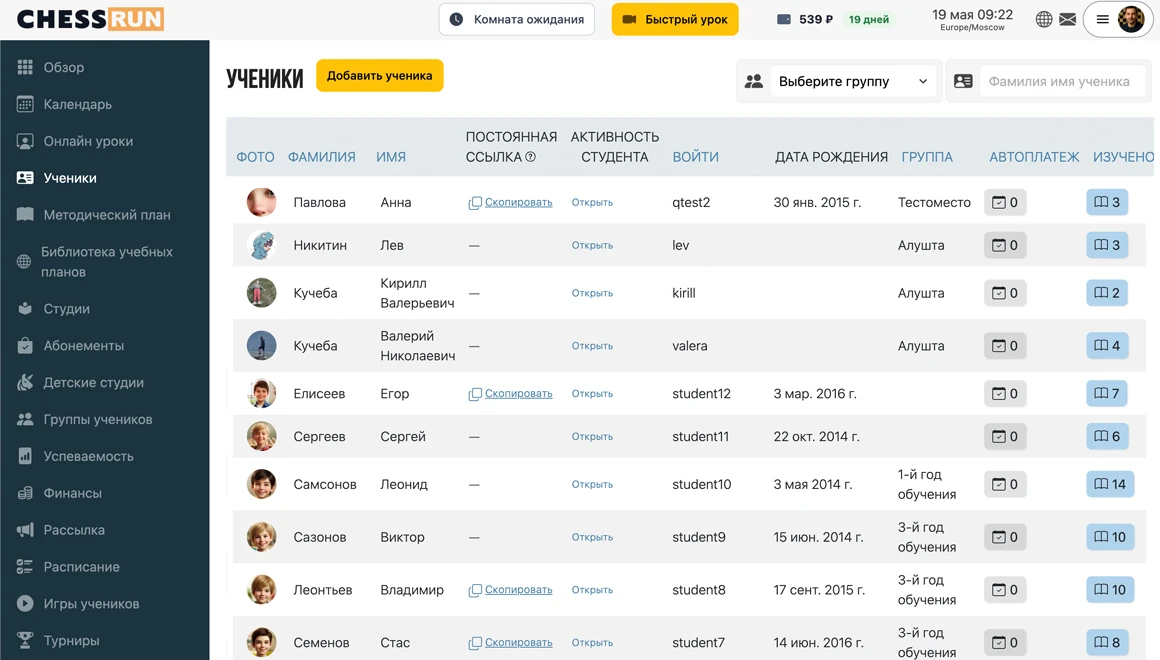
Manage the student profile
Contacts, lessons, notes and the next step stay connected to the student.
02
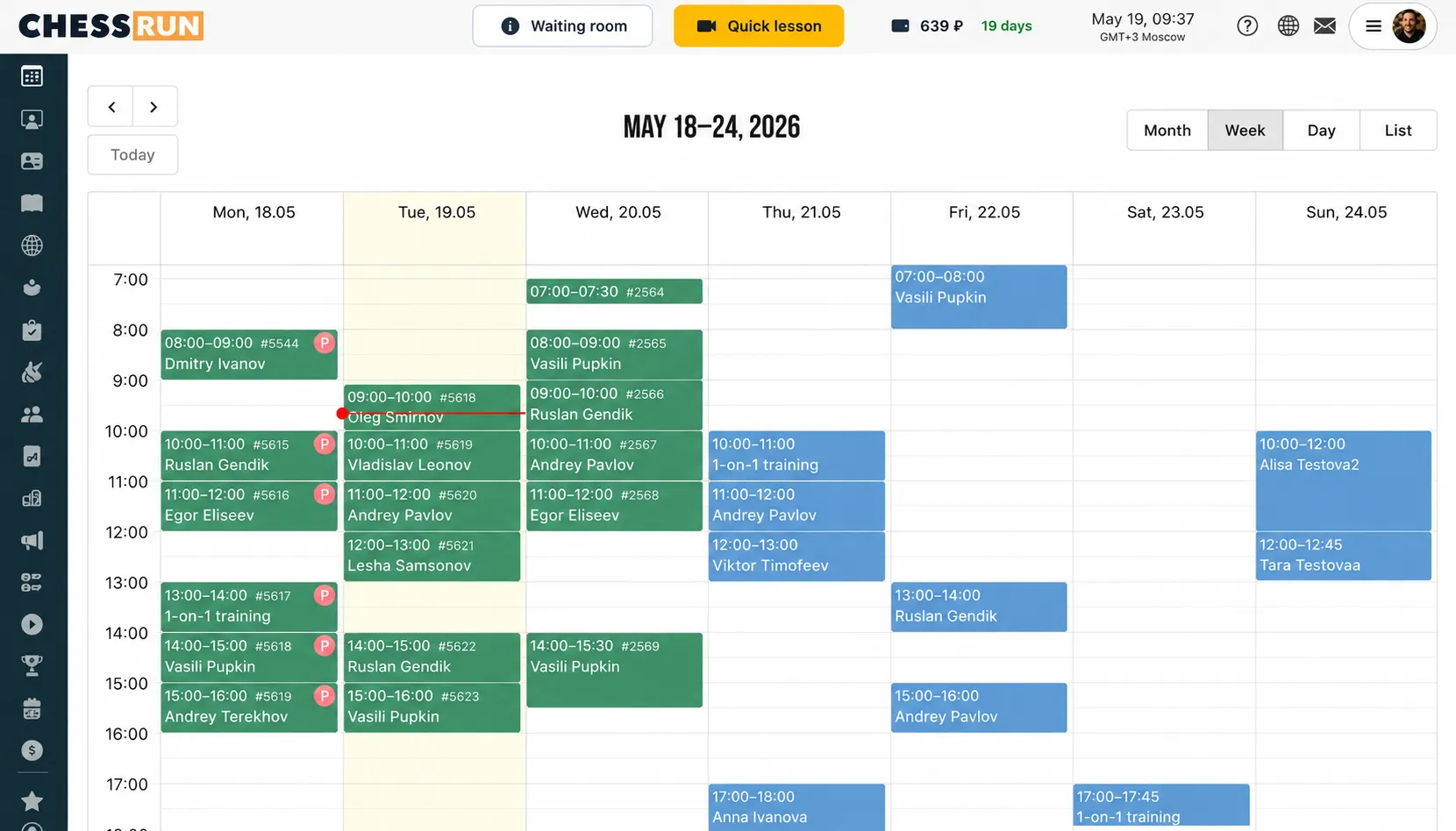
Plan lessons
The schedule keeps regular lessons in the system instead of chats and notes.
03
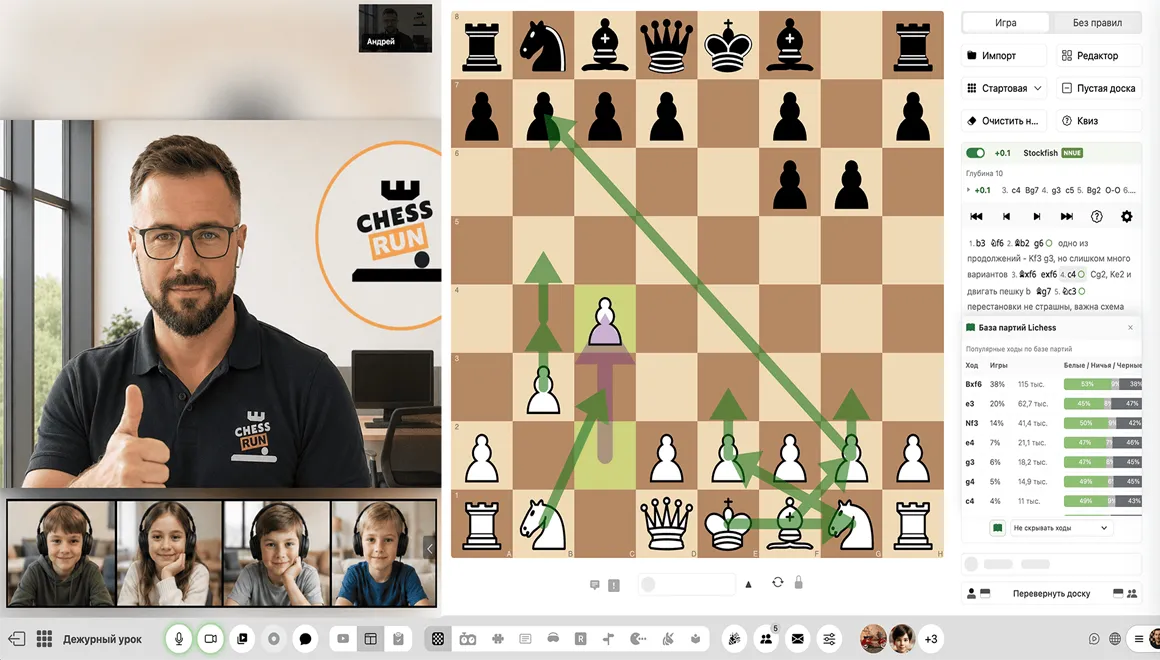
Run an organized lesson
Student, schedule, video, board and the next step are connected in one workflow.
Main features
The core parts of a coach workflow in one system
Lesson room
Video, chess board, student link and lesson tools are side by side.
Student profiles
Lesson history, notes and next steps are saved for every student.
Schedule
Plan regular lessons in the workspace instead of keeping them in your head or a spreadsheet.
Homework
After the lesson, assignments stay in the system and can be reviewed later.
Materials and courses
Prepared topics can be reused with different students.
Professional workflow
The student sees a clear path: lesson, material, assignment and next step.
How to start
Test the workspace with one student and one lesson
You do not need to move your whole student base, schedule and materials on day one. Start with a short coach workflow.
Sign up
Get 14 days of the full plan and enter the coach scenario.
Add the first student
Create a student profile so lessons, notes and assignments are connected.
Open a test lesson
Check video, board, student invitation link and the lesson room.
Leave the next step
After the lesson, assign homework or material so the process does not end in chat.
Who it fits
The student sees a clear learning process, not a pile of links
The coach can run the lesson, share materials and leave assignments in one place. Students can return to their work more easily, and parents can see that the learning process is organized.
One lesson link
The student joins in the browser and does not assemble the lesson from different services.
Clear next step
After the lesson, the student knows what to review, solve or prepare next.
History stays available
Materials and assignments remain in the workspace instead of disappearing in chat.
All features for chess coaches
All features for chess coaches
Other coach features
Try it with your students
Check the coach workspace for free
Add one student, open a test lesson and leave an assignment after it. 14 days of the full plan, no payment required.
Questions before opening the workspace
Coach FAQ
Is this landing page about one lesson or the whole workspace?
It is about the full workflow for a private coach. The best first step is still short: one student, one test lesson and one assignment after the lesson.
Does the student need to install anything?
No. The student can open the link and work in the browser.
Can I start without a real student?
Yes. You can open a test lesson and check the coach room yourself.
Is video included in the platform?
Yes. The idea is to keep the lesson, video and chess board side by side.
Can I assign homework?
Yes. You can assign homework to students and return to it after the lesson.
Do I need to set up schedule and materials immediately?
No. Check the lesson and student profile first, then add schedule and materials gradually.
Does Chess.Run work for groups?
Yes. Group lessons have a separate landing page; this page shows the general private coach workspace.
Do I need to move all my students right away?
No. Start with one student or a test lesson, then move your workflow step by step.