
How to Create a Student Subscription Template
How to create and use a subscription template
1Open the subscription templates section
Go to the subscription templates section to view, create, or select a template.
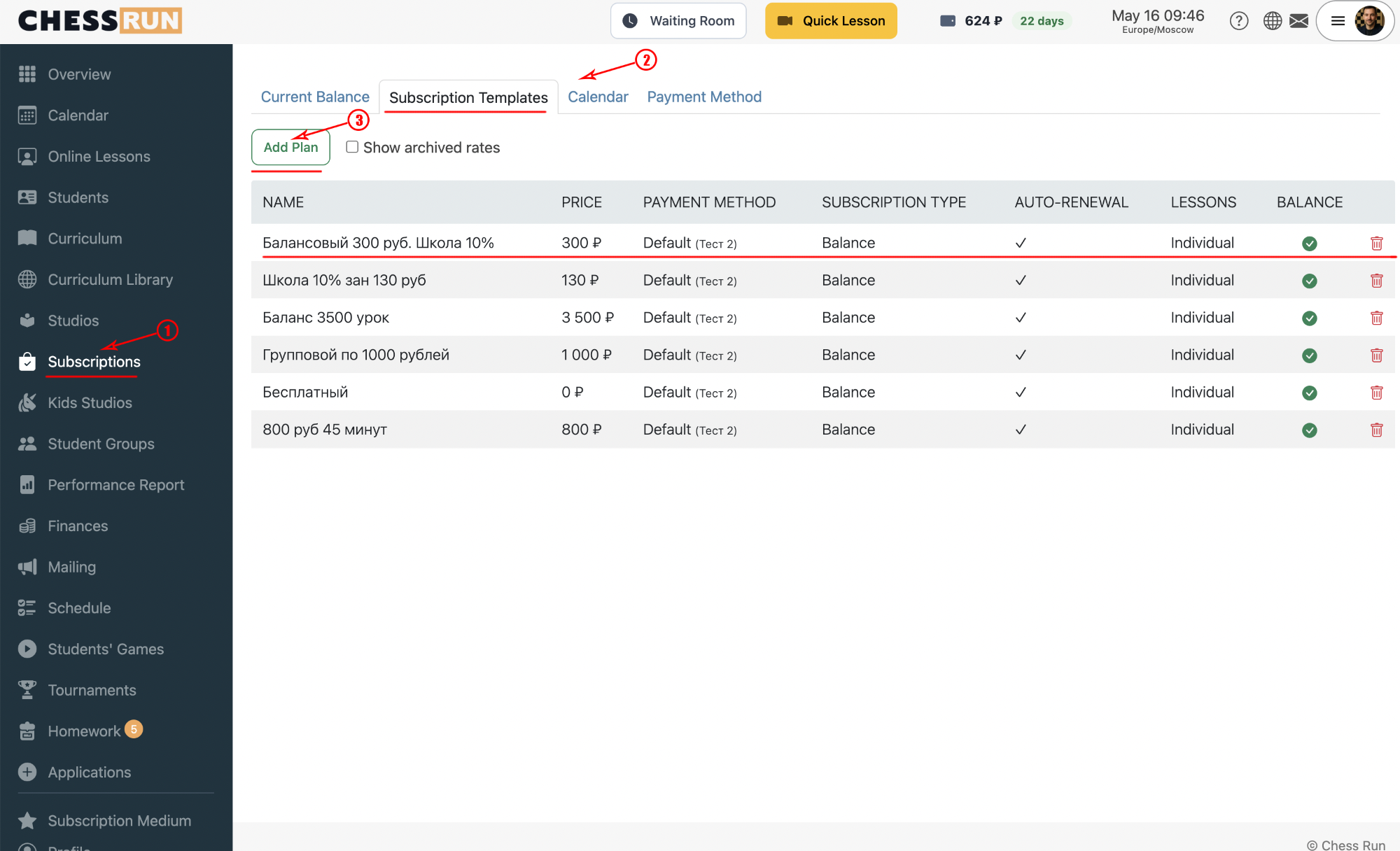
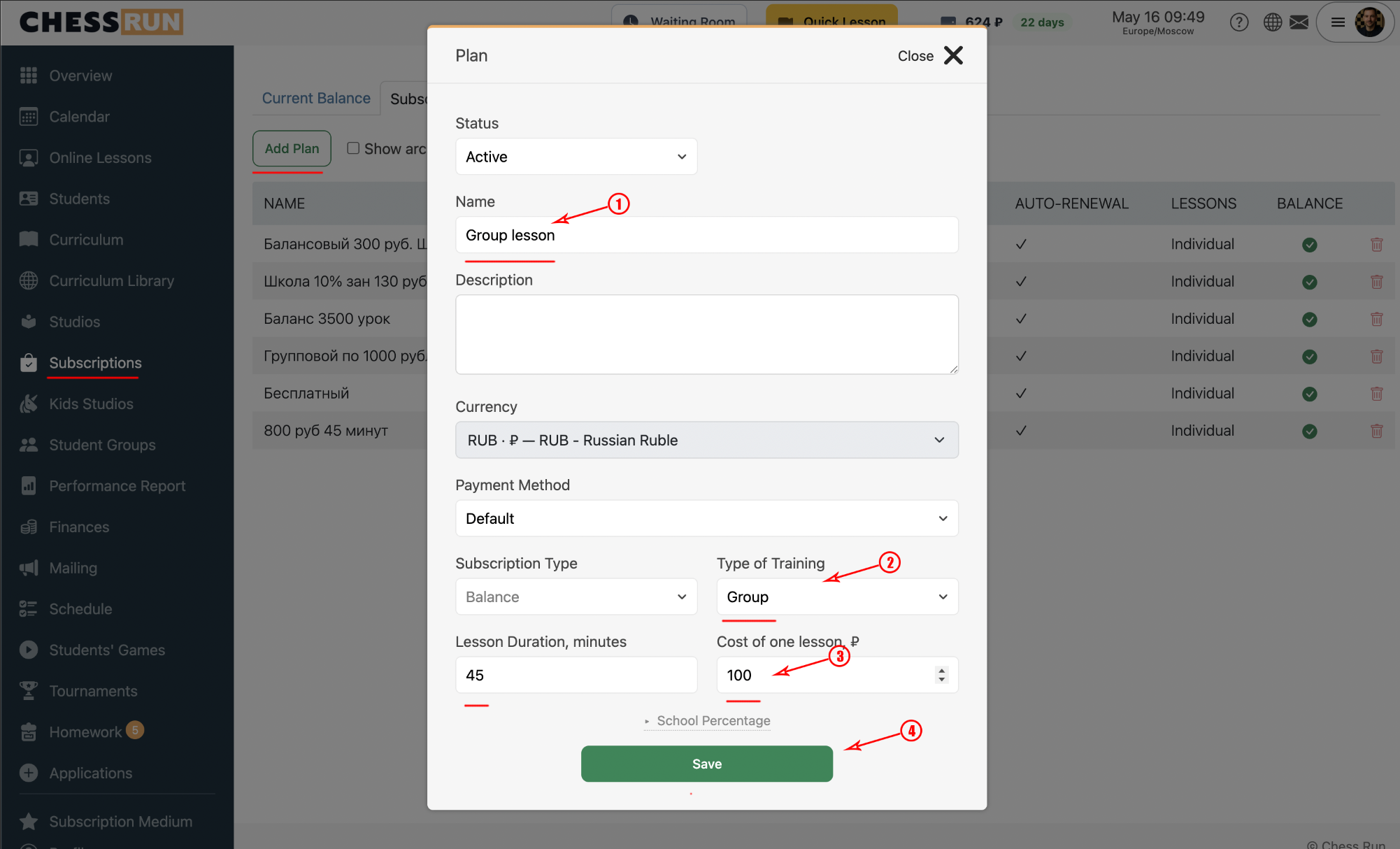
2Create a new subscription template
Click the “Add Tariff Plan” button. In the form that appears, enter the template name, lesson cost, and lesson duration. Save your changes.
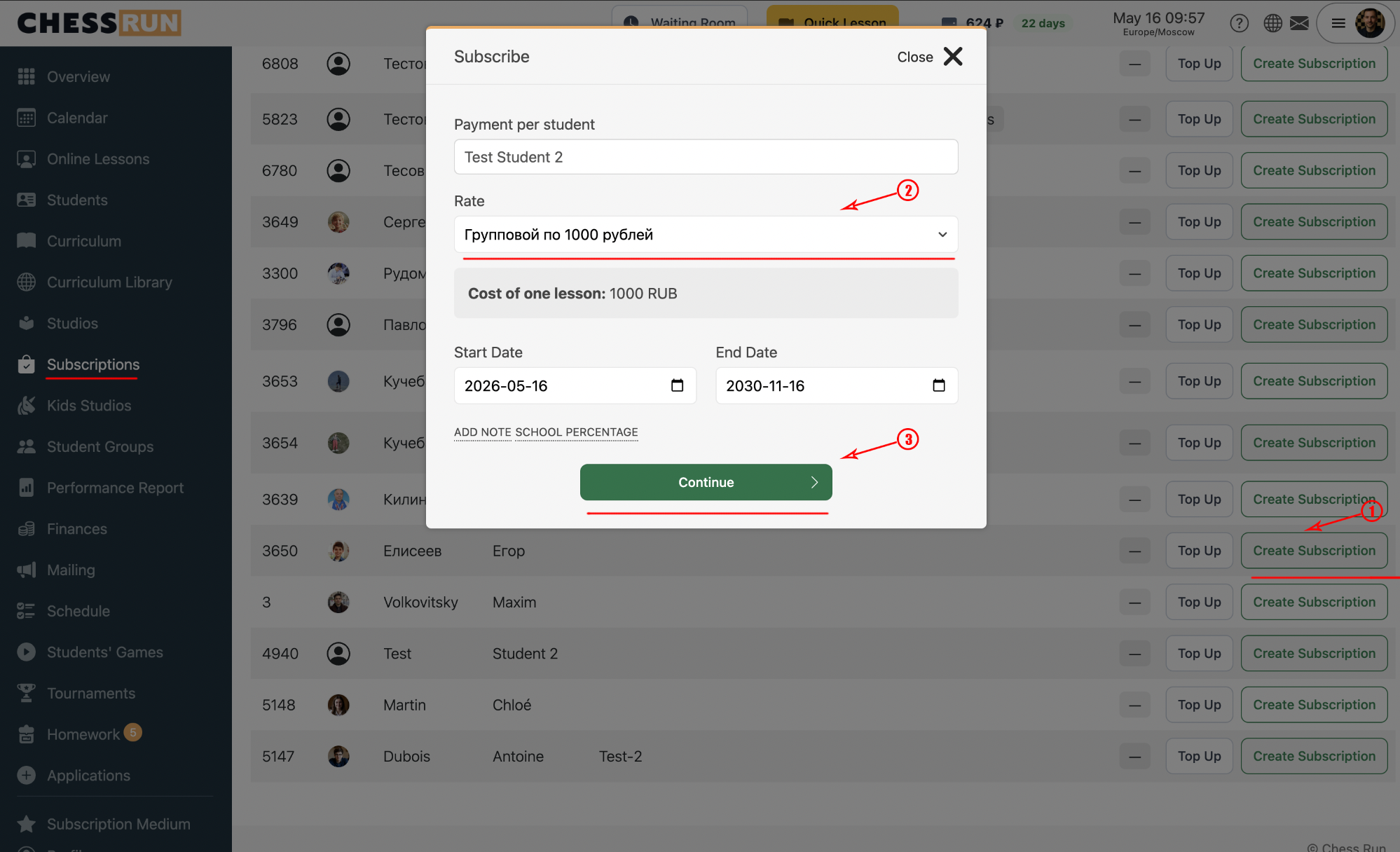
3Issue a subscription to a student from a template
Open the subscriptions page, click “Create subscription”, select the desired template in the tariff selector, and then click “Issue Subscription”.
FAQ
Can I edit a template after creating it?
Yes, you can edit a template anytime in the subscription templates section.
Will changes to a template affect subscriptions already issued?
No, edits to a template only affect new subscriptions issued after the change.