
How do Homeworks work on the platform?
How to use Homeworks on the platform
Go to the 'Homeworks' section. Here you can create and view all assignments for your students.
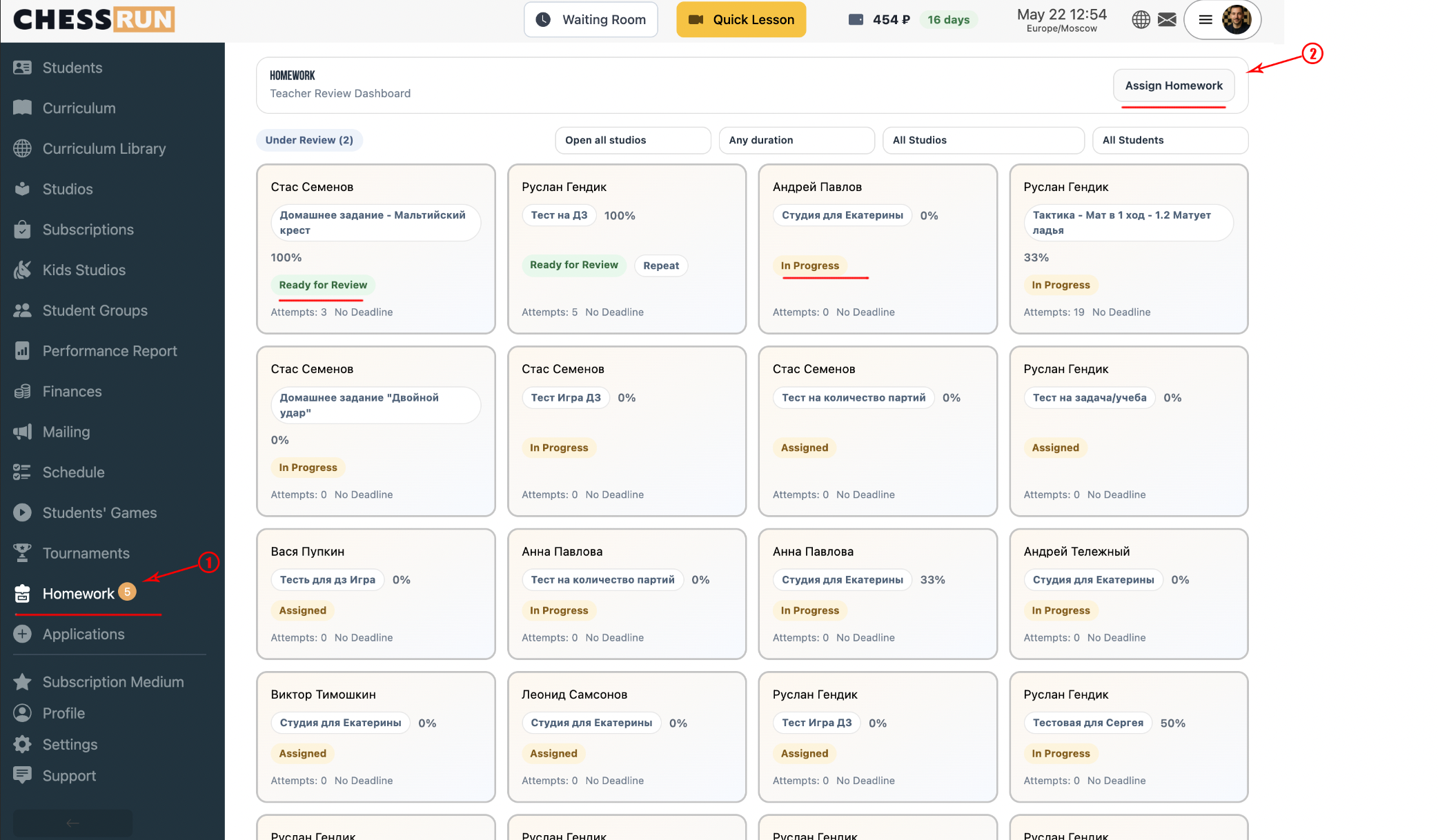
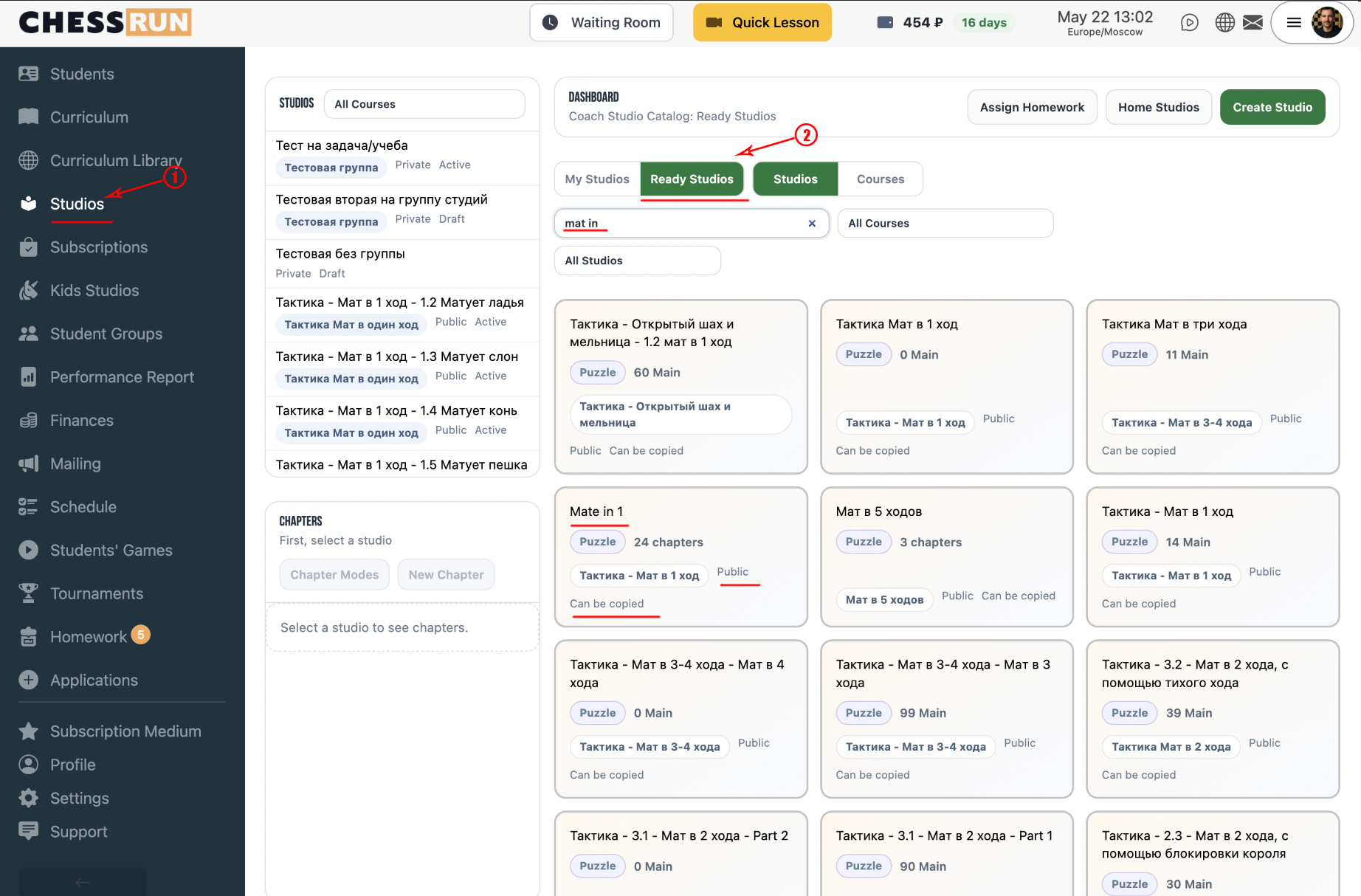
You can create your own studies, import them from PGN files or Lichess, or use ready-made studies on the platform. Click on 'Studies', then 'Ready-made studies', for example, 'Mate in one'.
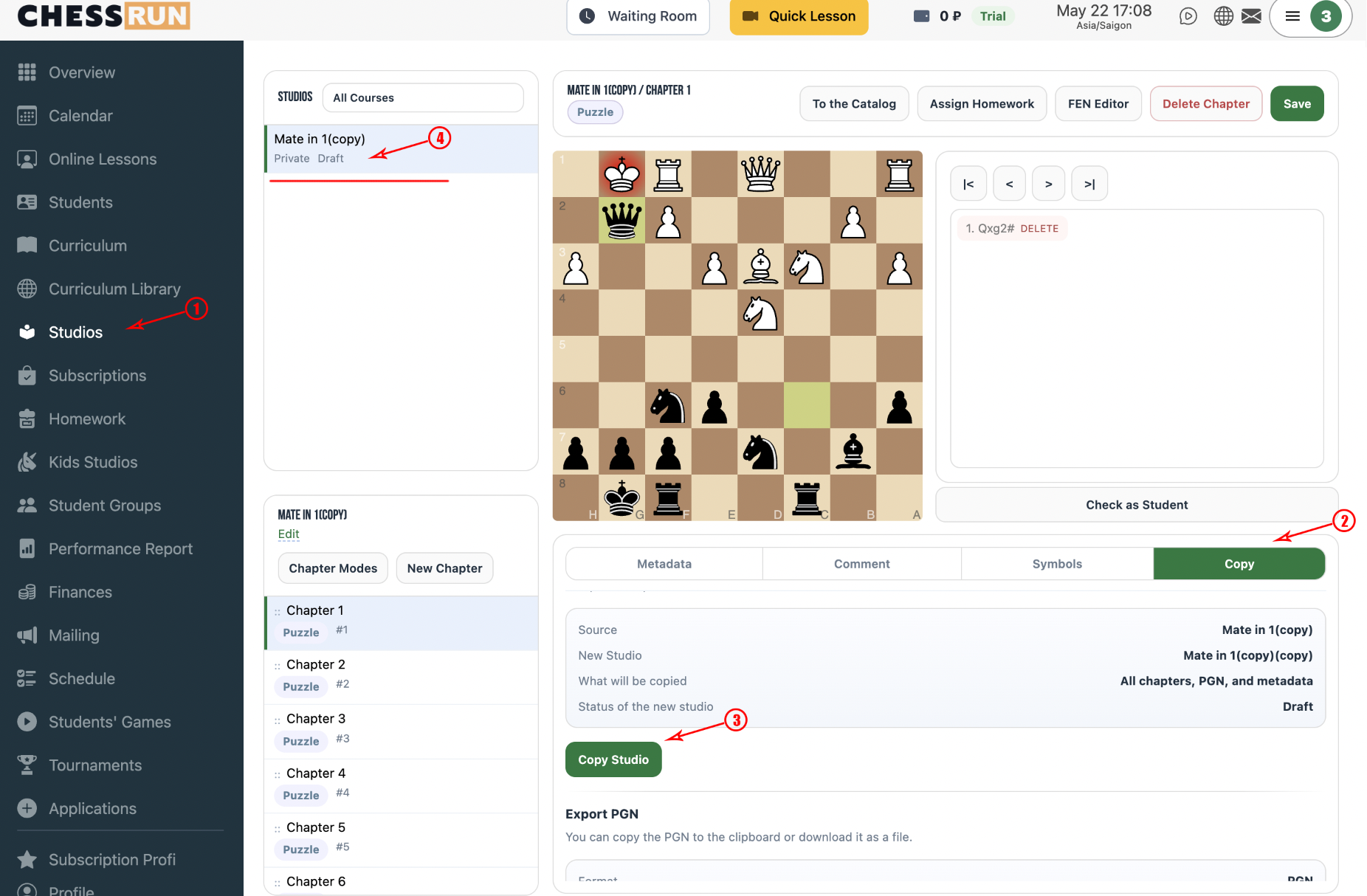
Open the study you like, go to the 'Copy' section and click 'Copy study'. It will appear in your study list.
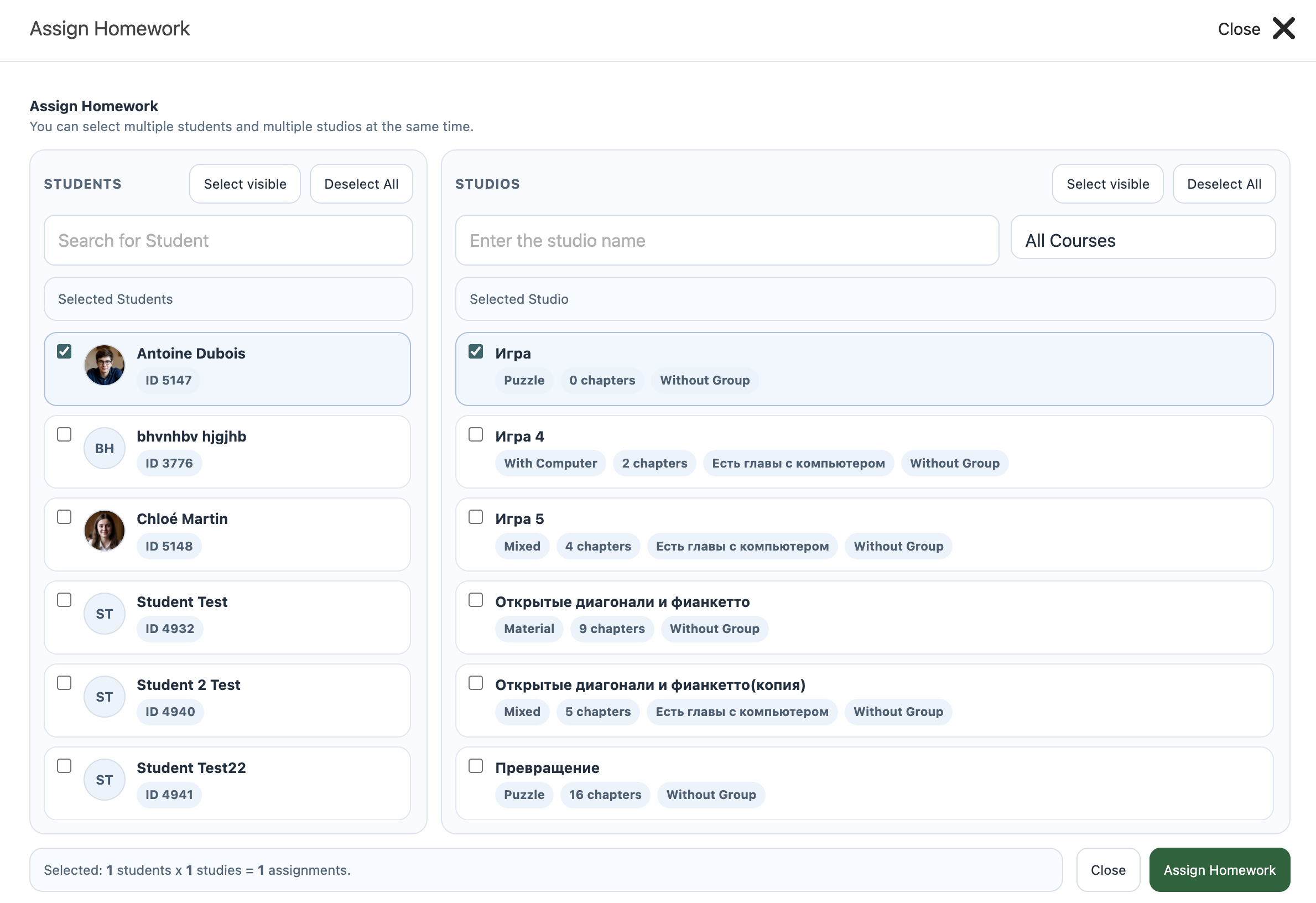
Click 'Assign HW' next to the study you want. A window will open for selecting students and chapters. After selection, click 'Assign' to send it to the students.
The student will see the homework in a separate section of their personal dashboard.
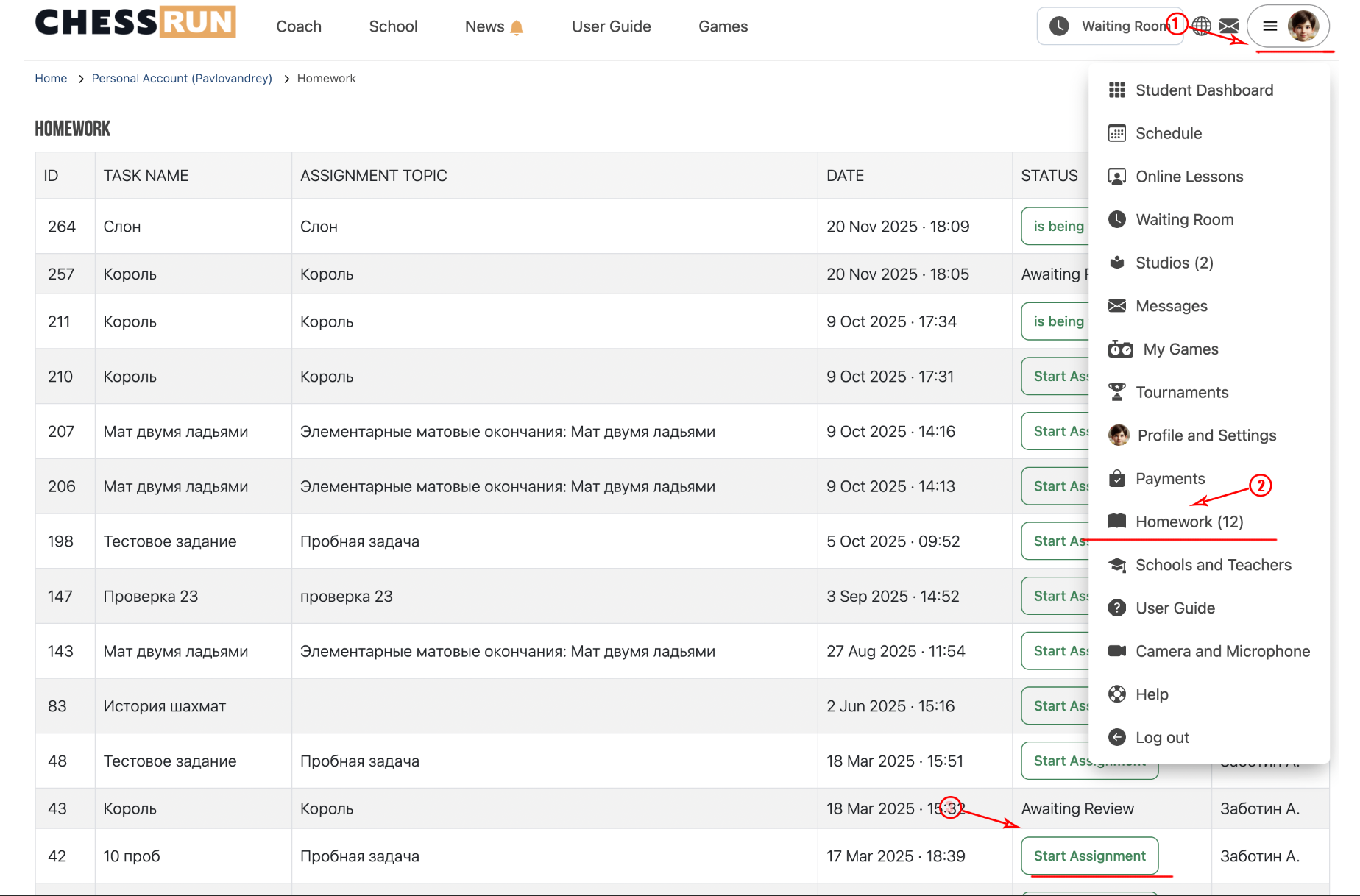
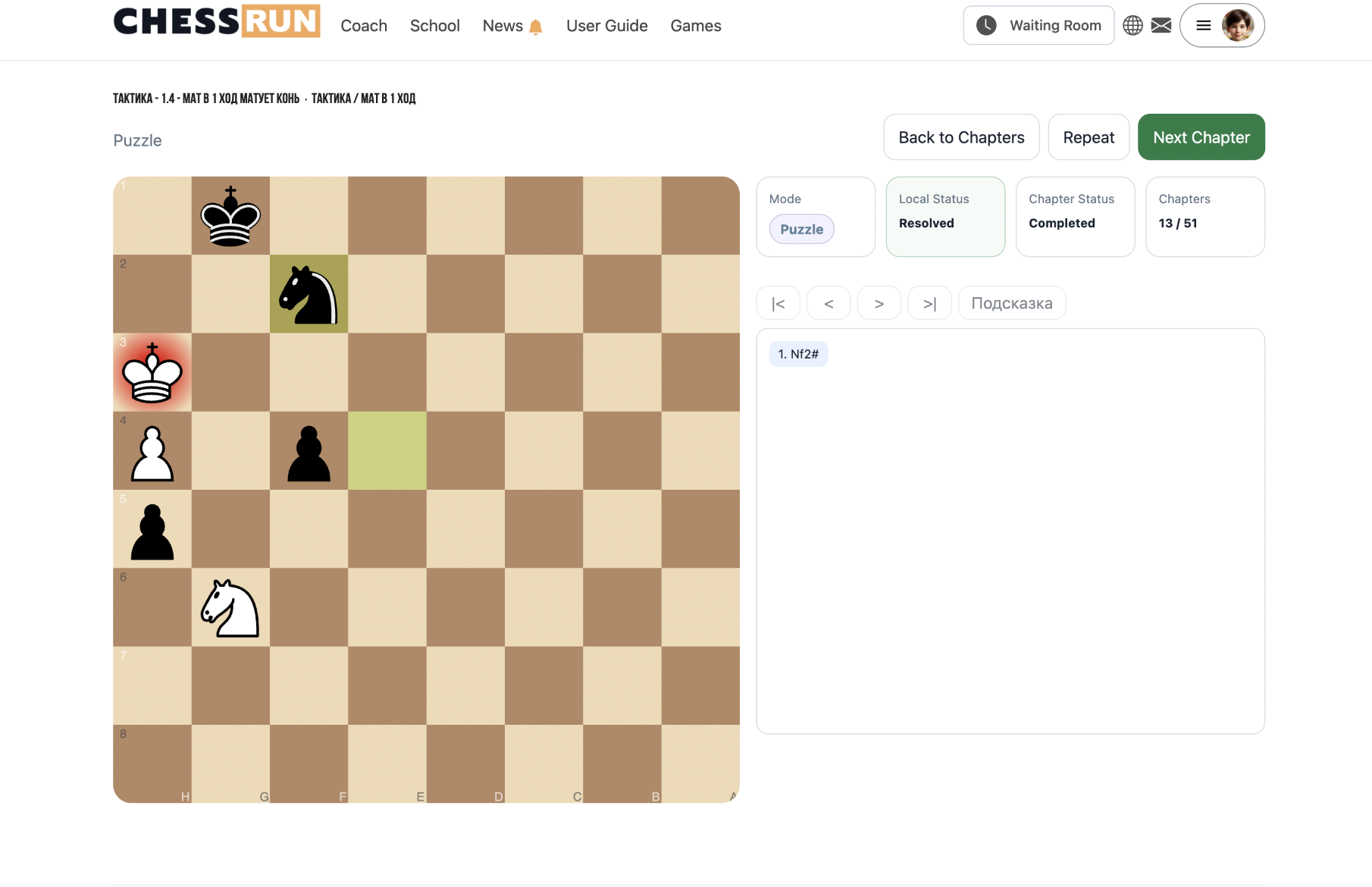
The student clicks 'Start assignment' and works through each puzzle in the study. After finishing, their results will be automatically sent to the coach for review.
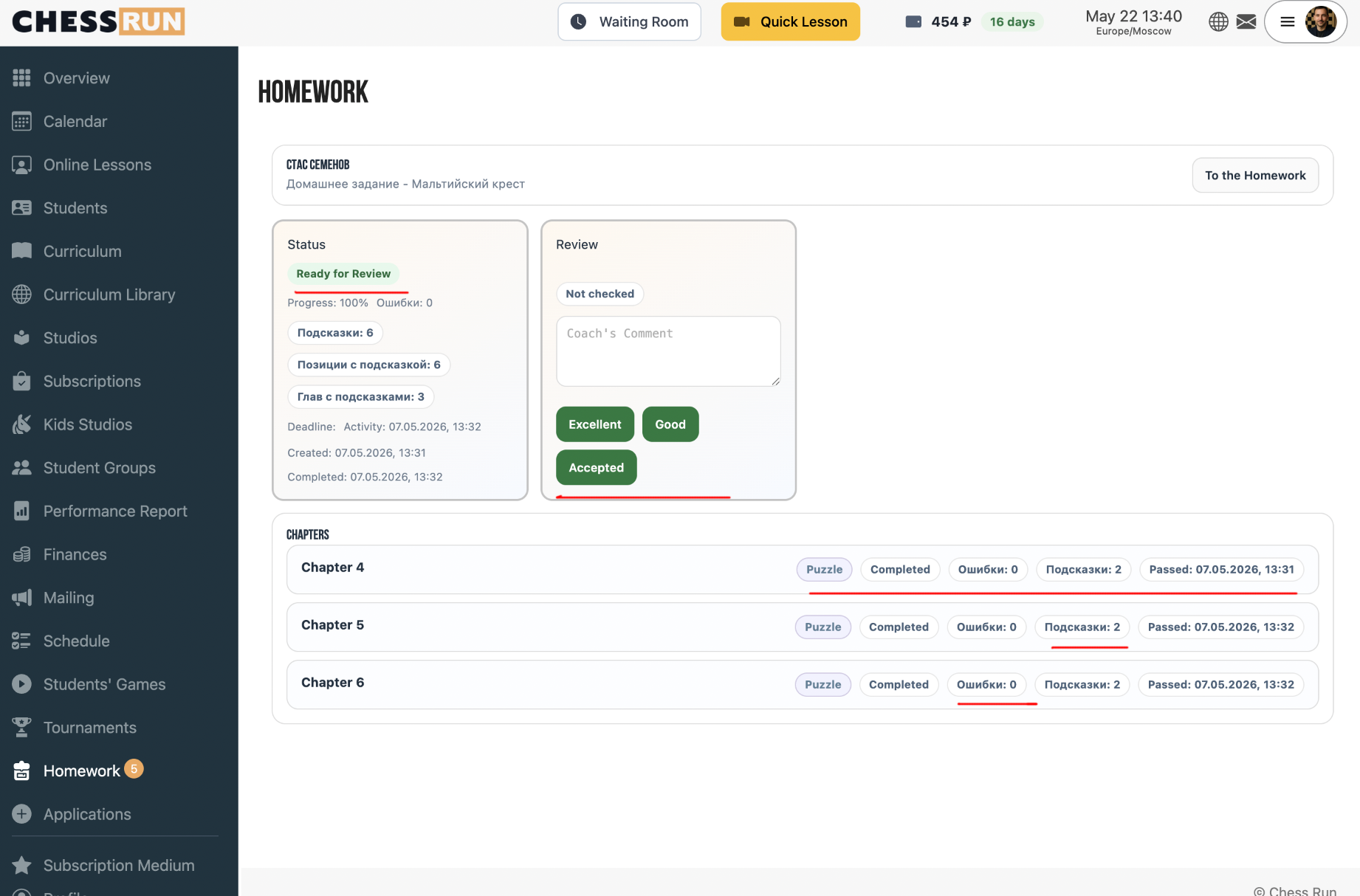
In the Homeworks section, open the relevant study. You'll see progress per puzzle, overall progress, mistakes, and hints used. You can grade the work: Passed, Good, Excellent.
FAQ
Can I assign the same study to multiple students at once?
Yes, when assigning homework you can select several students at the same time.
What grades can a coach give when reviewing homework?
Available grades are: Passed, Good, and Excellent.
Can I use my own materials for homework?
Yes, you can create your own studies, import your own puzzles, or use materials from the ChessWin library.