
Feature for coaches
Online group chess lessons
Shared analysis, video, individual student boards, pairs, quizzes and class control work in one lesson without a pile of separate services.
14 days of the full plan. Test a group lesson without setting up a school or studio.
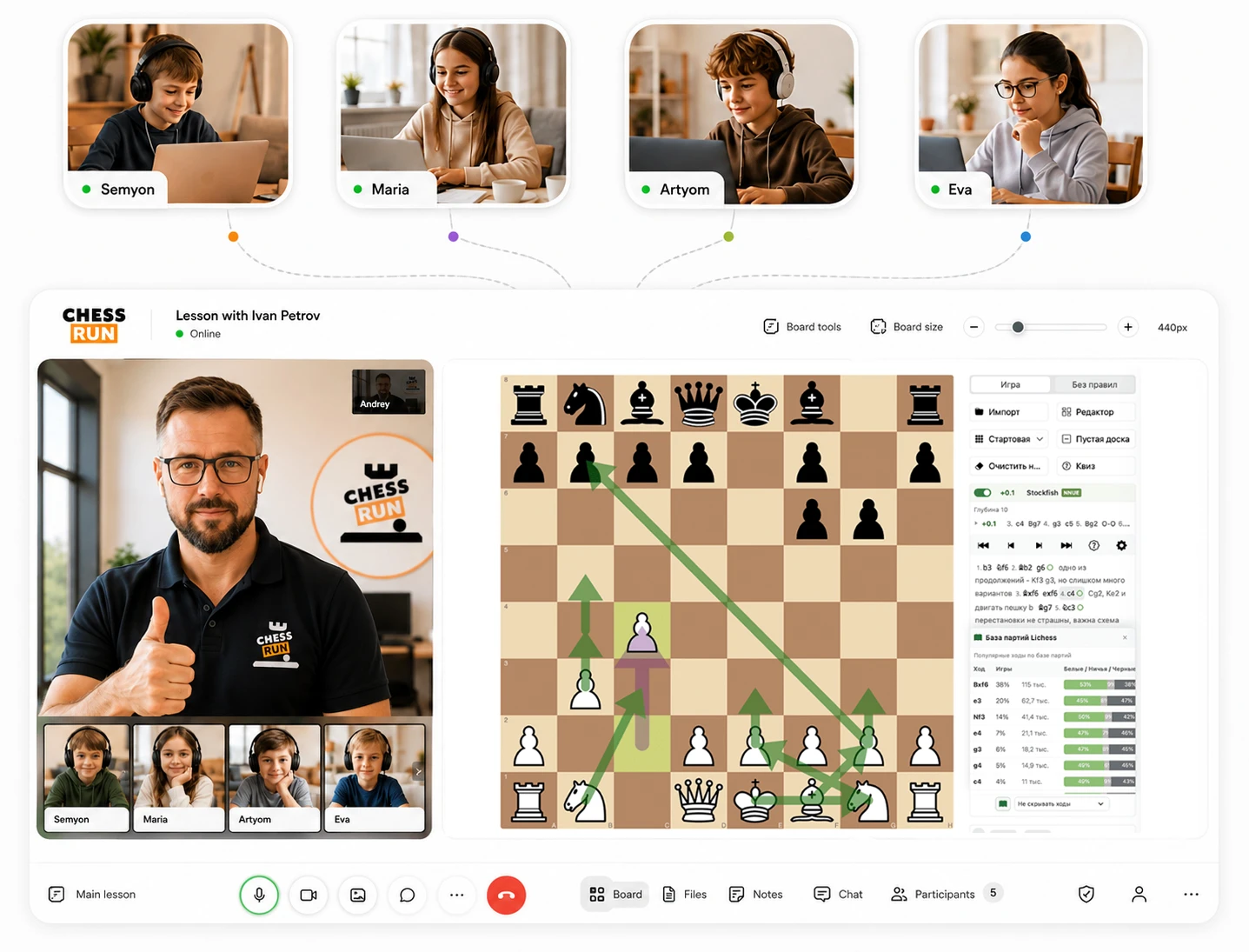
The problem it solves
A convenient online lesson for groups
Run shared analysis, give students personal practice, launch games and keep order in the group without ten separate services.
What we cover
- Shared board for all students
- Individual boards for practice
- Games in pairs and against the computer
- Quizzes, rewards and class control
How it works in Chess.Run
Running a group chess lesson is simple
A few clicks and you can run a full lesson for a group.
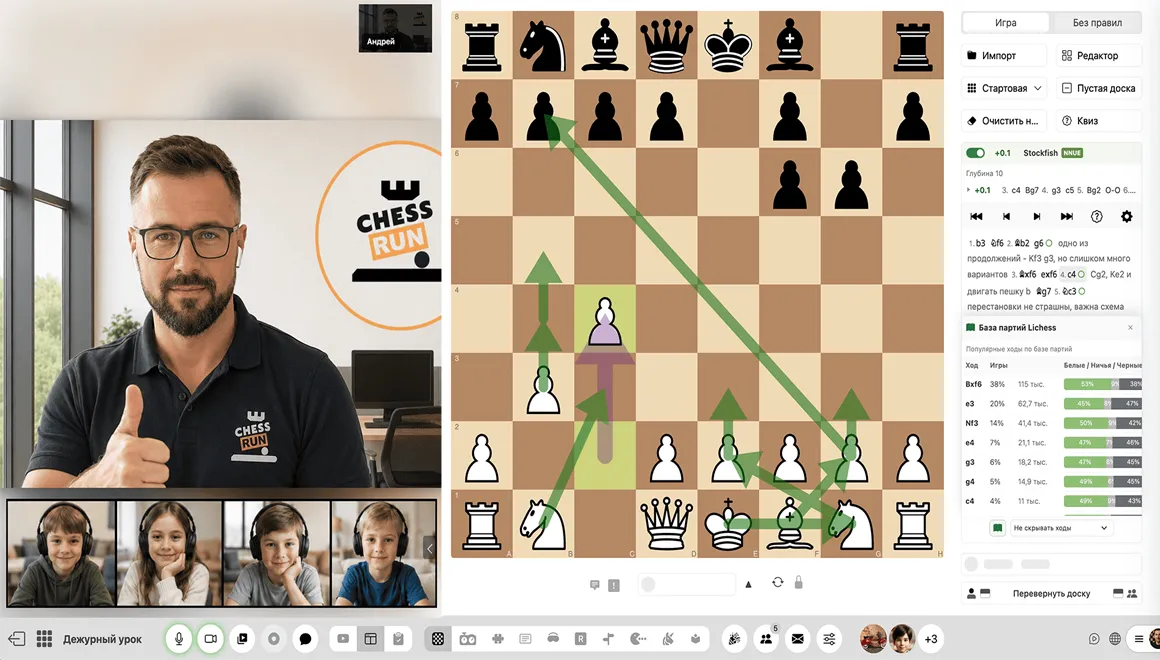
01
Use a shared chess board
Students can follow the same position, make moves and participate in board-based quizzes.
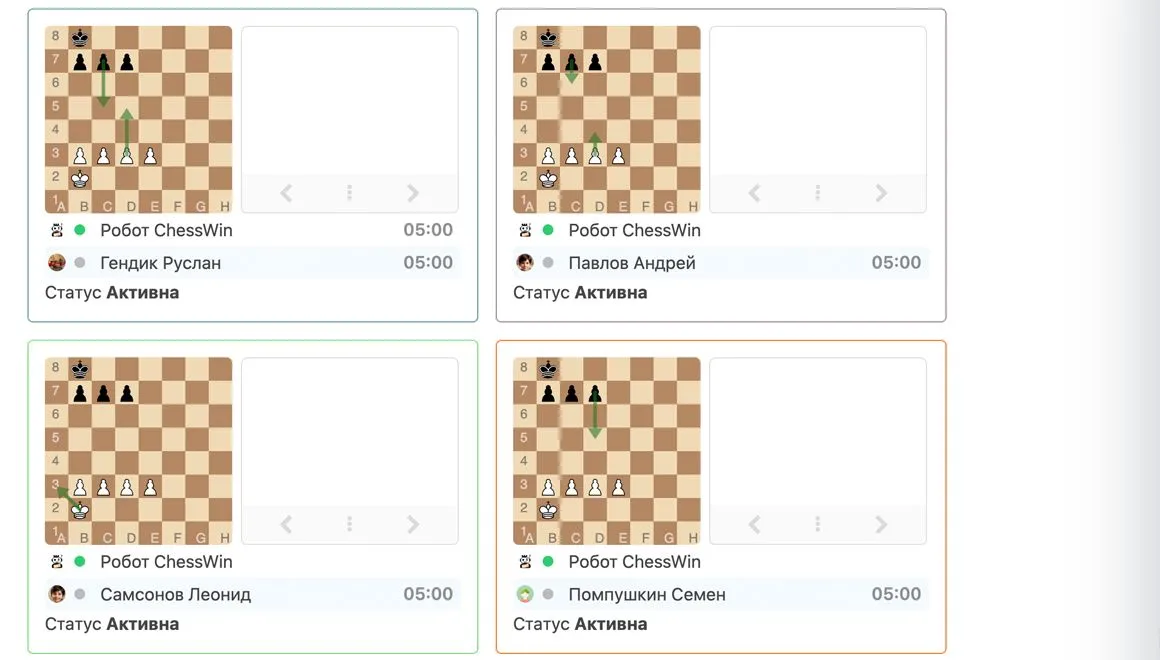
02
Give each student a computer game
Set difficulty, time and position; you can also create games between students.
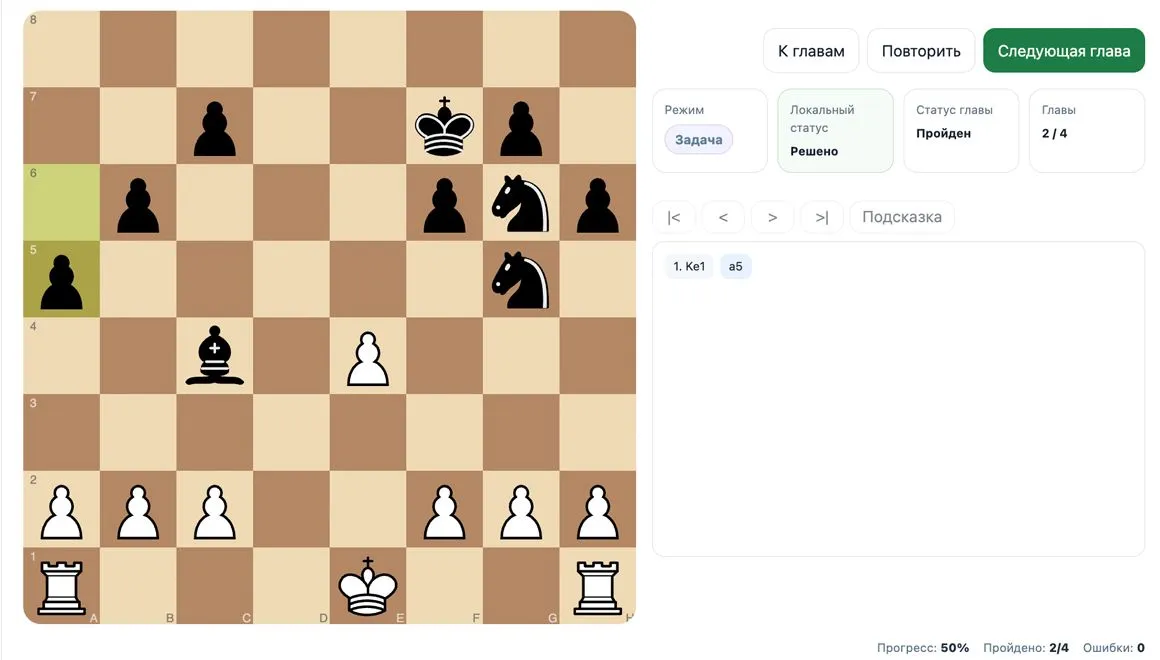
03
Run tactical practice during the lesson
Students solve on their own boards while the coach sees their progress.
Main features
Tools a coach needs for a live group
Shared board
Everyone sees one position, and the coach can allow students to make moves on the shared board.
Pairs and computer games
Split students into pairs or let them play a position against the computer on personal boards.
Individual tasks
Launch task sets for each student so the group practices at the same time.
Board quizzes
Run quick position questions and reward students who answer first.
Class control
Lock boards, microphones and cameras when you need to bring attention back to the explanation.
Games and rewards
Use blind tactics, memory training, move replay, diamonds and reactions to keep engagement.
How to start
Open a test group lesson in a few minutes
Start with one test lesson and check the workflow without moving your whole student base.
Sign up
Get 14 days of the full plan and enter the coach scenario.
Add students to the lesson
For a test, a few students or test participants are enough.
Open the lesson
Run shared analysis with board, video and a clear entry for students.
Launch active practice
Split students into pairs, assign a computer position or give everyone a task series.
Who it fits
Students get a clear entry into the group lesson
They do not need to assemble the lesson from different links. The student joins the class, sees the shared board, coach, group and personal practice board.
One link to the lesson
No need to explain where to open video, board and materials.
Shared analysis and personal practice
The whole group sees the position, then each student can solve or play on a personal board.
Quizzes and rewards
Students compete in answers, get diamonds and reactions, and stay more involved.
All features for chess coaches
All features for chess coaches
Other coach features
Try it with your students
Open a test group lesson for free
Add a few students, open a lesson and check the shared board, personal boards, pairs, quizzes and class control tools. 14 days of the full plan, no payment required.
Questions before the first group
Group coach FAQ
Is this page for chess schools?
No. This page is for a private coach who teaches their own groups. Schools and studios are a separate B2B direction.
Can I teach both individual and group lessons?
Yes. A coach can work with individual students and groups.
Can students practice individually during the lesson?
Yes. Students can solve tasks or play positions on their own boards while the coach leads the group.
Do I need to move all groups immediately?
No. Start with one test group lesson and check the process.
Does every student need to register in advance?
For a test, start with the group setup and first workflow, then connect students gradually.
What happens after sign-up?
You enter the coach workspace focused on opening the first group lesson.