
Feature for coaches
First online chess lesson in minutes
Video, live board, arrows, Stockfish, opening database and homework are already side by side. Open a test room, check everything yourself and send one link to the student when you are ready.
14 days of the full plan. No payment and no student-base migration.
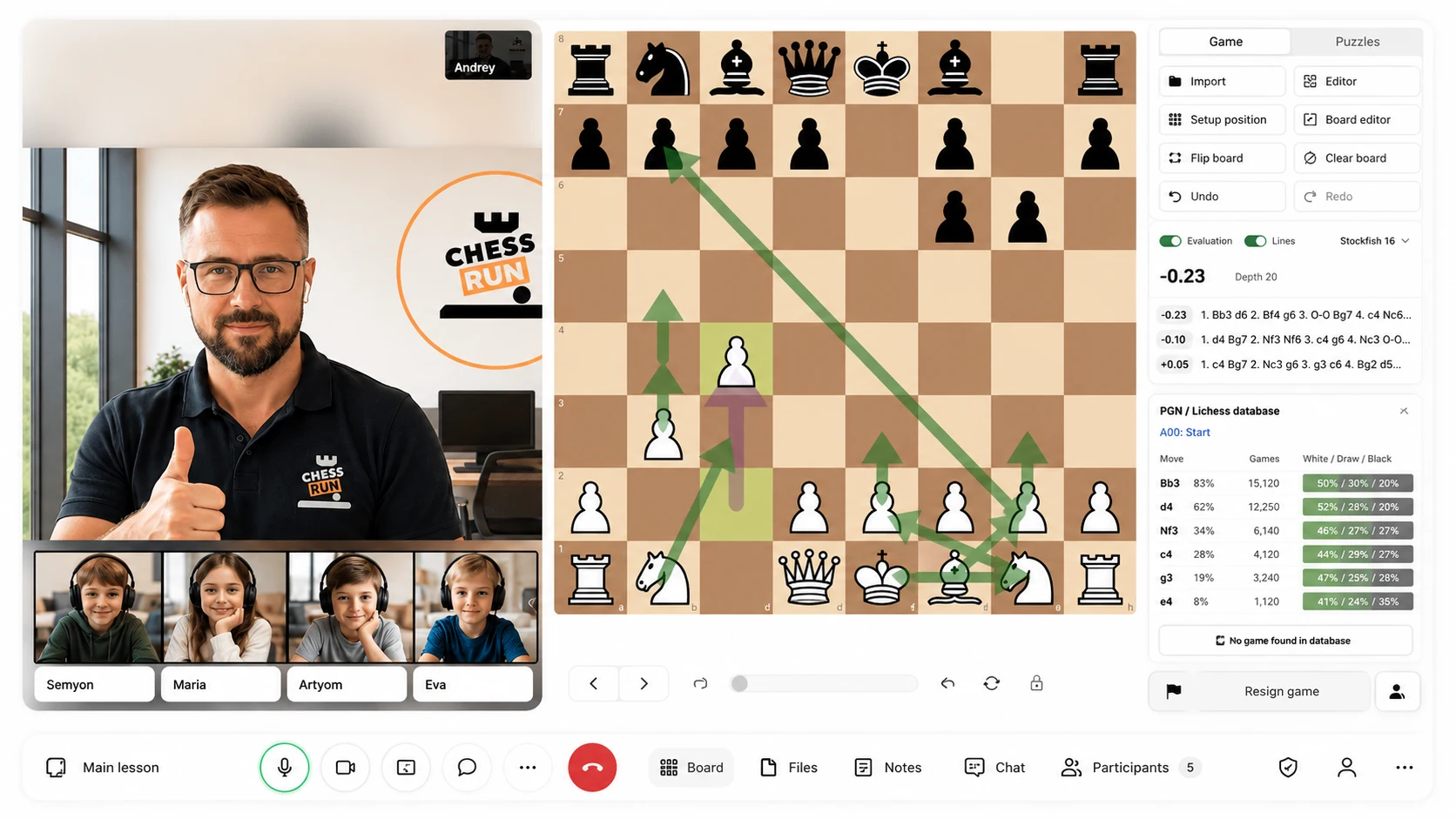
The problem it solves
Everything is on one page
In Chess.Run, the core lesson workflow is collected in one room.
What we cover
- Unlimited video
- Chess board inside the lesson
- Opening database
- FEN and PGN import
How it works in Chess.Run
See the coach path: from sign-up to the lesson
These are real Chess.Run screens: open the room, invite a student and run the lesson.
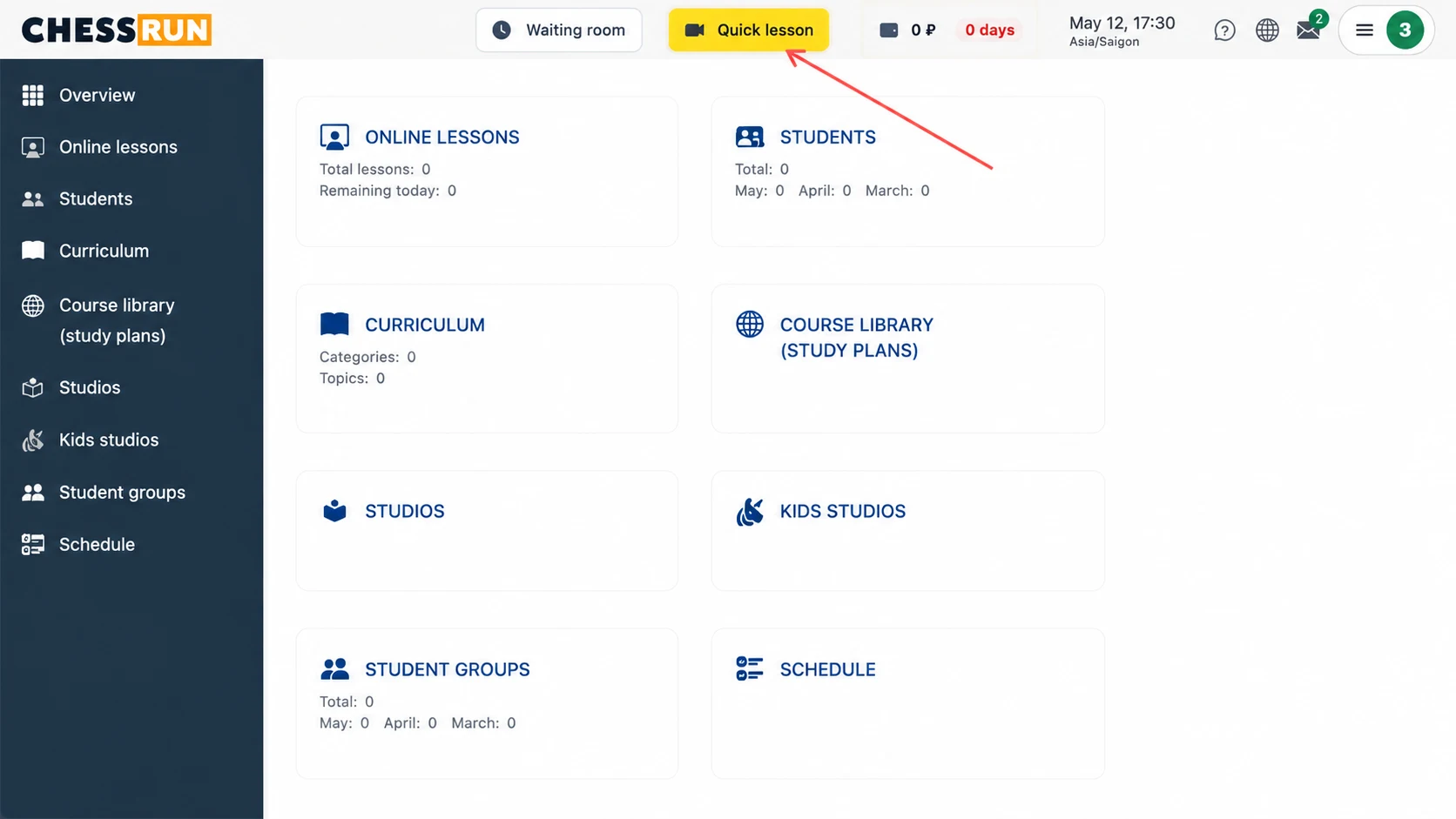
01
Open a quick lesson
Check the room without moving students, schedule or the full base.
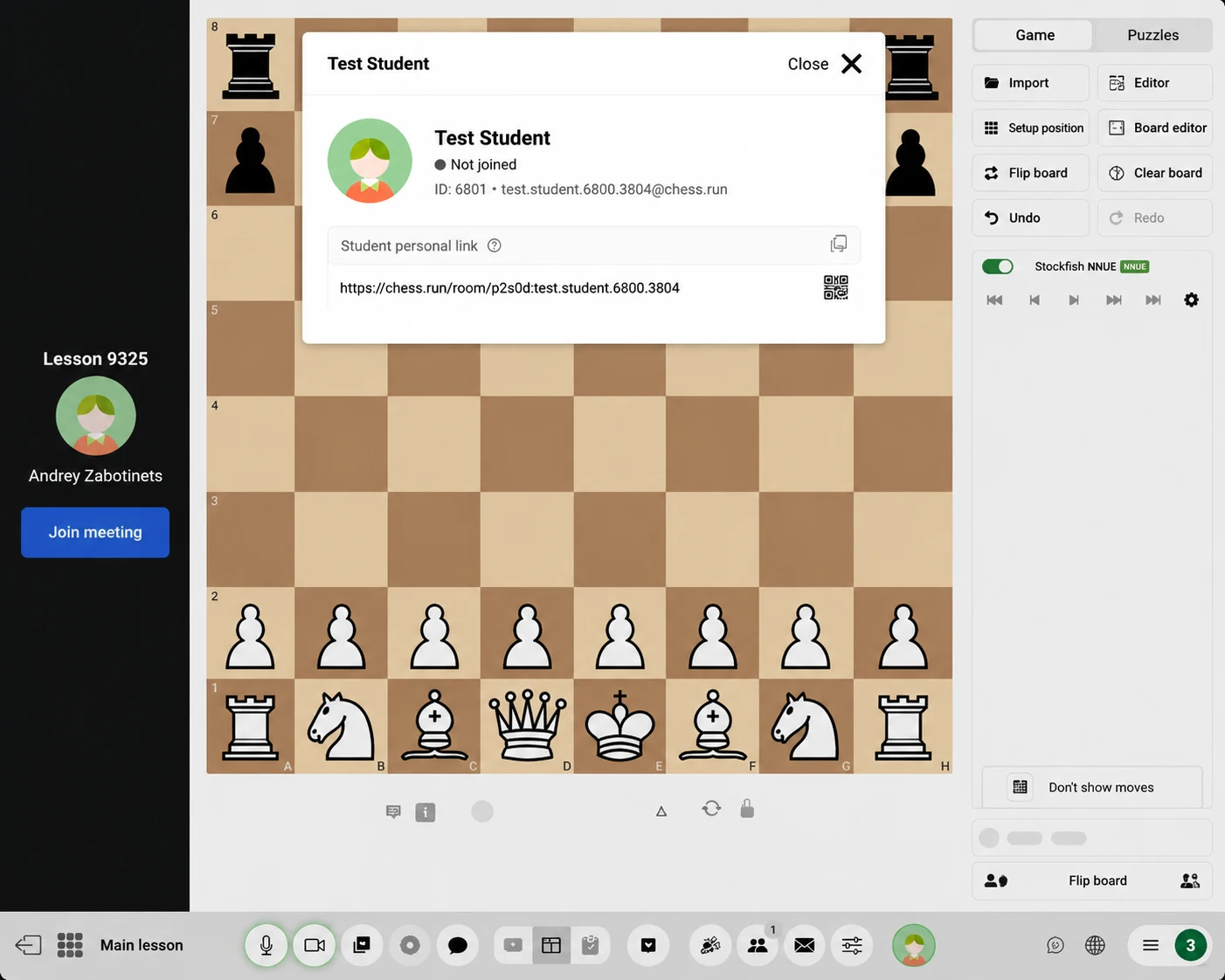
02
Invite the student with one link
Once you have checked the room, send the student a clear way to join.
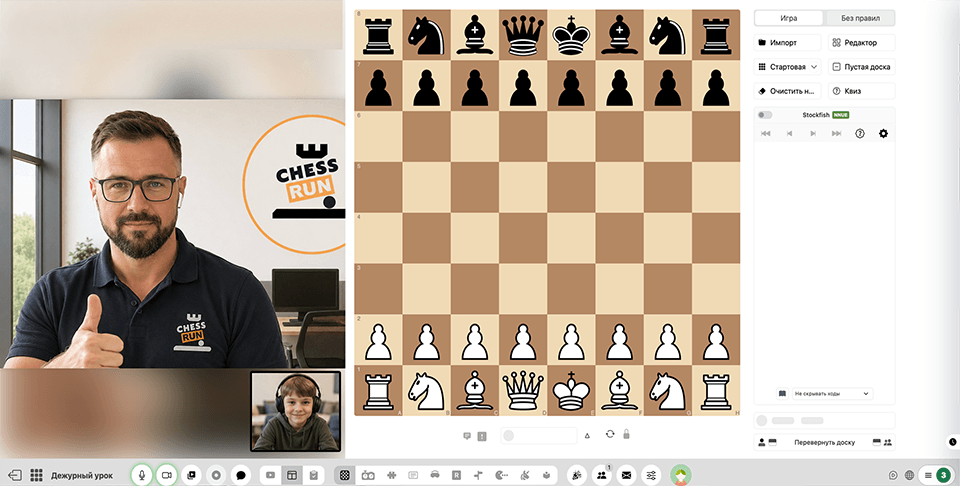
03
Enjoy teaching in one room
Video, board and students stay in the same lesson space.
Main features
Tools you need right inside the lesson
Lesson room
One entry point for coach and student.
Live chess board
Positions, moves, arrows and explanations stay at the center of the lesson.
Video next to the board
Talk to the student and show variations immediately.
Stockfish and opening database
Check ideas and find examples without switching services.
Invitation by link
The student joins the lesson without extra instructions.
Homework after the lesson
The next step remains in the student workspace.
How to start
Open a test lesson in a few minutes without setting up the whole workspace
After sign-up, you do not need to move students, schedule or materials immediately. First check the main flow: room, board, video and student link.
Sign up
Get 14 days of the full coach plan.
Open a quick lesson
Enter a real lesson room instead of an empty admin panel with too many settings.
Check board, video and analysis
See pieces, arrows, Stockfish, opening database and the student invitation.
Send one link to the student
When the room is clear for you, invite the student and run a trial lesson.
Who it fits
The student gets one link and enters a clear lesson
They do not need to understand where the board is, where video is and where to send homework. They enter the room, see the coach, the position and every action on the board.
One lesson link
No chain of "open this, then that, then send me a screenshot".
Board and video together
The student sees the explanation and the position in the same place.
Homework after the lesson
The next step stays in the workspace instead of disappearing in chat.
All features for chess coaches
All features for chess coaches
Other coach features
Try it with your students
Open your first lesson room for free
Check video, board, arrows, Stockfish, opening database, student link and homework after the lesson. 14 days of the full plan, no payment required.
Questions before the first lesson
Coach FAQ
Do I need to pay immediately?
No. You can start with a 14-day trial of the full plan.
Is this a real interface or a mockup?
The page uses real Chess.Run screens. After sign-up, you enter the working coach workspace.
How long does the first test take?
A few minutes are enough: open the lesson, check the board and see the invitation link.
Do I need to invite a student right away?
No. You can open the room alone and check how the lesson works.
Do I need Zoom?
No. The point of Chess.Run is to keep video and the chess board in one teaching workflow.
Can I add students later?
Yes. After the first test, add students, groups and schedule gradually.