
Feature for coaches
Chess homework and student progress in Chess.Run
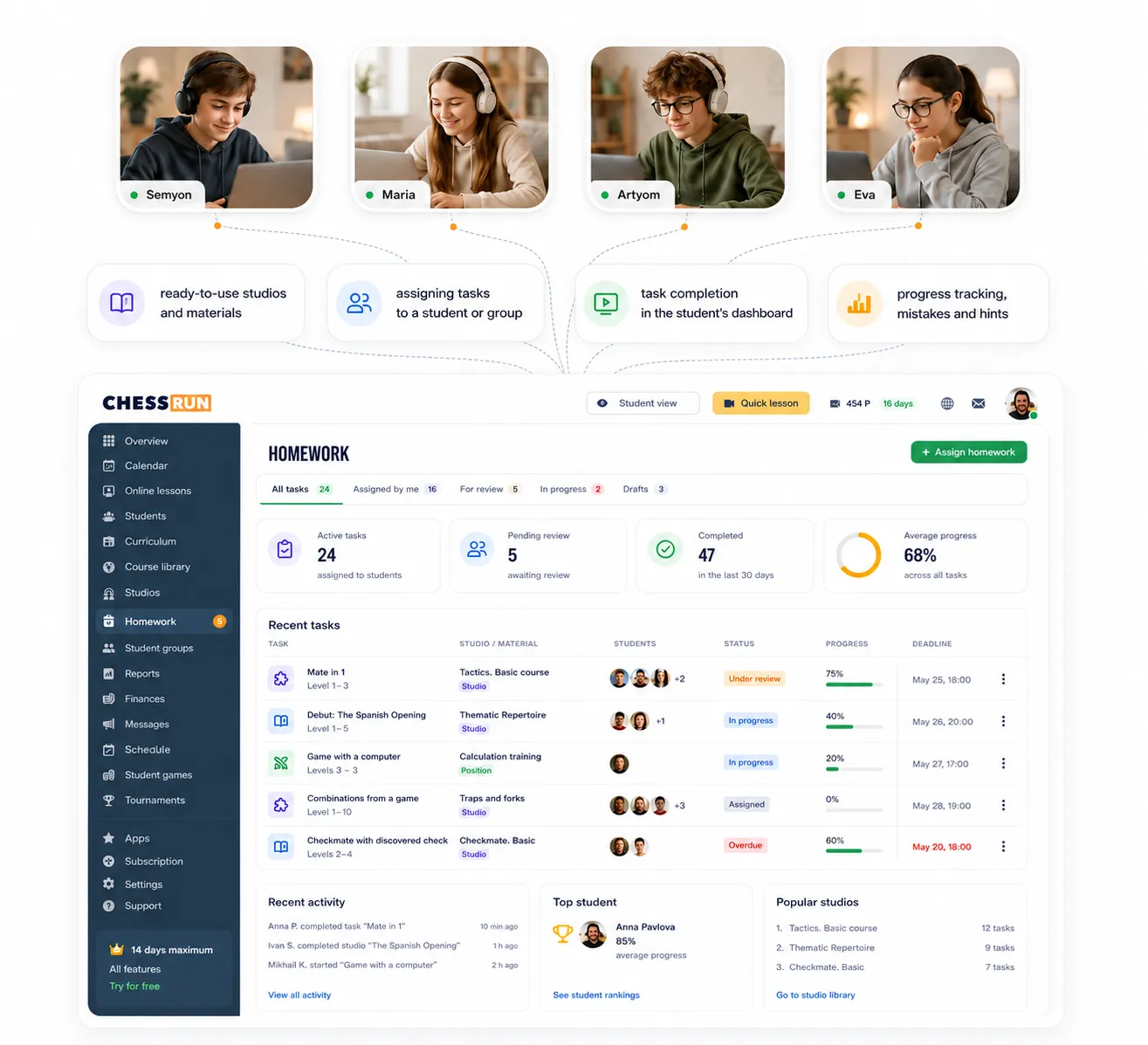
Chess.Run turns the task after a lesson into a clear learning cycle: the coach chooses a study, the student solves tasks or plays a position, and the result returns to the coach for review.
14 days of the full plan. Start with a ready-made study and one student.
The problem it solves
Homework becomes a continuation of the lesson, not a link in chat
When an assignment goes to a messenger or an external platform, the coach often cannot see how the student actually worked.
In Chess.Run, assignment, completion and review stay in one process: the student does the work, and the coach sees progress, mistakes, hints and can evaluate the result.
What we keep together
- ready-made studies and your own materials
- assignment to a student or group
- completion inside the student workspace
- review of progress, mistakes and hints
How it works in Chess.Run
See the homework path: from a ready study to result review
The screens show the workflow: take material, assign it, the student completes it, and the coach sees progress and reviews the result.
01
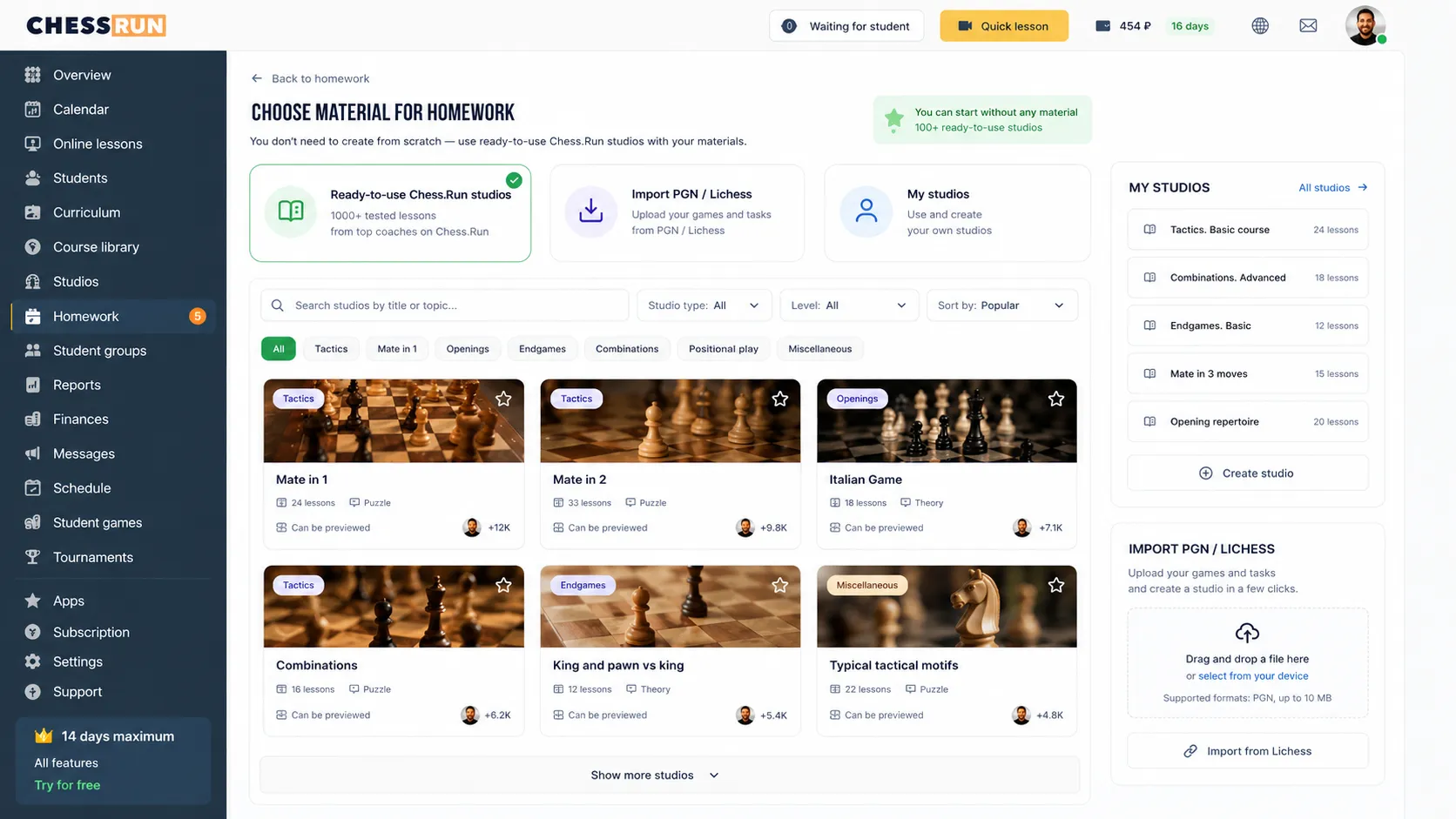
Choose a ready-made study
Use the Chess.Run base, PGN import, a Lichess study or your own material.
02
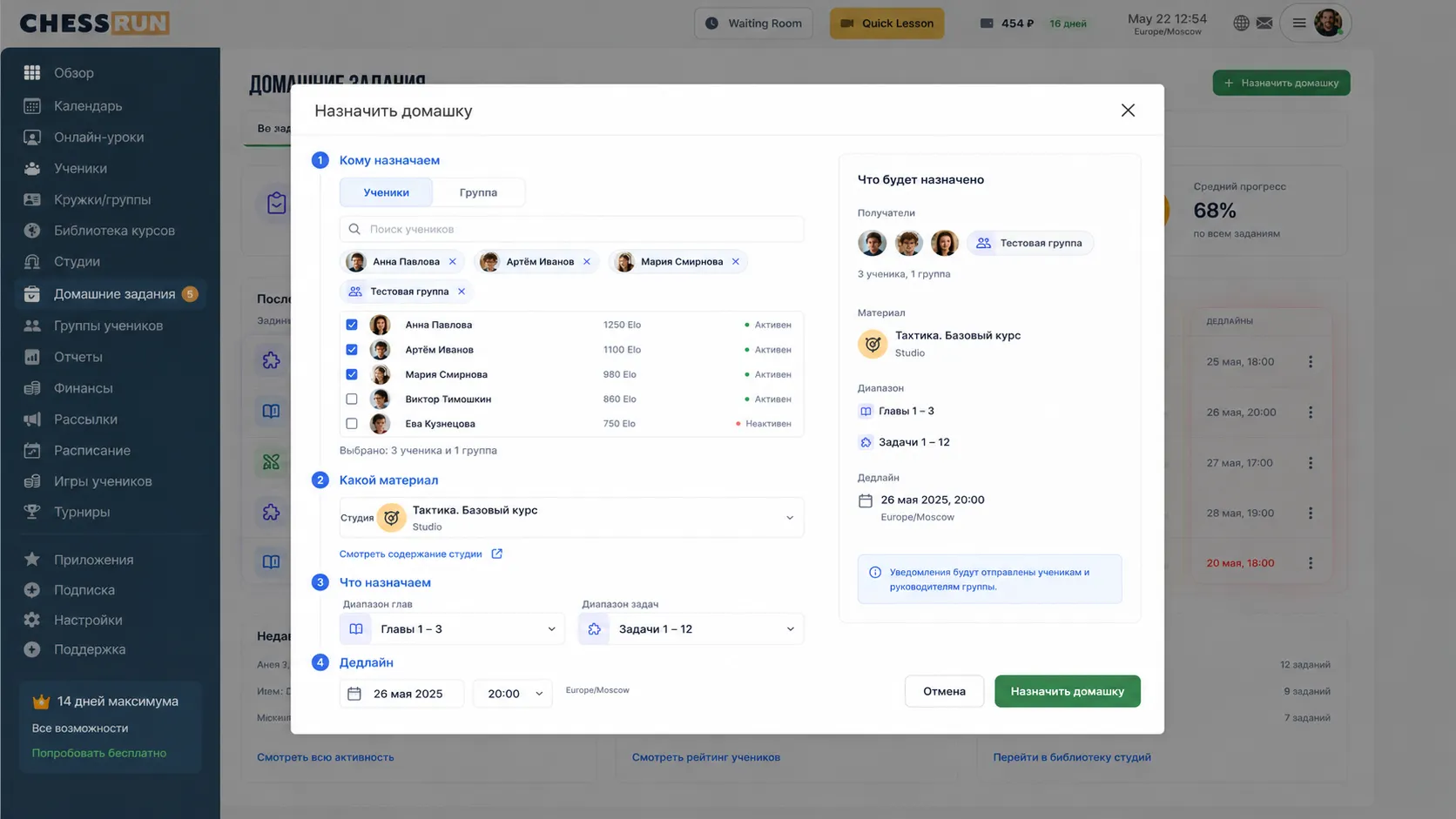
Assign to a student or group
Choose students, the study and, if needed, a range of chapters or tasks.
03
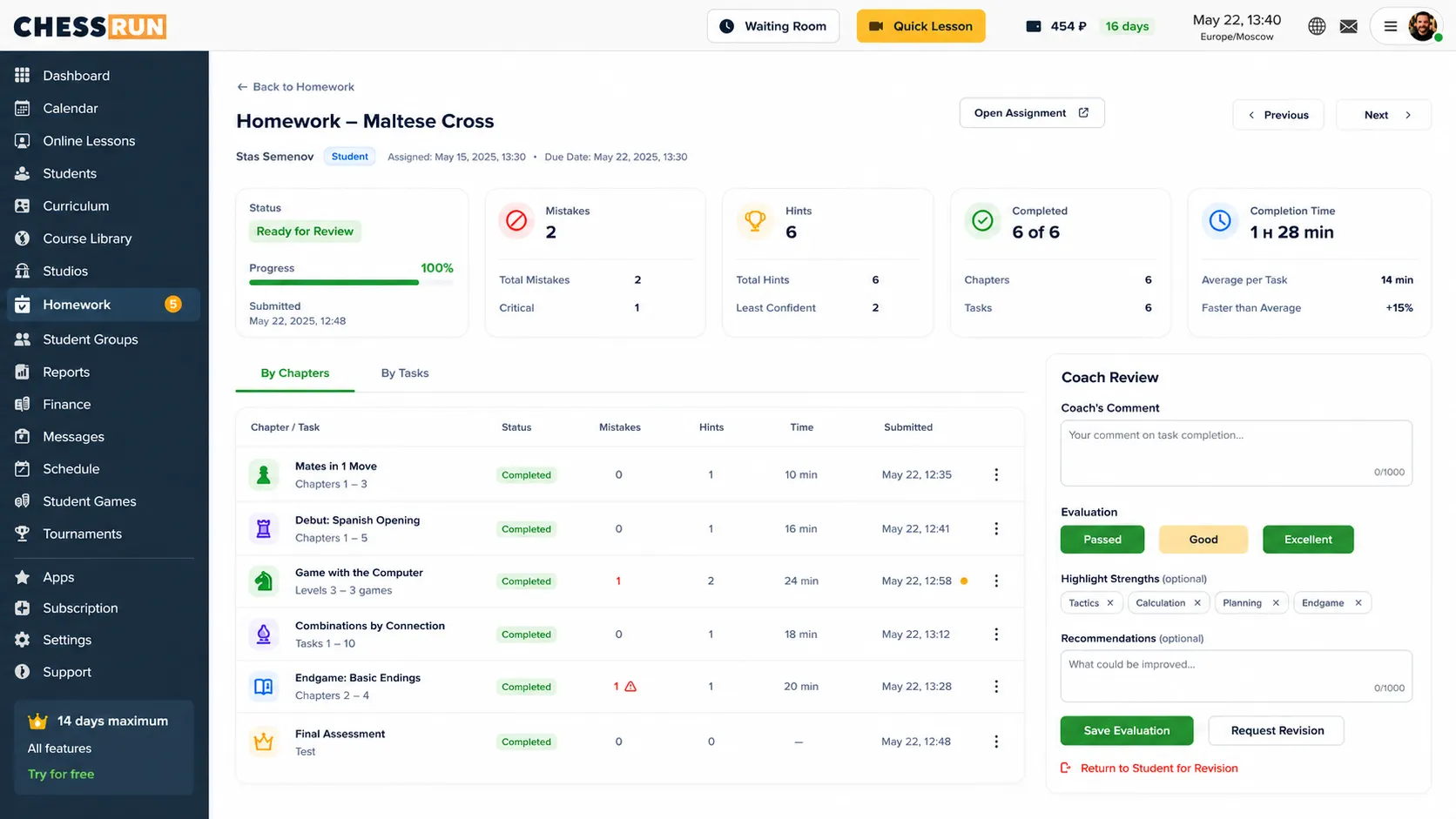
Review progress and mistakes
See overall progress, tasks, mistakes, hints and the result for the assignment.
Main features
Homework for different teaching scenarios
Ready-made studies
Start with the Chess.Run base: tasks, themes, courses and prepared collections.
PGN and Lichess import
Bring your materials, games and Lichess studies into assignments.
Tactics tasks
The familiar format: the student finds the right move or sequence.
Learning materials
The student studies a sequence of moves, opening, plan or explanation in notation.
Play against computer
Set a position, difficulty and number of repetitions for home practice.
Result review
The coach sees chapter progress, mistakes, hints and can grade the assignment.
How to start
Assign first homework from a ready-made study
You do not need to create a large course first. Take a ready-made study, choose a student and test the full cycle with one assignment.
Choose material
Take a ready-made study, import PGN or a Lichess study, or use your own material.
Assign homework
Choose a student or group, and select the required chapter range for a large study if needed.
Student completes the work
They solve tasks, study material or play a given position against the computer.
Review the result
See progress, mistakes and hints, then mark the work as passed, good or excellent.
Who it fits
The student receives a clear assignment in their workspace
They do not need to search for a link in messenger or remember what the coach said after the lesson. The assignment is in the workspace, opens step by step and returns to the coach for review after completion.
Assignments in one place
The student sees all assigned homework in their workspace.
Step-by-step completion
Tasks and chapters open sequentially, like a learning study.
Clear finish
After completion, the work goes back to the coach instead of staying on an external platform.
All features for chess coaches
All features for chess coaches
Other coach features
Try it with your students
Assign first homework for free
Choose a ready-made study, select a student and see how completion and review work. 14 days of the full plan, no payment required.
Questions before first homework
Coach FAQ
Do I need to create my own materials first?
No. Start with ready-made Chess.Run studies, then add your own materials, PGN or Lichess studies later.
What homework types are available?
You can assign tactics tasks, learning materials and games against the computer from a given position.
Can I assign only part of a large study?
Yes. If a study has many chapters, choose the required range of tasks.
Can the coach see student progress?
Yes. The coach sees overall progress, task completion, mistakes, hints and result.
Can I assign homework to a group?
Yes. Homework can be assigned to one student or to a group.
Can I give a position to play against the computer?
Yes. Set the position, difficulty and number of plays.
What happens after sign-up?
You enter the coach workspace, where you can open studies, choose material and assign first homework.