
How to top up the platform's balance?
How to top up the balance
1Top up the balance
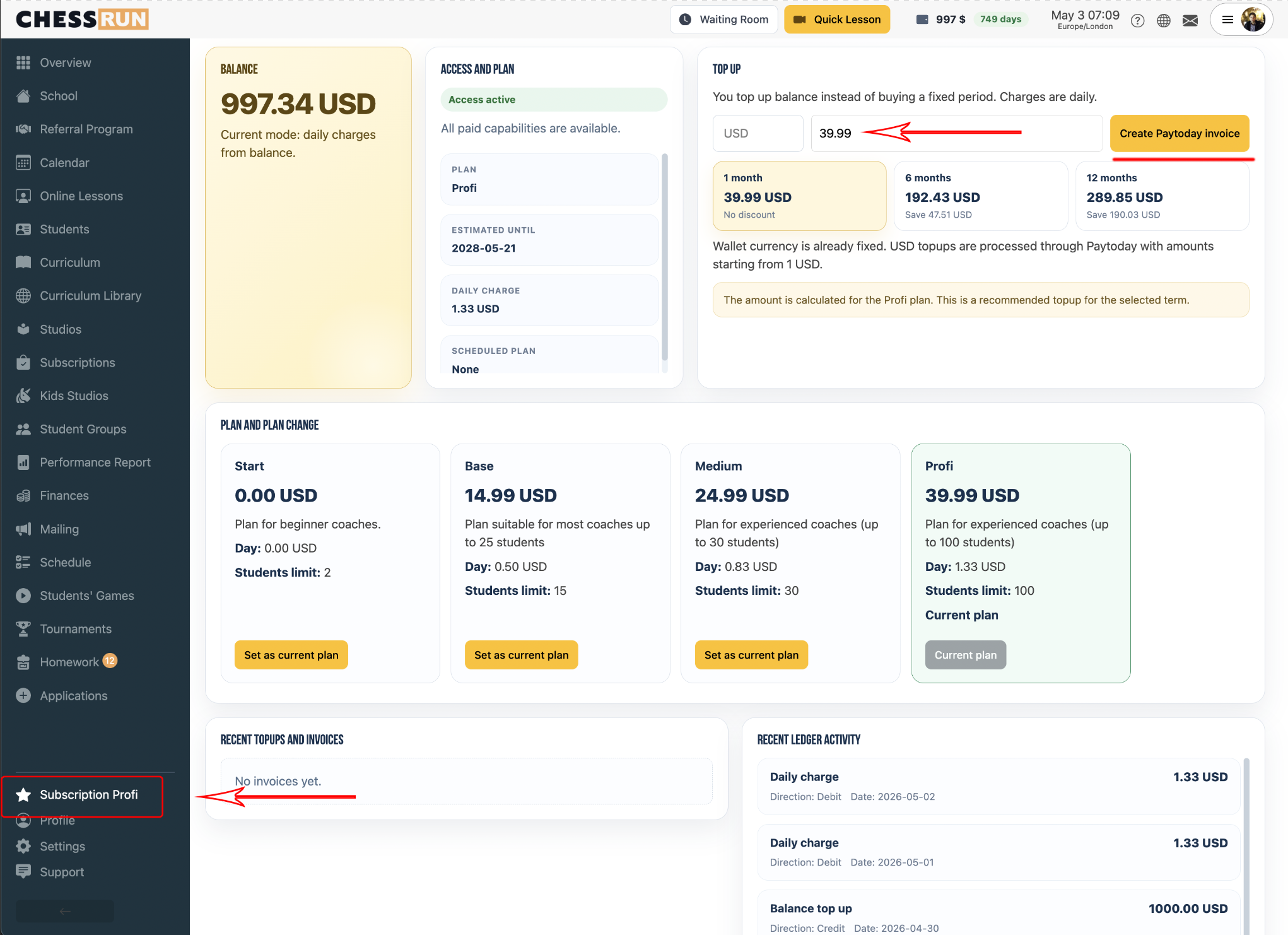
Go to the subscriptions page, enter the amount, then click 'Create invoice'.
2Payment method
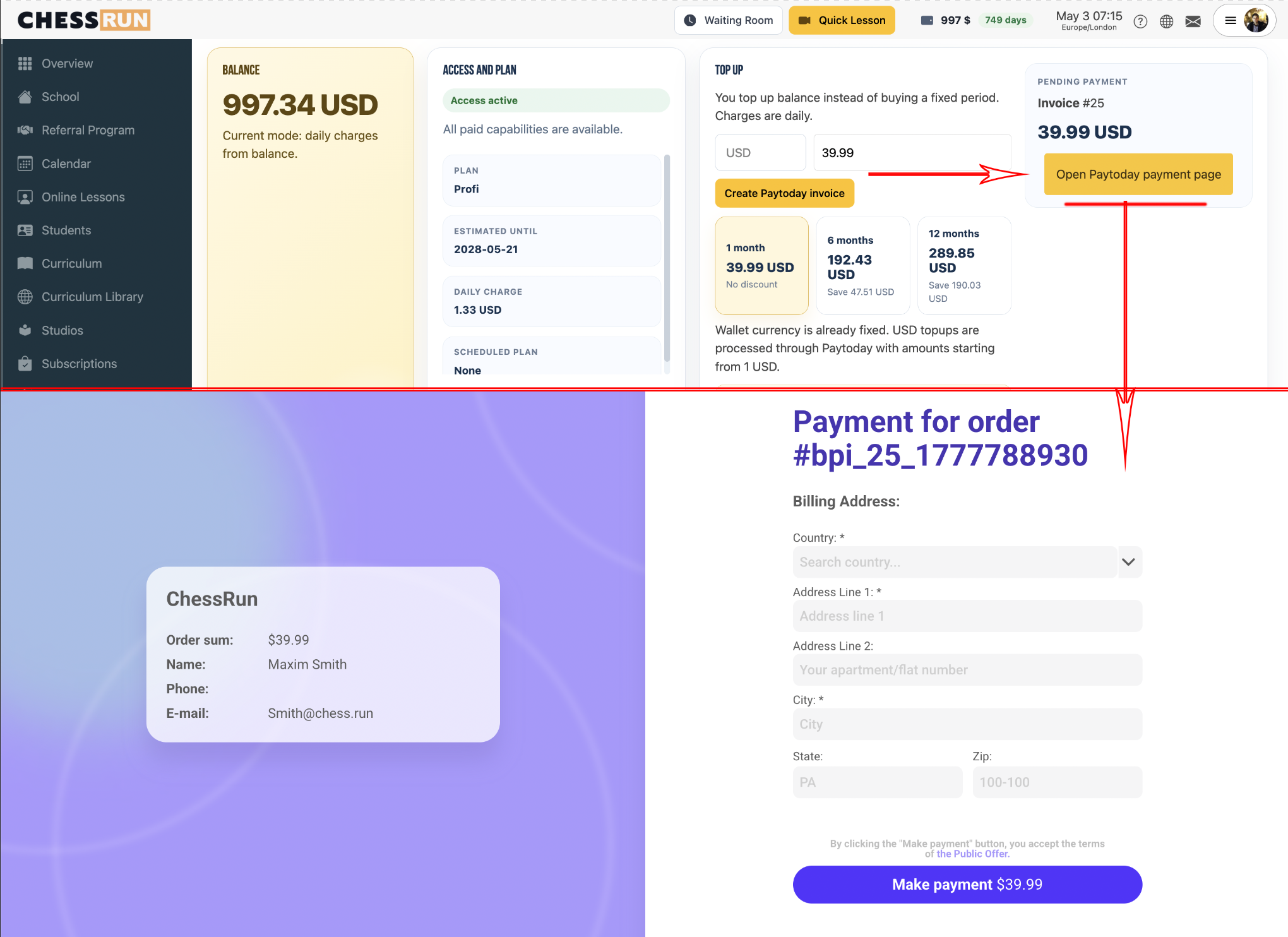
You will be provided with a link to the bank's website.
3Rates and discounts
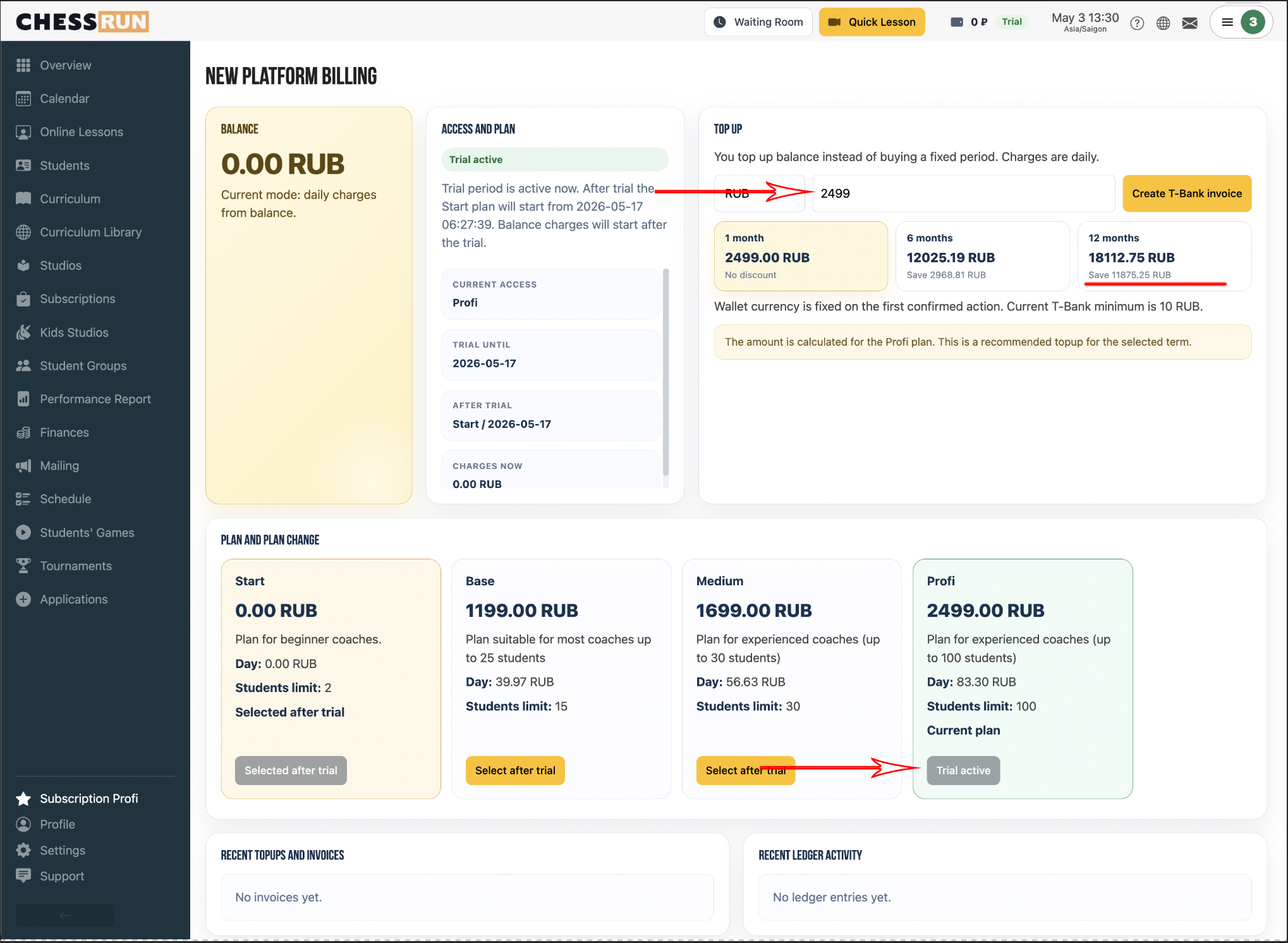
Discounts are available when topping up for 6 or 12 months. The amount depends on the tariff.
What happens if I top up my account during the trial period?
The trial period will continue, and after it ends, the paid period will start.
What happens if the balance becomes negative?
Funds will stop being deducted, and access to lessons will be suspended until the balance is topped up.
What to do if I cannot top up my balance and urgently need to conduct a lesson?
You can activate a loan for urgent lessons for 7 days.